
10th March 2006
Amended 30th September 2025
As of 10th April 2006 the software discussed in this article can be downloaded from www.radicore.org
The RADICORE library consists of functions, methods and variables which exist in different 'include' files, such as the following:
| dml.mysql.class.inc | This is the Data Access Object for MySQL version 4.0 or lower. |
| dml.mysqli.class.inc | This is the Data Access Object for MySQL version 4.1 or higher. |
| dml.oracle.php4.class.inc | This is the Data Access Object for Oracle using the OCI8 extension for PHP 4. |
| dml.oracle.php5.class.inc | This is the Data Access Object for Oracle using the OCI8 extension for PHP 5. |
| dml.pgsql.class.inc | This is the Data Access Object for PostgreSQL version 8.0 or higher. |
| dml.sqlsrv.class.inc | This is the Data Access Object for SQL Server 2008 R2 or higher. |
| error.inc | This contains the default error handler. |
| include.general.inc | This contains general purpose functions. |
| include.jump.inc | This contains addJump, clearJump and findJump. |
| include.session.inc | This contains functions to do with session handling. |
| include.subsystem.inc | There is a separate copy for each subsystem. It is referenced at the start of include.general.inc to provide the opportunity to execute custom code whenever a script within that subsystem is run and before a database object is created. With this it is possible to amend the include_path setting, or include another file containing more functions. |
| include.xml.php4.inc | This contains the XML and XSL functions for PHP 4. |
| include.xml.php5.inc | This contains the XML and XSL functions for PHP 5. |
| std.control_record.class.inc | This can be inherited to provide standard code used by the UPDATE3 pattern for Control Records. |
| std.csv.class.inc | This is for the functions which produce CSV output (OUTPUT1 and OUTPUT4). |
| std.datevalidation.class.inc | This contains functions for validating and formatting all dates. |
| std.encryption.class.inc | This contains functions for password encryption and decryption. |
| std.pdf.class.inc | This is for the functions which produce PDF output. |
| std.singleton.php4.inc | An implementation of the singleton design pattern for PHP 4. |
| std.singleton.php5.inc | An implementation of the singleton design pattern for PHP 5. |
| std.table.class.inc | This is the abstract table class from which each database table class is extended. |
| std.validation.class.inc | This contains the processing behind _validateInsertPrimary and _validateUpdatePrimary. |
In the following sections there are some elements which you can reference in your code while there are others which should only be referenced by the framework. The "framework only" elements have been given a different background colour, as follows:
If you try to use any of these elements in your code the results may be unexpected.
Each database table within a RADICORE application has its own table class which contains specific information regarding that particular database table. This class inherits a great deal of common code from the abstract table class. It is the abstract table class that contains the non-abstract methods which are accessed from all the controllers, and it is the abstract table class which communicates which the database through the data access object (DAO).
Each operation, which starts from the controller and may end in the database, contains a series of distinct steps or stages. Some of these steps in the abstract table class are in fact nothing more than empty methods, and as they contain no code they have no effect on that operation. If any of these empty methods is copied from the abstract table class (superclass) into an application table class (subclass) it will override the method in the superclass. This means that any method found in the subclass will be executed instead of a method with the same name that may be defined in the superclass. This then provides an opportunity to insert code into that empty method so that it can be executed at the appropriate stage of the operation.
These empty methods are known as customisable methods in RADICORE as they are predefined and waiting to be filled with custom code. The signature (API) and the return parameter cannot be changed, only what happens in between. Note that within any subclass it is possible to create additional methods other than those mentioned below, but these additional methods will not be executed unless they are called from one of the pre-defined customisable methods.
The use of an abstract class containing a mixture of invariant methods providing standard behaviour and customisable "hook" methods that can be overridden in a subclass is an implementation of the Template Method Pattern.
The following naming conventions are used for methods within the abstract table class:
| Prefix | Meaning |
|---|---|
| (none) | A public method which can be accessed from outside. Please refer to Notes on Public Methods for details. |
| '_' | A private method which should only be accessed from inside. Please refer to Notes on Internal (private) Methods for details. |
| '_cm_' | A method which is defined within the abstract table class but is empty of any code. It is therefore called within a sequence of operations but does nothing. A copy can be inserted into any subclass in order to define code that needs to be executed at that point in the sequence. Please refer to Notes on Customisable "hook" Methods for more details. |
| '_dml_' | Internal methods which pass control to the Data Access Object (DAO) in order to send Data Manipulation Language (DML) statements to the database. |
In the following sections certain function/method arguments are defined as follows:
$rowdata/$fieldarray - an associative array of 'name=value' pairs containing fields from a single database occurrence. Note that this may also contain fields which have been obtained from other sources (e.g. a sql JOIN).$rows - an indexed array containing multiple database occurrences, where the index is treated as the row/occurrence number, and each row contains $rowdata for that occurrence.$where - a string that contains selection criteria in a format which can be used as the WHERE clause in an SQL query, such as:
field1='value1' AND field2='value2' .....
In the following table the column labelled 'Entry Point' indicates the method which may be called from outside, either from a controller or another table class. The column labelled 'Sequence' shows other methods which may be called internally, and in what sequence.
There is also a small set of UML diagrams which may help you to visualise the program flow.
These methods are called from the controller scripts, and may also be called if you create a table object within any of your custom code.
$fieldarray (IN) is the contents of the object before a SUBMIT button was pressed.
$post is the contents of the $_POST array.
$fieldarray (OUT) is the input array after the contents of $post has been added.
This is just a wrapper for the array_update_associative() function. It will perform the following steps:
$fieldarray (IN) is the contents of the object before a SUBMIT button was pressed.
$post is the contents of the $_POST array.
$fieldarray (OUT) is the input array after the contents of $post has been added.
This is just a wrapper for the array_update_indexed() function. It will perform the following steps:
$where is a string in the format of a WHERE clause in an SQL query.
The steps in this operation are as follows:
$where.$this->errors will contain any error messages.
$update_array is an associative array which identifies the field(s) to be updated (usually 'foreign_key=NULL').
$where is a string in the format of a WHERE clause in an SQL query.
The steps in this operation are as follows:
$where.$update_array.$this->errors will contain any error messages.
$act_buttons (IN) is the current array of action buttons as set in the controller.
$act_buttons (OUT) is the same array after any amendments have been made.
This is just a wrapper for the _cm_changeActionButtons method.
$fieldarray (IN) is is an associative array containing the details of a single database occurrence.
$fieldarray (OUT) will be the input array with any amendments.
This is called from the SEARCH 1 pattern whenever the CLEAR button is pressed.
This will examine each field in $fieldarray, and if it is editable (i.e. the noedit attribute is not set) and clearable (i.e. the noclear attribute is not set), the current value will be nullified.
It will also call the _cm_clearEditableData method to perform any custom processing.
This is used to delete the contents of $this->scrollarray.
$errors will be an array of zero or more error messages.
This will call _examineWorkflow() and either issue a commit or rollback depending on the result. Note that this has no effect on tables which do not support database transactions, such as MyISAM tables.
$fieldarray (IN) is an associative array containing the details of a single database occurrence.
$fieldspec is the contents of the $fieldspec array for the current object.
$fieldarray (OUT) is the input array after any amendments have been made.
This will iterate through the contents of $fieldarray looking for fields which have their 'type' set to either DATE or DATETIME in the $fieldspec array.
If 'type' = DATETIME it will call the convertTZ() function.
If 'type' = DATE convertTZdate() function
$fieldarray (IN) is an associative array containing the details of a single database occurrence.
$button is the name of the button field which was pressed.
$row is the number of this row (in a multi-row zone only).
$fieldarray (OUT) will be the same array, but after any changes have been made.
This function will perform the following steps:
Please see FAQ137 for details on how to define and use custom buttons in the data area.
If a custom button is pressed in a transaction which has multiple zones then this method will, by default, only be called on the object in which the button was actually defined. In order to have this method called on other objects you will need to set the variable $allow_buttons_all_zones to TRUE in each of those other objects.
$rows (IN) is an indexed array of database occurrences, and each occurrence is an associative array of name=value pairs.
$rows (OUT) is the same array.
For each record identified in $rows it will call the deleteRecord() method.
$this->errors will contain any error messages.
$this->numrows will contain the count of deleted records.
$this->messages will contain a message in the format 'N records were deleted from TABLENAME'.
$rowdata (IN) is an associative array containing the details of a single database occurrence.
$rowdata (OUT) is the same array.
The steps in this operation are as follows:
$this->errors will contain any error messages.
$rowdata is an associative array containing the details of a single database occurrence.
This will examine the contents of $this->child_relations for the database occurrence identified in $rowdata, and for each child record found belonging to that relationship it will perform the action indicated by its type:
$this->errors will contain any error messages.
The current value of $this->audit_logging in the parent class is passed down to each of the child classes so that all deletes are either logged (or not logged) together. This may temporarily change the value in a child class for this delete operation.
$index is the index number an entry in $this->scrollarray.
$where will contain a string which identifies the next available occurrence.
This is used to delete an item from $this->scrollarray, and to return the primary key of the next available entry.
$selection is a string in the format of a WHERE clause in an SQL query and may identify one or more database occurrences.
$msg will contain a message in the format 'N rows were updated'.
The sequence of events is as follows:
$this->numrows will contain the count of records which were deleted.
$rowdata (IN) is an associative array containing the details of a single database occurrence.
$rowdata (OUT) is the same array.
The sequence of events is as follows:
This will effectively delete the selected record, its children, the children of its children, and so on all the way down to the bottom of the relationship hierarchy.
$this->errors will contain any error messages.
$rowdata is an associative array containing the details of a single database occurrence.
This will iterate through the contents of $this->child_relations and perform the following on any related occurrence:
$this->errors will contain any error messages.
$query is an arbitrary query, or several queries separated by ';'(semi-colon) or an array of queries.
$result will contain the actual result if only a single query is supplied, or TRUE/FALSE if several queries are supplied.
This is used to execute a number of arbitrary SQL queries "as-is" without the overhead and complexity of supplying query fragments which are then combined and executed one query at a time. Here is an example:
    // step 1: create a copy of the PRODUCT table
    $query[] = "DROP TEMPORARY TABLE IF EXISTS temp_product;";
    $query[] = "CREATE TEMPORARY TABLE IF NOT EXISTS `temp_product` LIKE {$productDB}product;";
    $query[] = "INSERT INTO temp_product (product_id, product_name)
SELECT product_id, product_name
FROM {$productDB}product
WHERE date_intro <= '$date_to 23:59:59' AND end_date_sales >= '$date_from 00:00:00'
  AND NOT EXISTS(SELECT 1 FROM {$productDB}prod_cat_class
	               WHERE product_id=product.product_id
					   AND prod_cat_id LIKE 'NOTFORSALE%'
					   AND start_date <= '$date_to 23:59:59' AND end_date >= '$date_to 00:00:00');";

    // step 2: create a second table containing items which have been ordered during this period
    $query[] = "DROP TEMPORARY TABLE IF EXISTS temp_ordered;";
    $query[] = "CREATE TEMPORARY TABLE IF NOT EXISTS `temp_ordered` LIKE {$productDB}product;";
    $query[] = "INSERT INTO temp_ordered (product_id, product_name)
SELECT product_id, 'name'
FROM order_item
WHERE order_item.order_type='S'
  AND order_item.created_date >= '$date_from' AND order_item.created_date <= '$date_to'
  AND order_item.order_item_status_type_id NOT IN ('PEND','CNCL','CNRG','HOLD','SAM1','SAM2','SAM3','SAM4')
GROUP BY product_id;";

    // step 3: remove from TEMP_PRODUCT anything which exists in TEMP_ORDERED
    $query[] = "DELETE FROM temp_product WHERE product_id IN (SELECT product_id FROM temp_ordered);";

    $result = $this->executeQuery($query);
$resource is a database resource created by getData_serial().
$rowdata will contain an associative array of all the fields from a single database occurrence.
This is used to return database records one at a time instead of in multiples. After each iteration the resource pointer will be advanced to the next occurrence, and $rowdata will return FALSE when end-of-file is reached.
The actual steps are as follows:
$rowdata (IN) is a database row which represents the parent node in a hierarchy.
$rowdata (OUT) will contain the next available child row in that hierarchy.
This is used in an OUTPUT 6 pattern to extract child nodes from a hierarchy so that they can be added to a CSV file.
For each parent node the steps are as follows:
Note that each child record which is returned may have children of its own, so this function will go down as many levels as possible.
$file_name (IN) is the name of the selected file.
$file_name (OUT) is the name of the selected file.
This is used to process the file selected by the user in the filepicker screen. This is not called if the hyperlink_direct option has been used as the hyperlink will cause the selected file to be processed directly in the browser instead of being passed back to this task.
This is a wrapper for the _cm_filePickerSelect() method which may or may not change the default behaviour.
$input_name is the name of the file being uploaded from the client.
$temp_file is a copy of the file in the temporary directory.
$output_name is the file name to be used on the server.
This is used to deal with the file being uploaded from the client before it is written to the server, for example changing it's name into something more meaningful. A temporary copy of the file is available in $temp_file so that its contents may be checked, such as verifying that an image file has the correct dimensions.
This is a wrapper for the _cm_fileUpload() method.
$dbversion is the version number for the database server that will be used by the current object.
This provides the version number of the current database server in case certain options are only available in certain versions. It contains code similar to the following:
    $dbprefix = findDBPrefix($this->dbname);  // does this DB have a prefix?

    $dbname = $dbprefix.$this->dbname;

    $DB = $this->_getDBMSengine($dbname);

    $dbversion = $DB->findDBVersion($dbname);

    return $dbversion;
This function was introduced specifically to identify the version of MySQL as Common Table Expressions (CTEs) were not available until version 8.
$rowdata (IN) is an associative array containing the details of a single database occurrence.
$rowdata (OUT) is the same array after any values have been formatted.
This is called just before the raw data from the database object is included in whatever view object is currently being used (HTML, CSV or PDF). It will take the contents of $rowdata and, using the field specifications in the $this->fieldspec array, will format any values, such as dates and numbers, before they are displayed to the user. For example, a date such as '2006-01-02' will be converted into '02 Jan 2006'.
It will perform the following steps:
This is the opposite of unformatData().
$resource is a database resource created by getData_serial().
$result will return either TRUE or FALSE.
This is used to free a resource created by getData_serial() and processed by fetchRow().
$class_name is the class name of the child object.
This method is only valid in a task which uses more than one object in a parent-child or parent-child-grandchild relationship.
It uses code similar to the following in order to obtain the class name of the child object:
function getChildClass ()
// return class name of the child object.
{
    if (!is_object($this->child_object)) {
        return FALSE;
    } elseif (!method_exists($this->child_object, 'getClassName')) {
        return FALSE;
    } // if

    $child_class = $this->child_object->getClassName();

    return $child_class;

} // getChildClass
$child_data is the data extracted from the child object.
This method is only valid in a task which uses more than one object in a parent-child or parent-child-grandchild relationship.
It is used to obtain the contents of $fieldarray from the child object.
It uses code similar to the following:
function getChildData ()
// return $fieldarray from the child object.
// NOTE: output is passed by reference.
{
    if (!is_object($this->child_object)) {
        return FALSE;
    } elseif (!method_exists($this->child_object, 'getFieldArray')) {
        return FALSE;
    } // if

    $child_data =& $this->child_object->getFieldArray();

    return $child_data;

} // getChildData
After reading the data it is possible to update it using the setChildData() method. This update may include changing any current values as well as adding new rows or removing any rows which have not been added to the database yet.
$name will contain the name, in lower case.
This will return the name of the current class so that it can be used as the identity of the current database table when adding data to an XML document. Where the current class is a subclass with a numerical suffix, as in _s01, this will be removed. For example:
mnu_task will return mnu_task.mnu_task_s01 will return mnu_task.mnu_task_jnr will return mnu_task_jnr.A numerical suffix is used when the purpose of the subclass is to contain some different business logic. A non-numeric suffix is used when data from the same database table needs to be inserted into multiple zones within the same XSL stylesheet, in which case the data for each zone comes from an object with a different class name, such as mnu_task_snr and mnu_task_jnr. This is described in Using subclasses to provide alias names
$array will contain a list of nodes which have been collapsed.
When viewing a tree structure it is possible to expand a node so that its children will appear in the display, or to collapse it so that its children will disappear. This will identify those nodes which have been collapsed so that the system will not retrieve its children.
$where is a string in the format of a WHERE clause in an SQL query and may identify one or more database occurrences.
$fieldarray will contain the data from the first record in the database.
This is used in the OUTPUT4 pattern. It will perform the following steps:
$fieldspec['fieldname']   = array('type' => 'string',
                                  'noedit' => 'y');
$fieldspec['selected']    = array('type' => 'string',
                                  'control' => 'dropdown',
                                  'optionlist' => 'selected',
                                  'required' => 'y');
$fieldspec['sort_seq']    = array('type' => 'integer',
                                  'size' => 5,
                                  'minvalue' => 0,
                                  'maxvalue' => 65535,
                                  'required' => 'y');
$fieldspec['output_name'] = array('type' => 'string',
                                  'size' => 80,
                                  'required' => 'y');
$where is a string which identifies what needs to be counted.
$count will contain the count of entries.
If the $where string is in the format column='value' the following statement will be constructed and executed:
$count = $this->getCount("column='X'");
  will execute:
SELECT count(*) from $this->tablename WHERE column='X'
If the $where string begins with 'SELECT ' it will be assumed to be a complete SQL statement and will be executed without any modification, as with the following examples:
$count = $this->getCount("SELECT MAX(seq_no) FROM table27 WHERE column='X'");
$count = $this->getCount("SELECT SUM(quantity) FROM order_item WHERE order_id=42");
$where is a string in the format of a WHERE clause in an SQL query and may identify one or more database occurrences.
$rows will be an indexed array of different database rows (occurrences) and each row will be an associative array of field names and values.
This is called from within each page controller to process any selection or search criteria passed down by the parent screen, or from a child SEARCH screen, before constructing an SQL query to retrieve data from the database. Because this uses strings in the $where clause which are constructed by the framework it may not be suitable for $where clauses which are constructed manually inside any object. In these cases the getData_raw() method may be more appropriate.
The following optional variables are also used to construct the SQL query:
The steps in this operation are as follows:
TRUE then call ispkeycomplete to verify that a full primary key has been supplied.$this->numrows will contain the count of records retrieved from the database.
$where is a string in the format of a WHERE clause in an SQL query and may identify one or more database occurrences.
$rows will be an indexed array of different database rows (occurrences) and each row will be an associative array of field names and values.
The steps in this operation are as follows:
When retrieving another table's data from within a table object this method should be used instead of getData() where the reformatting of the $this->sql_select, $this->sql_from and $where variables inside _sqlAssembleWhere() may cause problems, especially with complex combinations of AND, OR and NOT.
The following optional variables are also used to construct the SQL query:
$this->numrows will contain the count of records retrieved from the database.
$where is a string in the format of a WHERE clause in an SQL query and may identify one or more database occurrences.
$resource will be a resource that can be processed by the fetchRow() method, and subsequently released by the free_result() method.
This is similar to getData(), but instead of returning an array of occurrences it returns a resource from which individual occurrences can be obtained one at a time using fetchRow(). This is useful for batch jobs in which an unknown number of database occurrences need to be processed as it could cause problems if all those occurrences were retrieved and loaded into an array before they were processed. With this method it is possible to fetch and process a row before fetching the next row.
The following optional variables are also used to construct the SQL query:
The steps in this operation are as follows:
$parent_data.$this->numrows will contain the count of records retrieved from the database.
Here is some sample code:
$where = "workitem_status='EN' AND deadline <= '$now'";
$workitem_result = $workitem->getData_serial($where);
while ($row = $workitem->fetchRow($workitem_result)) {
    ... process contents of $row ...
} // while
$result = $workitem->free_result($workitem_result)
$array will contain a list of nodes which have been expanded.
When viewing a tree structure it is possible to expand a node so that its children will appear in the display. This will identify those nodes which have been expanded so that the system will retrieve its children.
$input can be either a string (in the format of a WHERE clause) or an array (associative or indexed). A string will be converted into an array.
$where is the value of the $where string.
$array will be the same as $input, but after any changes have been made.
This retrieves data that may be of use during the transaction which would not otherwise be made available, such as for INSERTS. The contents of $input may be a WHERE string, or it may be an array of database records. The sequence of steps is as follows:
$first_row_only is a boolean with a default value of FALSE.
$array will be the current data array from $object.
This will return the contents of $this->fieldarray. Note that this array may be either associative or indexed:
$first_row_only = TRUE then the first row will always be returned as an associative array.The following method will also be called:
$array will be an associative array of field names and their specifications.
This will return the current contents of the $this->fieldspec. Note that it may have been amended during the processing of the current task, typically via the _cm_changeConfig() method.
$rowdata (IN) is an associative array containing the details of a single database occurrence.
$rownum is the row number of this occurrence if it came from an indexed array containing multiple rows.
$rowdata (OUT) will be the same array, but after any changes have been made.
This is used to retrieve data from any foreign (parent) tables and include them in the data for the current row. This is normally done by adding JOIN statements to a SELECT query, but sometimes this is not possible. It will perform the following steps:
rdc_no_foreign_data then iterate through the contents of $this->parent_relations and for each entry perform the the following:
parent_field for the relationship is not empty, andparent_field field does not exist in the data for the current record, andNote that the parent_field value is a string which may contain more than one field name.
If any of the foreign key fields are not available, or if the database lookup fails to find an entry, all of the fields specified within the parent_field value will be set to null. This will enable the foreign key field(s) to appear as an empty in the screen along with any label(s) which have been defined.
$outerOBJ is the parent object in this parent/child relationship
$innerOBJ is the child object in this parent/child relationship
$fkeyvalues (IN) is an associative array constructed by the first part of the getForeignKeyValues() function.
$fkeyvalues (OUT) will be the same array, but after any changes have been made.
Note that the outer-to-inner relationship refers to the sequence in which the objects are defined in the controller script for the current transaction pattern.
This is just a wrapper for the _cm_getForeignKeyValues() method.
$input is either a string in the format of a WHERE clause, or an associative array.
$array will be an associative array containing initial values.
This is used with INPUT tasks to supply any initial values before the screen is displayed to the user. Without it all the fields would be blank.
The steps in this operation are as follows:
$input is a string then convert it into an associative array.noedit option set in $this->fieldspec so that its value cannot be changed in the screen.autoinsert or autoupdate option set it will also have the nodisplay option set so that it will not appear in the screen.$input can be either a string (in the format of a WHERE clause) or an indexed array. A string or an associative array will be converted into an indexed array.
$array will be the same as input, but after any initial values have been added.
This is a wrapper for the _cm_getInitialDataMultiple() method.
This is used in the ADD4 transaction pattern to create the records that will be inserted by calling insertMultiple().
This is also used in the ADD5 and ADD7 transaction patterns to create a number of blank records that will be displayed in the screen into which the user can then enter data.
$id is the identity of an entry in a language array file.
$array will contain the array for $id.
This is similar to function getLanguageArray() with the only difference being that it looks for the language file in the directory associated with the current object when it is different from the working directory of the current script.
$id is the identity of an entry in a language text file.
$arg1/2//3/4/5 is a list of optional arguments.
$string will contain the text for $id.
This is similar to function getLanguageText() with the only difference being that it looks for the language file in the directory associated with the current object when it is different from the working directory of the current script.
$array will extract the object's $this->instruction property.
This is a wrapper for the _cm_getInstruction() method.
$index is the highest index number in $this->scrollarray.
$expanded is either an indexed array which identifies the nodes which are to be expanded, or a string containing 'ALL' to signify all available nodes.
$where is a string which is used as selection criteria.
$collapsed is an array which identifies the nodes which are to be collapsed (not expanded).
$array will be an indexed array of different database occurrences, and each occurrence will be an associative array of field names and values.
The steps in this operation are as follows:
$class_name is the class name of the parent object.
This method is only valid in a task which uses more than one object in a parent-child or parent-child-grandchild relationship.
It uses code similar to the following in order to obtain the class name of the parent object:
function getParentClass ()
// return class name of the parent object.
{
    if (!is_object($this->parent_object)) {
        return FALSE;
    } elseif (!method_exists($this->parent_object, 'getClassName')) {
        return FALSE;
    } // if

    $parent_class = $this->parent_object->getClassName();

    return $parent_class;

} // getParentClass
$first_row_only is a boolean with a default value of FALSE
$parent_data is the data extracted from the parent object.
This method is only valid in a task which uses more than one object in a parent-child or parent-child-grandchild relationship.
It is used to obtain the contents of $fieldarray from the parent object.
It uses code similar to the following:
function getParentData ($first_row_only=false)
// return $fieldarray from the parent object.
// NOTE: output is passed by reference.
{
    if (!is_object($this->parent_object)) {
        return FALSE;
    } elseif (!method_exists($this->parent_object, 'getFieldArray')) {
        return FALSE;
    } else {
        $parent_data =& $this->parent_object->getFieldArray($first_row_only);
    } // if

    return $parent_data;

} // getParentData
After reading the data it is possible to update it using the setParentData() method.
$rowdata is an optional associative array of name=value pairs for a single database occurrence.
$next_task is as associative array with details of the next task
$array will be the same as the input array, but will only contain those fields which exist within the primary key.
If $rowdata is not supplied then $this->fieldarray will be used instead.
The processing sequence is as follows:
$rowdata it will then remove those fields which are not in the list of primary key fields.The remaining fields will then be used to construct a string in the format of the WHERE clause of an sql SELECT statement.
$array will be an indexed array of field names.
This is used to obtain a list of all the fields which comprise the primary key in the current table. It will obtain the relevant information from $this->primary_key.
$array will be an indexed array of field names.
This is used to obtain a list of field names which will subsequently be used in the construction of a string in the format of the WHERE clause of an sql SELECT statement.
The processing sequence is as follows:
$index is the current pointer into $this->scrollarray.
$index (IN) is a key to an entry in $this->scrollarray.
$index (OUT) will contain an index number which may be different.
$where will contain the primary key of the entry indicated by $index.
The processing sequence is as follows:
$index points to an entry in $this->scrollarray.$index does not point to an entry between two jump points.$where string.$size is the current count of items in $this->scrollarray.
$output is the $where string from the object.
$next_task is an associative array which contains details of the child task.
This is called when a navigation button is pressed in order to extract the $where string from the main object in the current task so that it can be passed to the next task.
The _cm_getWhere() method is called in case this string needs to be customised.
See also: Appendix I: Passing context between objects.
$item is the name of the list to be returned as there may be more than one.
$where is an optional string containing selection criteria.
$array will contain the output as an associative array.
This is used to obtain the contents of a dropdown list or radio group. The term "ValRep" stands for "Value/Representation" where "Value" is what is held internally and "Representation" is what is shown to the user. The list may either be hard-coded, or extracted from a database table. The implementation details are defined in _cm_getValRep().
$where (IN) is a string in the format of a WHERE clause in an SQL query.
$selection is an optional string similar to $where
$search is an optional string similar to $where
$where (OUT) is the version of $where (IN) after any amendments have been applied.
This is used in all forms to perform any initialisation when the form is first activated. It does the following:
If the task was activated from a navigation button then both $where and $selection will be passed down from the calling task. Both values are made available so that the application code can decide which one to use. The $selection string will come from the entity containing multiple rows which were marked as selected, such as the main entity in a LIST1 or the inner/child entity in a LIST2 or LIST3. The $where string will contain whatever was passed into that entity as $where.
Note the following processing rules regarding $where and $selection:
$where is empty it will be replaced with $selection, then $selection will be emptied.$where and/or $selection.$where and $selection are present then the contents of $where will be overwritten by $selection UNLESS:
$where string has been modified.$selection string has been emptied.Note that the $search string is only available with tasks of type OUTPUT which are called from a SEARCH1 task.
All tasks whose pattern is in the ADD group will also use the getInitialData() method.
If $mode is equal to "search" then the following actions will be taken:
$input will have the noedit option set in the field specifications so that its value cannot be changed in the search screen.nosearch option set then the nodisplay option will also be set so that the field will be excluded from the search screen.autoinsert or autoupdate option set it will be excluded from the search screen.WHERE start_date <= now() AND end_date >= now()WHERE end_date < now()WHERE start_date > now()$where is a string in the format of the WHERE clause in an SQL query.
This is used in a file download transaction to specify default values for the following:
$this->download_filename - the name of the file to be downloaded.$this->download_data - (optional) the file contents in memory.$this->download_mode - 'inline' or blank. With 'inline' the file can only be viewed, not saved.If $this->download_data is empty the file contents will be retrieved from disk.
The processing sequence is as follows:
$where.This is used in a File Picker transaction to specify default values for the following:
$this->picker_subdir - the source directory from which files will be displayed for picking.$this->picker_filetypes - an array of valid file types, such as gif, jpg, etc.$this->picker_include_dir - identifies how to handle subdirectories.The _cm_initialiseFilePicker() method is called to perform any custom processing.
$where is a string in the format of a WHERE clause in an SQL query, as passed down by the previous screen.
This is used in a file upload transaction to specify default values for the following:
$this->upload_subdir - the destination directory for the uploaded file.$this->upload_filetypes - an array of valid MIME Media Types, such as image/gif, image/jpg, etc. If any type of image is allowed then the string value image can be specified instead.$this->upload_maxfilesize - the maximum size allowed, in bytes, for the uploaded file.$this->upload_blacklist - an array of invalid file extensions.The _cm_initialiseFileUpload() method is called to perform any custom processing.
Once the user identifies the file to be uploaded and presses the SUBMIT button control is passed to the fileUpload() method.
$rows (IN) is an indexed array containing the details of each row to be inserted.
$rows (OUT) is the same array after it has been processed, but may contain changes.
This uses data which is typically created with the getInitialDataMultiple() method.
The processing sequence is as follows:
rdc_to_be_deleted then call deleteRecord()rdc_to_be_updated then call updateRecord()rdc_to_be_ignored then do nothing$this->errors will contain any error messages.
$this->numrows will contain the count of inserted records.
$this->messages will contain a message in the format 'N records were inserted into TABLENAME'.
$rowdata (IN) is an associative array containing the details of a single row to be inserted.
$rowdata (OUT) is the same array after it has been processed, but may contain changes.
The steps in this operation are as follows:
$rowdata.$rowdata.autoinsert or autoupdate option set in $this->fieldspec it will be removed from $rowdata.$this->errors will contain any error messages.
$this->numrows will be set to 1 if the record is inserted, or 0 if it is not.
Just before a record is inserted a lookup will be made using the given primary key. If a record already exists then $this->errors will be loaded with an appropriate message UNLESS $this->no_duplicate_error is set to TRUE, in which case $this->numrows will be set to 0 and no error message will be produced.
$array (IN) may be either an indexed array containing data for several database rows, or an associative array containing data for a single database row.
$array (OUT) is the same array after it has been processed, but may contain changes.
The steps in this operation are as follows:
$array and see if a record with that primary key currently exists in the database. This will then:
$this->errors will contain any error messages.
$array will be an associative array of field names and their specifications.
This will take data from the <tablename>.dict.inc file which was exported from the Data Dictionary and load it into the following object variables:
This loading is done when the object is instantiated and also immediately prior to any INSERT or UPDATE operations to remove any changes made in custom code as these changes may be out of step with the physical database structure and could cause a fatal error.
$resource is a database resource created by getData_serial().
$output will be a string containing all the retrieved data in CSV (comma separated values) format.
The steps in this operation are as follows:
std.csv.class.inc.$resource is a database resource created by getData_serial().
$string is the PDF output if 'destination' is set to 'string'.
This method is used to produce output in PDF format (detail view) which follows the layout defined in the report structure file. It has the following steps:
std.pdf.class.inc which is a subclass of TCPDF.$resource.$resource is a database resource created by getData_serial().
$string is the PDF output if 'destination' is set to 'string'.
This method is used to produce output in PDF format (label view) which follows the layout defined in the report structure file. It has the following steps:
std.pdf.class.inc which is a subclass of TCPDF.$resource.$resource is a database resource created by getData_serial().
$string is the PDF output if 'destination' is set to 'string'.
This method is used to produce output in PDF format (list view) which follows the layout defined in the report structure file. It has the following steps:
std.pdf.class.inc which is a subclass of TCPDF.$resource.$fieldarray (IN) is an associative array of name=value pairs which represents a single database row.
$data is the data which was saved when the COPY button was pressed.
$fieldarray (OUT) is the result of merging $data with the contents of $fieldarray (IN).
It has the following steps:
Note that the PASTE button will only appear in an input screen if data from the same table has been saved using the COPY button.
$popupname identifies the popup screen which is to be processed.
$where (IN) is the WHERE clause being processed by the current screen.
$script_vars is the set of variables for the current screen that will be saved in the $_SESSION array.
$fieldarray is an associative array containing the data for the current database occurrence.
$settings is a string containing optional settings for the popup screen.
$offset is the HTML row number, starting at 1, if the object has multiple rows.
$where (OUT) is the WHERE clause that will be passed to the popup screen.
If any screen contains a popup button, and the user presses this button, this method will be called to define the parameters which are to be passed to the popup form, which will then be activated. The current form will be suspended while the popup form has control, and will be automatically reactivated as soon as the popup form terminates (refer to popupReturn()).
Although a value may be brought forward in $where it may not be applicable in the popup form, so by default the output value will be empty. This behaviour may be customised in _cm_popupCall().
Currently the default value in $settings is select_one=true which will cause the SELECT column to be displayed as a radio group so that only one entry can be selected at any one time. This can be reversed by specifying select_one=false which will then cause the SELECT column to be displayed as a series of checkboxes.
$rowdata (IN) is an associative array containing the current data for a database occurrence.
$return_from is the name of the popup form which has just been processed.
$selection is a string which identifies what was selected in the popup or filepicker form.
$popup_offset is a number which contains the index number of the row on which the popup button was activated.
$return_files is an array containing details returned from a fileupload
$rowdata (OUT) will contain the input array adjusted to include whatever was selected.
If any screen contains a popup button, and the user presses this button, this method will be called after the user makes a selection in the popup form and presses the CHOOSE button to return to the current form. This is so that the selected item can be merged with the existing data for the current form.
Note that $popup_offset will always be zero unless the current form displays multiple rows which contain the same popup button.
If the selection was a filename then this name will be added to $rowdata, _cm_popupReturn() will be called in case any custom processing is required, and the function will exit.
If the selection was a database occurrence then $selection will contain the primary key (which may be a compound key) of that occurrence. The selection will be passed to _cm_popupReturn() for any custom processing before it is added to $rowdata, then passed to _cm_getInitialData(), _cm_post_popupReturn() and getExtraData().
This function will perform the following steps:
Usually only a single foreign key is returned from a popup in which case that foreign key is inserted into the row from which the popup was called. However, it is possible to return multiple foreign keys in patterns such as ADD7 and MULTI4. In this case the following processing will take place:
$fieldarray to contain all subsequent foreign keys.$filename (IN) is the name of the file which has just been uploaded.
$filesize is the size of the file which has just been uploaded.
$filename (OUT) is the filename in case it needs to be changed.
This is a wrapper for the _cm_post_fileUpload() method.
$search is a string in the format of the WHERE clause in an SQL query using the values which were submitted in the search task.
$selection is a string containing any selection criteria passed down from the parent task.
This is a wrapper for the _cm_post_search() method.
This is used in ADD tasks to perform custom processing when the QUIT/CANCEL button is pressed instead of a SUBMIT button.
This is a wrapper for the _cm_quitButton() method.
$where is a string in the format of a WHERE clause in an SQL query.
This is used when the RESET button is pressed. This button is available in those transactions where the user can modify the selection and sorting criteria to alter how the current set of data is displayed. By pressing this button the user will remove any additional selection and sorting criteria and return the transaction to its original state. This is done by performing the following:
$return_from is the identity of the task from which the system is returning.
$return_action is a string which indicates the completion status of that task.
$return_string is a string which is returned from the $return_from task.
$return_files is an array containing details returned from a fileupload task.
This is used when a task is restarted after being suspended for the processing of a child task. It is also used in a MULTI2 task when the $search values are changed.
It is a wrapper for the _cm_restart() method.
If a database update fails this will rollback (undo) any changes made since the previous call to startTransaction(). Note that this has no effect on tables which do not support database transactions, such as MyISAM tables.
This is available in an ADD2 task and will be executed just before the screen is displayed. It uses data loaded in the setFinalAction() method.
This will examine the $_SESSION['script_sequence'] array, and if it is not empty and the first entry contains the 'immediate' attribute then it will use the scriptNext function to run that task immediately instead of waiting for the current task to terminate.
It contains the following code:
function runImmediateTask ()
// see if there is another task which should be run immediately.
{
    $errors = array();

    if (!empty($_SESSION['script_sequence'])) {
        $first = $_SESSION['script_sequence'][key($_SESSION['script_sequence'])];
        if (isset($first['immediate'])) {
            $task_array = array();
            if (!empty($first['settings'])) {
                $task_array['settings'] = $first['settings'];
            } // if
            $errors = scriptNext($first['task_id'], $first['where'], null, $task_array);
        } // if
    } // if

    return $errors;

} // runImmediateTask
If there is an open database transaction then this will call $this->commit(), after which it will call the scriptNext() function to transfer control to the script identified in $task_id.
If there is an open database transaction then this will call $this->commit(), after which it will call the scriptPrevious() function to transfer control to the previous script in the current stack.
$child_data is the data to be inserted into the child object.
This method is only valid in a task which uses more than one object in a parent-child or parent-child-grandchild relationship.
It is used to replace the contents of $fieldarray in the child object which has been updated following a call to getChildData().
$child_object is a reference to the child object which is to be inserted into its parent object.
This method is used in a page controller which uses more than one object in a parent-child or parent-child-grandchild relationship. It then allows the getChildData() and setChildData() methods, as well as other methods, to operate on that object.
$fieldarray is an array which can either contain a single associative array representing a single database row, or an indexed array of associative arrays representing several database rows.
$reset_pageno is a boolean which defaults to TRUE.
$reset_numrows is a boolean which defaults to TRUE.
This inserts the array into the $this->fieldarray of the specified object, replacing any array which currently exists.
If $reset_numrows is TRUE then $this->numrows will be set to the number of rows in $fieldarray.
If $reset_pageno is TRUE and $this->numrows is zero then both $this->pageno and $this->lastpage will be set to zero ready for the next call to $object->getData.
$fieldarray (IN) is an associative array containing the data from a single database occurrence.
$fieldarray (OUT) is the input array which may have been altered.
This is a wrapper for the _cm_setFinalAction() method.
$instruction is an array which identifies particular rows and the action to be taken on each of those rows.
This takes any instructions passed back by a child form which has just terminated, and loads them into $this->instruction for the current object so that they may be processed in a subsequent call to $this->_processInstruction().
$input is either an associative array, or a WHERE string which will be converted into an array.
$array will contain the input data, but as an associative array.
This is used to re-obtain any lookup data, such as will be used as the contents of any dropdown lists or radio groups.
The steps in this operation are as follows:
$orderby is a string in the format of the ORDER BY clause of an SQL query.
This sets the value for $this->sql_orderby.
$orderbyseq is a string which indicates either ASC(ending) or DESC(ending).
This sets the value for $this->sql_orderby_seq.
$parent_data is the data to be inserted into the parent object.
This method is only valid in a task which uses more than one object in a parent-child or parent-child-grandchild relationship.
It is used to replace the contents of $fieldarray in the parent object which has been updated following a call to getParentData().
$parent_object is a reference to the parent object which is to be inserted into its child object.
This method is used in a page controller which uses more than one object in a parent-child or parent-child-grandchild relationship. It then allows the getParentData() and setParentData() methods, as well as other methods, to operate on that object.
$where (IN) is a string in the format of a WHERE clause in an SQL query.
$where (OUT) will contain the primary key of the first entry in the newly-constructed array.
This is used in a MULTI1, and optionally in a MULTI4 transaction pattern to create $this->scrollarray, which is an array of primary keys for records which may or may not currently exist in the database. After the array has been created using _cm_setScrollArray() the display will start at the first occurrence, and the user will be able to step through all the occurrences using the standard scrolling mechanism. An UPDATE operation will perform an INSERT if the selected occurrence does not currently exist in the database.
$search is a string in the format of a WHERE clause in an SQL query.
This is used to set/reset the search criteria which will be used in the next call to $this->getData(). It will affect the following variables:
This is used to set the components of the subsequent sql SELECT statement to their default values. It performs the _sqlForeignJoin() method to include the contents of the $parent_relations array. After this is called and before the getData() method is called the following variables are available for further customisation:
This will use the contents of $this->lock_tables or, if empty, will call _cm_getDatabaseLock() to issue any database locks before telling the database that a new transaction has started. Standard framework tables can automatically added to this list by setting $this->lock_standard_tables to TRUE. These locks will be released with the next commit or rollback.
$rowdata (IN) is an associative array containing the data from a single database occurrence.
$rowdata (OUT) will contain the input data after any reformatting has been performed.
This will take any data which has been formatted for the user, such as dates and numbers, and convert them back into internal format. For example, a date such as '02 Jan 2006' will be converted into '2006-01-02'.
It will also call _cm_unformatdata() to perform any custom unformatting.
This is the opposite of formatData().
$fieldarray (IN) is the current contents of the object before any amendments are applied.
$_POST is the array of data POSTed from the current form.
$perform_validation is a boolean whose default value is TRUE.
$fieldarray (OUT) is contents of the object after it has been amended by the contents of $_POST.
This method will only be used when the form is submitted without the use of a SUBMIT button, such as a javascript submit() function. It will merge the $_POST array with the object's current $fieldarray and output the result.
This function will perform the following steps:
perform_validation is TRUE then $this->_cm_commonValidation() - for each row within the object.Note that this method does NOT automatically update the database. This is only done when a SUBMIT button is pressed, in which case a method such as $object->insertRecord() or $object->updateRecord() will be used instead.
$rows (IN) is an indexed array which contains the current data for several database occurrences.
$postarray is an array which shows which occurrences in $rows were SELECTED or NOT SELECTED.
$rows (OUT) will contain the updated data for those database occurrences.
This is used in the LINK1 transaction pattern to update the link table in a many-to-many relationship. The contents of $postarray will be processed to ensure that a database occurrence exists where SELECTED=TRUE and does not exist where SELECTED=FALSE.
The steps in this operation are as follows:
$this->errors will contain any error messages.
$rows (IN) is an indexed array containing the data for several database occurrences.
$postarray (optional) contains any changes.
$rows (OUT) will contain the updated data for those database occurrences.
The steps in this operation are as follows:
$postarray with the contents of $rows.rdc_to_be_deleted then call deleteRecord($row)rdc_to_be_inserted then call insertRecord($row)rdc_to_be_ignored then do nothing$this->errors will contain any error messages.
$this->messages will contain a message in the format 'N records were updated on TABLENAME'.
$this->numrows will contain a count of the records which were updated.
$rowdata (IN) is an associative array containing the data for a single database occurrence.
$rowdata (OUT) will contain the updated data for that database occurrence.
The steps in this operation are as follows:
$rowdata.autoinsert or autoupdate option set in $this->fieldspec it will be removed from $rowdata.$this->errors will contain any error messages.
$selection is a string in the format of a WHERE clause in an SQL query.
$replace is a string in the format of a SET clause in an SQL query.
$msg will contain a message in the format 'N records were updated on TABLENAME'.
This is intended to issue an SQL query in the format:
UPDATE <tablename> SET $replace WHERE $selection
The steps in this operation are as follows:
$this->numrows will contain a count of the records which were updated.
$selection is a string which identifies which rows were selected using their primary key values.
$selected_rows is an array which identifies which rows were selected using their row numbers in the current screen.
$result will return FALSE if there are validation errors, else TRUE.
After the CHOOSE button has been pressed in a POPUP screen it may be necessary to validate the selection before it is passed back to the calling form.
This acts as a wrapper for the _cm_validateChooseButton() method.
$this->errors will contain any error messages.
$rowdata (IN) is an associative array containing the data for a single database occurrence.
$parent_table is empty by default, but during cascade deletes it identifies the table from which the delete has been initiated.
$rownum is empty by default, but during cascade deletes it identifies the row number of this child row for this parent.
$rowdata (OUT) will contain the updated data for that database occurrence.
This will check that the database record identified in $rowdata can be deleted without causing problems.
The steps in this operation are as follows:
$this->errors will contain any error messages.
$rowdata (IN) is an associative array containing the data for a single database occurrence.
$rowdata (OUT) will contain the updated data for that database occurrence.
This will check that the database record identified in $rowdata can be inserted without causing problems.
The steps in this operation are as follows:
$this->errors will contain any error messages.
$postarray (IN) an associative array containing input data.
$postarray (OUT) the same array after any changes have been made.
This will allow the input data from a SEARCH screen to be validated before it is passed back to the previous task for use in the WHERE clause of an sql SELECT statement.
This will check that any required field is not empty, then call _cm_validateSearch() to perform any custom processing.
$rowdata (IN) is an associative array containing the data for a single database occurrence.
$primary is a BOOLEAN value which defaults to TRUE.
$secondary is a BOOLEAN value which defaults to TRUE.
$rowdata (OUT) will contain the updated data for that database occurrence.
This is used in an UPDATE1 task to check that the database record identified in $rowdata can be updated without causing problems. This check is performed after the database record has been read but before it is displayed to the user.
It is also performed in an OUTPUT4 task to validate the selection details before the data is exported to a CSV file.
The steps in this operation are as follows:
$this->errors will contain any error messages.
These methods should not be called in any user code.
$header is an array of field names which represent the column headings in the output.
$rows is an array of zero or more rows of data to be appended to the CSV output.
This is called from outputCSV(). It is just a wrapper for the _cm_appendToCSV() method
$this is the database object from which this method was called.
$resource is a database resource created by getData_serial().
This is called from outputPDF_DetailView(). It will perform the following steps:
$resource. If not EOF do the following:
$this is the database object from which this method was called.
$resource is a database resource created by getData_serial().
This is called from outputPDF_LabelView(). It will call fetchRow() on all the records provided in $resource and perform the following steps:
$this is the database object from which this method was called.
$resource is a database resource created by getData_serial().
This is called from outputPDF_ListView(). It will perform the following steps:
$resource. If not EOF do the following:
$name is the name of the PDF file.
$destination is the place where the document will be sent.
$string will contain the output if $destination = 'S'.
If $name is empty then the output will be sent to the browser ($destination = 'I') with the name doc.pdf.
$destination can have one of the following values:
fieldarray is an associative array containing the data for a single database occurrence.
$array is an array of strings.
This acts as a wrapper for the _cm_output_iterations() method.
$rowdata is an associative array containing the data for a single database occurrence.
This will obtain an instance of the Data Access Object (DAO) for the appropriate server which will then do the following:
It will use the contents of $rowdata and the list of primary keys in the $this->fieldspec array to build a WHERE clause, then construct and execute a query in the following format:
DELETE FROM $tablename WHERE $where
If the audit flag is turned on for this table it will also write the details out to the audit database.
$selection is a string in the format of a WHERE clause in an SQL query, and may identify multiple database occurrences.
$from is only used in a multi-table delete.
$using is only used in a multi-table delete.
$count will identify how many records were actually processed.
This will construct and execute a query in the following format:
DELETE FROM $tablename WHERE $selection
If the audit flag is turned on for this table it will also write the details out to the audit database.
If values are supplied for both $from and $using the query will be constructed as follows:
DELETE FROM $from USING $using WHERE $selection
Note that this variation will not write out details to the audit database as the records are not read before they are deleted.
$resource is a database resource created by _dml_getData_serial().
$rowdata will contain an associative array of data from the next available row, or FALSE if no more rows exist.
This is used after a call to getData_serial() to return the database records one at a time.
$where is a string in the format of a WHERE clause in an SQL query.
$rows will contain a two-level array of retrieved data. The first level will be indexed by row number, and each row will contain an associative array of name=value pairs.
As well as using the $where string this method will also use the following optional strings:
It will then obtain an instance of the Data Access Object (DAO) for the appropriate server which will then do the following:
The first step is to construct and execute a query in the following format:
SELECT count(*) FROM $from_str $where_str $group_str $having_str
If the returned count is zero then the function immediately exits, otherwise the value is used with the $pageno and $rows_per_page variables to construct the LIMIT and OFFSET portions of the subsequent SELECT statement.
If $this->row_locks is set then $lock_str will be set as follows:
A complete SQL query will be constructed from the various component parts, some of which may be NULL, as follows:
$this->query = "SELECT $select_str FROM $from_str
                       $where_str
                       $group_str
                       $having_str
                       $sort_str
                       $limit_str
                       $lock_str"
if (!$result = <DBMS>_query($this->query)) {
    trigger_error($this, E_USER_ERROR);
} // if
If you wish to view the SQL statements that are constructed and issued take a look at $GLOBALS['log_sql_query'].
All resulting data will be converted into a two-level array - the first level will be indexed by row number, and each row will contain an associative array of name=value pairs. All column names will be converted into lower case. This is done using code similar to the following:
$array = array();
while ($row = DBMS_fetch_assoc($result)) {
    $array[] = array_change_key_case($row, CASE_LOWER);
} // while
return $array;
$where is a string in the format of the WHERE clause in an SQL query.
$resource will be a database resource which can be used to access all the retrieved rows.
This is similar to _dml_getData(), but instead of returning an array of occurrences it returns a resource from which individual occurrences can be obtained using fetchRow().
$rowdata (IN) is an associative array containing the data for a single database occurrence which is be be inserted.
$rowdata (OUT) is the same data after it has been inserted, which may now include any auto-generated values.
This will remove any field from the array which does not exist in the table, such as the SUBMIT button which exists in the $_POST array created by the web server.
If any field has the autoinsert option set it will insert a value according to the data type:
It will then obtain an instance of the Data Access Object (DAO) for the appropriate server which will then do the following:
If any field in the primary key has the auto_increment option set then ensure that is has no value in $rowdata otherwise no new value will be generated. If there is no auto_increment option then perform a lookup with the supplied primary key to see if a duplicate record already exists. If it does then generate an error message and terminate the insert.
If the table contains any candidate (unique) keys then perform a lookup on each one to check for duplicates. If any is found then generate an error message and terminate the insert.
It will then construct and execute a query in the following format:
INSERT INTO $tablename SET field1='value1', field2='value2',...
If any field in the primary key has the auto_increment option set then obtain the value which has just been generated and insert it into the output array.
If the audit flag is turned on for this table it will also write the details out to the audit database.
$where is a string in the format of the WHERE clause of an SQL query.
$reuse_previous_select is boolean, taken from $this->reuse_previous_select.
$rowdata will contain a two-level array of retrieved occurrences - the first is indexed by row number, and each row will contain an associative array of name=value pairs.
If $reuse_previous_select is FALSE (the default setting) this will construct and execute a query in the following format:
SELECT * FROM $tablename WHERE $where FOR UPDATE
If $reuse_previous_select is TRUE this will construct and execute a query using the current contents of $this->sql_select, $this->sql_from, et cetera. This is for those cases where the current SELECT statement contains a field from a JOINed table, and this field must be included in the re-read so that it is available in the $originaldata arguments of the _cm_commonValidation() and _cm_validateUpdate() methods.
This read is done for the following reasons:
In theory the contents of $where should identify the primary key of an existing occurrence, therefore $rowdata should contain no more than one record. If $fieldarray contains a field called 'rdcversion' (Radicore Version Number) then this will be included in the $where string. This special field (an INTEGER with AUTO-UPDATE set) will be incremented with each update, so can be used to prevent simultaneous updates of the same record. Please refer to FAQ 70 for more details.
$updatearray contains an associative array of updated details for a single database occurrence.
$originaldata contains an associative array of original details for the same database occurrence, as provided by _dml_ReadBeforeUpdate().
$rowdata will contain the data after it has been updated.
This will remove any field from the array which does not exist in the table, such as the SUBMIT button which exists in the $_POST array created by the web server.
It will then obtain an instance of the Data Access Object (DAO) for the appropriate server which will then do the following:
If any field has the autoupdate option set it will insert a value according to the data type:
This will use the contents of $updatearray and the list of candidate keys in the $this->fieldspec array to perform a lookup to check for duplicates. If any is found then it will generate an error message and terminate the update.
This will use the contents of $updatearray and the list of primary keys in the $this->fieldspec array to build a WHERE clause, then construct and execute a query in the following format:
UPDATE $tablename SET field1='value1', field2='value2',... WHERE $where
$selection is a string in the format of a WHERE clause in an SQL query, and may identify multiple database occurrences.
$replace is a string in the format of a SET clause in an sql UPDATE statement.
$count will identify the number of records which were processed.
This will construct and execute a query in the following format:
UPDATE $tablename SET $replace WHERE $selection
$input may be an associative array containing the details of a single database occurrence, or a WHERE string which will be converted into an associative array.
$errors will contain an array of error messages, and will be empty if no errors are detected.
This is performed whenever a task (user transaction) completes successfully in order to find out one of the following:
wf_workitem record will have its status updated to 'finished'.wf_token records which exist on inward arcs and update their status to 'consumed'.wf_token records on places that exist on outward arcs.wf_case table using the current primary key as the value for context.wf_token table for the start place of this workflow.For further details please consult An activity based Workflow Engine for PHP.
$fieldarray is an associative array of name=value pairs.
This function will look for records on the INITIAL_VALUE_ROLE table using the current task and user identity, and merge them with any found on the INITIAL_VALUE_USER table. These records provide initial values for fields within the current task.
If any are found the details are added to $fieldarray. This is loaded into $this->initial_values during the initialise() method, and how it is handled after that depends on the behaviour of the current task:
$where (IN) is a string in the form of a WHERE clause in an SQL query.
$where (OUT) is the input string after it has been amended.
This will turn the $where string into an array, merge it with the contents of $this->initial_values (without overwriting any non-null values), then convert the result back into a string.
$where is a string in the format of the WHERE clause in an SQL query, and should contain the primary key of a single database occurrence.
This is performed at the start of a task (user transaction) to find out if it is a workitem within a workflow instance. If it is it will perform the following:
For further details please consult An activity based Workflow Engine for PHP.
$rowdata (IN) is an indexed array containing the data for a number of database occurrences.
$rowdata (OUT) is the same array after any modifications have been made.
This looks for any instructions set by the previous task (contained in $this->instruction) and adjusts the current set of data accordingly. At present the only instructions available are:
For examples of how to set values please refer to $this->instruction.
$where (IN) is a string in the format of the WHERE clause in an SQL query.
$where_array is the same as $where (IN) but in the form of an associative array.
$where (OUT) will be a string containing any adjustments.
This will also use the following class variables:
This will look at the various components that will be used in the construction of the sql SELECT statement to see if they need adjustment, as follows:
$where which do not belong in this table. This will eliminate problems by caused by a $where clause passed down from the previous transaction which contains field names which are invalid in the current transaction.$where variable is checked to ensure that all column names are qualified with the correct table name. This will prevent conflicts if the same field names exist on other tables involved in any JOINs.$where and $this->sql_search variables are checked to ensure that any column name which is contained in $this->sql_select as an alias (as in "<expression> AS alias") is moved from $where to $this->sql_having. This will prevent an invalid sql statement from being constructed.selected=TRUE/FALSE with selected='T/F' which will then be moved into the HAVING string of the SQL query.$where.$this->default_orderby are qualified with the current table name. This will prevent conflicts if the same field name(s) exist on other tables involved in any JOINs.$where and $this->sql_where.$where (IN) is a string in the format of the WHERE clause in an SQL query.
$where_array is the same as $where (IN) but in the form of an associative array.
$where (OUT) will be a string containing any adjustments.
In a LINK1 transaction three table names are provided:
This information will be used to construct an sql SELECT statement similar to the following:
SELECT outer.outer_id, inner.inner_id, inner_desc,
       CASE WHEN link.inner_id IS NULL THEN 'F' ELSE 'T' END AS selected
FROM outer
CROSS JOIN inner
LEFT JOIN link ON (outer.outer_id=link.outer_id AND inner.inner_id=link.inner_id)
WHERE outer.outer_id='x'
[AND link.inner_id IS NULL/IS NOT NULL]
$sql_select (IN) is a list of field names in the same format as the SELECT clause in an sql query.
$sql_from (IN) is a list of table names in the same format as the FROM clause in an sql query.
$parent_relations is an array from $parent_relations.
$sql_select (OUT) will contain any amendments.
$sql_from (OUT) will contain any amendments.
This will use the information contained in $parent_relations to amend the contents of $sql_select and $sql_from. The processing sequence is as follows:
$sql_select is empty then set it to either <table>.*, or <table>.field1, <table>.field2, ... (if $this->alt_language_table is not empty).$sql_from is empty set it to <tablename>.$new_relations.$parent_relations call the _sqlProcessJoin() method.$new_relations is not empty call the _sqlSelectAlternateLanguage() method.For more details please refer to Using Parent Relations to construct sql JOINs.
$sql_select (IN) is a list of field names in the same format as the SELECT clause in an sql query.
$sql_from (IN) is a list of table names in the same format as the FROM clause in an sql query.
$parent_relations is an array of relationship details from $parent_relations.
$new_relations (IN) is an array which gives details of every table which has text available from an alternative language table.
$sql_select (OUT) will contain any amendments.
$sql_from (OUT) will contain any amendments.
$new_relations (OUT) will contain any details of text which is available from alternative language tables.
This will use the contents of $parent_relations to construct JOIN statements to retrieve data from any parent table(s).
If variable $this->sql_no_foreign_db is set to TRUE then any table which belongs in a different database will be excluded.
This will amend both the SELECT and FROM strings to produce an sql SELECT statement similar to the following:
SELECT child.*, parent.parent_field
FROM child
LEFT JOIN "dbparent".parent ON (parent.parent_id = child.parent_id)
WHERE child.child_id='x'
If any parent table has any text which resides on an alternative language table the details will be added to $new_relations.
For more details please refer to Using Parent Relations to construct sql JOINs.
$sql_select (IN) is a list of field names in the same format as the SELECT clause in an sql query.
$new_relations is an array which gives details of every table which has text available from an alternative language table.
$sql_select (OUT) will contain any amendments.
This will use the contents of $new_relations to amend the contents of the SELECT string to produce an sql SELECT statement similar to the following:
SELECT child.field1, child.field2,
       COALESCE((SELECT fieldname
                 FROM alt_language_table
                 WHERE alt_language_table.foreign_key=base_table.primary_key
                   AND alt_language_table.language_id='??')
                , base_table.fieldname) AS fieldname
FROM child
LEFT JOIN parent ON (parent.parent_id = child.parent_id)
WHERE child.child_id='x'
For more details please refer to Internationalisation and the Radicore Development Infrastructure (Part 2).
$rowdata (IN) is an associative array which contains the data to be validated.
$fieldspec is an optional array of field specifications which will be used instead of $this->fieldspec.
$rowdata (OUT) will contain the same data which may have been changed during the validation process.
This will compare the field specifications in the $this->fieldspec array with the contents of $rowdata to verify that each value conforms to the specifications. The checks it performs are as follows:
auto_increment option set.autoinsert option set.infinityisnull option set, in which case the value '9999-12-31' will be used.size setting.boolean then the values 'true' and 'false' are converted to the actual values defined for the field, which may be any of 1/0, T/F, Y/N, etc.string then the following are performed:
uppercase or lowercase options are set the string's case will be adjusted accordingly.filename or image then a check will be made to ensure that a file with that name actually exists.email then the value will be checked against a regular expression to ensure the format is consistent with an email address.date, datetime or time then the data must conform to this type. Dates may in input in various different formats, such as '7 Feb 06', but will be converted into a format recognised by the database, such as '2006-02-07'.unsigned has been specified.minvalue and maxvalue.$this->errors will contain any error messages.
All fields will be checked, which may mean that multiple error messages will be generated. When the screen is redisplayed any error message will be displayed immediately under/adjacent the field to which it relates. If the field name does not exist on the current screen then the error message will appear in the general message area at the bottom of the screen.
$rowdata (IN) is an associative array which contains the data to be validated.
$fieldspec is an optional array of field specifications which will be used instead of $this->fieldspec.
$rowdata (OUT) will contain the same data which may have been changed during the validation process.
This is similar to _validateInsertPrimary() but will only examine those fields actually supplied in $rowdata.
These methods are not defined in any generated concrete table class by default. They are defined in the abstract table class as empty non-abstract methods (or "hook" methods) with a prefix of _cm_. Each of these methods is called at a predetermined point in the processing sequence, but as the default method does not contain any code then by default nothing will happen when it is called. Because they are non-abstract they do not have to be defined in any concrete table class which inherits from this abstract class. To insert your custom code into one of these "hook" methods you first have to copy the empty method from the abstract table class into your database table class, then you can add your custom code to alter the outcome of any task which uses that class and that method.
This practice is also discussed in How Radicore's Hook System Works.
For a pictorial representation of when these customisable methods are used at run-time please take a look at UML diagrams for the Radicore Development Infrastructure.
$column_names (IN) is an array of column names which is usually empty to begin with.
$column_names (OUT) is an array of zero or more rows of data which will be appended to the output.
$task_id is the identity of the next task
$pattern_id is the pattern_id for the next task.
This is used in getPkeyArray() to allow any column names used within the current task to be modified before the selection string, which contains the primary key of every selected entry, is constructed before it is sent to the next task using scriptNext(). This is useful when the column names used in a parent table are different from those used in the child table. Here is an example:
function _cm_adjustColumnNames ($column_names, $task_id, $pattern_id)
// return the list of column names which are to be altered so that the correct
// column names can be used before construction a selection string which is
// to be passed to another script.
// $column_names contains the current list of adjustments (usually empty).
// $task_id identifies the task to which the primary key(s) will be passed.
// $pattern_id identifies the task's pattern.
{
    if (preg_match('/invoice_account_item/i', $task_id)) {
        $column_names['adjustment_seq_no']              = 'invoice_item_adjustment_seq_no';
        $column_names['invoice_item_adjustment_seq_no'] = null;  // exclude this column from the list
    } // if

    return $column_names;

} // _cm_adjustColumnNames
Note that as well as changing a column name you can also cause it to be excluded
$header is an array of field names which represent the column headings in the output.
$rows (IN) is an empty array.
$rows (OUT) is an array of zero or more rows of data which will be appended to the output.
This is used to add rows of data to the CSV output which cannot be obtained using the original getData_serial() and fetchRow() combination. Here is an example:
function _cm_appendToCSV ($header, $rows)
// append more rows of data to the CSV output
{
    $foo = RDCsingleton::getInstance('foo');
    $where = '... whatever ...';
    $foo_data = $foo->getData($where);
    if (!empty($foo_data)) {
        $rows = merge_array($rows, $foo_data);
    } // if

    $bar = RDCsingleton::getInstance('bar');
    $where = '... whatever ...';
    $bar_data = $bar->getData($where);
    if (!empty($bar_data)) {
        $rows = merge_array($rows, $bar_data);
    } // if

    return $rows;

} // _cm_appendToCSV
$act_buttons (IN) is the current array of action buttons as set in the controller.
$act_buttons (OUT) is the same array after any amendments have been made.
This method will allow changes in $act_buttons to be registered so that they can be recognised as action buttons when they appear in the $_POST array. Here is an example which replaces the usual SUBMIT buttons with 'Send" and "Save as draft" for an email application:
function _cm_changeActionButtons ($act_buttons)
// allow action buttons to be modified.
{
    // remove unwanted buttons
    unset($act_buttons['submitBtn']);
    unset($act_buttons['submitnext']);
    unset($act_buttons['submitstay']);

    // this object sends emails, so create buttons for 'Send' and 'Save as Draft'
    $act_buttons['submitsend']  = 'submitsend';
    $act_buttons['submitdraft'] = 'submitdraft';

    return $act_buttons;

} // _cm_changeActionButtons
$where is a string in the format of the WHERE clause in an SQL query.
$fieldarray (IN) is the same data, but converted to an associative array.
$fieldarray (OUT) will be the input array, plus any changes.
This is to make changes to the $this->fieldspec array which governs how each field will be displayed on the user interface. It is possible to add new fields as well as change any existing fields.
Here is an example of adding a new field called selected:
function _cm_changeConfig ($where, $fieldarray)
// Change the table configuration for the duration of this instance.
// $where = a string in SQL 'where' format.
// $fieldarray = the contents of $where as an array.
{
    if (!array_key_exists('selected', $this->fieldspec) {
        $this->fieldspec['selected'] = array('type' => 'boolean',
                                             'true' => 'Y',
                                             'false' => 'N');
    } // if

    return $fieldarray;

} // _cm_changeConfig
If a field that is added in this manner is accidentally treated as if it belonged in that table, such as being used as a valid sort item or included in a database insert or update, it can be identified as a non-database field by adding in the specification 'nondb' => 'y'. This will exclude the field from any data validation or database operation. If data validation is actually required this can be turned on by adding the specification 'mustvalidate' => 'y'
Here is how to make a field read-only or invisible:
$this->fieldspec['field1']['noedit'] = 'y';    // make read-only
$this->fieldspec['field2']['nodisplay'] = 'y'; // do not display
Note that where an option like the above is defined with a 'y' value it cannot be reversed simply by changing the value to 'n' - it must be completely removed, as in the following:
unset($this->fieldspec['field1']['noedit']);
unset($this->fieldspec['field2']['nodisplay']);
By default whenever a field with subtype=image is displayed it will show both the image and the file name. If the text is not to be displayed it can be removed with the following:
$this->fieldspec['image_field']['notext'] = 'y';
Modifications to the $this->fieldspec array may depend on certain conditions, as shown in the following example:
if ($GLOBALS['mode'] == 'search') {
    $prev_script = getPreviousScript();
    if (basename($prev_script) == 'foobar.php') {
        ... do stuff ...
    } // if
} // if
Note that any changes made here will be reversed before any database INSERT or UPDATE is performed. This is so that any data validation is performed against the original specifications and not the amended version.
Also note that this method can be called several times in a processing cycle, such as both before and after a call to getData(), and changes made to $fieldarray can have different effects, as explained below:
$where string is not empty and $fieldarray shows the primary key of the first selection. If you make a change to $fieldarray at this point this will then replace the contents of the $where string, thus replacing any multiple selections with a single selection. Any scroll bar which would appear as a result of a multiple selection would therefore not appear.$where string is empty and $fieldarray shows the complete contents of the current record. Any changes made to $fieldarray at this point will only affect data that is displayed.If you wish to change the contents of $fieldarray in this method without affecting the subsequent call to getData() then you should use code similar to the following:
if (empty($where) AND !empty($fieldarray)) {
    if (!isset($fieldarray['foo'])) $fieldarray['foo'] = 'bar';
} // if
This method may also be used to change the way the field is displayed in the screen. The folowing example changes field1 from a textbox to a dropdown list:
    $fieldspec['field1']['control']    = 'dropdown';
    $fieldspec['field1']['optionlist'] = 'field1_list';
Note that the value for optionlist must be loaded using code in the _cm_getExtraData() method.
$fieldarray (IN) is an associative array containing the contents of a single database occurrence.
$fieldarray (OUT) will be the input array with any amendments.
This is called from the SEARCH 1 pattern whenever the CLEAR button is pressed in order to perform any custom processing.
function _cm_clearEditableData ($fieldarray)
// perform custom processing after the CLEAR button has been pressed.
{
    // customisable code goes here

    return $fieldarray;

} // _cm_clearEditableData
$rowdata (IN) is an associative array containing the contents of a single database occurrence.
$originaldata for an UPDATE is the original data as it currently exists on the database, while for an INSERT it is the same as $fieldarray (IN).
$rowdata (OUT) will contain the input data, plus any changes.
This is used to specify secondary validation that is to be performed for both insertRecord() and updateRecord() operations. To generate an error message for a particular field simply add the message to the $this->errors array using the field name as the key, as in the following:
    $this->errors['fieldname'] = 'error message';
    $this->errors['fieldname'] = getLanguageText('id');
Click on the following hyperlink for a description of getLanguageText().
Here is some sample code:
function _cm_commonValidation ($fieldarray, $originaldata)
// perform validation that is common to INSERT and UPDATE.
{
    if ($fieldarray['start_date'] > $fieldarray['end_date']) {
        // 'Start Date cannot be later than End Date'
        $this->errors['start_date'] = getLanguageText('e0001');
        // 'End Date cannot be earlier than Start Date'
        $this->errors['end_date']   = getLanguageText('e0002');
    } // if

    if (!empty($fieldarray['postcode'])) {
        $pattern = "/^[A-Z]{1,2}[0-9]{1,2}[A-Z]{0,1} [0-9]{1}[A-Z]{2}$/i";
        if (!preg_match($pattern, $fieldarray['postcode'])) {
            // 'Invalid format for a postcode.'
            $this->errors['postcode'] = getLanguageText('e0020');
        } // if
    } // if

    return $fieldarray;
}
It should be noted that all fields of type date and number will already have been validated and reformatted by either _validateInsertPrimary() or _validateUpdatePrimary(), so can be used without the need for any further action.
If it is necessary to perform validation using a value obtained from another database table you may use code similar to the following:
    require_once 'classes/other_table.class.inc';
    $other_table = new other_table;                           // method #1
    $other_table = RDCsingleton::getInstance('other_table');  // method #2
    $other_table->sql_select = 'field1';
    $other_table_data = $other_table->getData("key_field='whatever'");
    if ($other_table->numrows < 1) {
        // 'Cannot locate entry on OTHER_TABLE'
        $this->errors['fieldname'] = getLanguageText('e0321');
    } else {
        $field1 = $other_table_data[0]['field1'];
        if ($rowdata['fieldname'] != $field1) {
            // 'there is something wrong here....'
            $this->errors['fieldname'] = getLanguageText('e0123');
        } // if
    } // if
Note that there are two methods for creating an instance of the 'other_table' class:
Also note that the getData() result may contain any number of rows, which means that the first level is indexed by row number, not the field name.
If you have an error message which is not related to a particular field then make it indexed instead of associative, as in the following example:
$this->errors[] = getLanguageText('e0099');
Note that it is also possible to change any value in $rowdata before it is written to the database.
$fieldarray (IN) is an associative array containing the details the database row in which the button was pressed.
$button is the name of the button field which was pressed.
$fieldarray (OUT) will be the same array, but after any changes have been made.
This is called whenever a custom button in the form is pressed by the user. See FAQ137 for details.
In the following example the action taken is to apply a calculation:
function _cm_customButton ($fieldarray, $button)
// user pressed a custom button.
{
    if ($button == 'multiply')) {
        $fieldarray['result'] = $fieldarray['number'] * $fieldarray['factor'];
    } elseif ($button == 'divide')) {
        $fieldarray['result'] = $fieldarray['number'] / $fieldarray['factor'];
    } // if

    return $fieldarray;

} // _cm_customButton
The following is an example of a MULTI4 task where there are custom buttons in the outer/parent entity which allow rows to be added or deleted in the inner/child entity:
function _cm_customButton ($fieldarray, $button)
// user pressed a custom button.
{
    $child_data = $this->getChildData();
    if ($child_data === FALSE) return $fieldarray;  // no child, so exit now

    if ($button == 'add_item')) {
        // add a single new row to the child entity
        $append = array2where($fieldarray, $this->getPkeyNames());
        $append['..'] = null;
        $append['rdc_to_be_inserted'] = TRUE;
        $child_data[] = $append;

    } elseif ($button == 'delete_item')) {
        // remove one or more rows from the child entity
        foreach ($_POST['select'] as $rownum => $rowflag) {
            $rownum = $rownum-1;
            if (array_key_exists('rdc_to_be_inserted', $child_data[$rownum])) {
                // row has not yet been added to the database, so remove it immediately
                unset($child_data[$rownum]);
            } else {
                // row exists in the database, so remove it when the SUBMIT button is pressed
                $child_data[$rownum]['rdc_to_be_deleted'] = TRUE;
            // if
        } // foreach
    } // if

    $this->setChildData($child_data);

    return $fieldarray;

} // _cm_customButton
Note that as the MULTI4 pattern defaults to using the updateRecord() method on each row of the inner/child entity. This means that special action needs to be taken to switch to the insertRecord() or deleteRecord() methods for particular rows. This is done by adding one of the 'rdc_to_be_inserted' or 'rdc_to_be_deleted' elements to the data array. These elements are reserved words which are used by the framework.
$selection is a string in the format of a WHERE clause of an SQL query.
$msg will contain an informative message.
This is used to perform an operation on those records which satisfy the selection criteria provided in $selection. The reason that this is a customisable method is because the operation may involve the deletion of database records, or it may involve the nullifying of pointers to records.
Here is an example of the default code which deletes the selected records:
function _cm_deleteSelection ($selection)
// delete/update a selection of records in a single operation.
{
    // remove this line after your customisation
    //trigger_error($this->getLanguageText('sys0035', get_class($this)), E_USER_ERROR); // "DELETESELECTION method has not been defined in class"

    $from  = null;  // used in multi-table delete
    $using = null;  // used in multi-table delete
    $limit = null;  // maximum number of rows to process

    $to_be_deleted = true;  // set this to TRUE or FALSE

    if (is_True($to_be_deleted)) {
        // delete selected records
        $count = $this->_dml_deleteSelection($selection, $from, $using, $limit);
        // $count rows were deleted
        $msg = $this->getLanguageText('sys0004', $count, strtoupper($this->tablename));

    } else {
        // update selected records
        $count = $this->_dml_updateSelection ($selection, $replace, $limit);
        // $count rows were updated
        $msg = $this->getLanguageText('sys0006', $count, strtoupper($this->tablename));
    } // if

    $this->numrows = $count;

    return $msg;

} // _cm_deleteSelection
This will result in the following sql statement being issued:
DELETE FROM $tablename WHERE $selection
Click on the following hyperlink for a description of getLanguageText().
Here is an example of an update using _dml_updateSelection():
    // $where must contain at least one occurrence of 'node_id='
    if (substr_count($selection, 'node_id=') < 1) {
        // 'Nothing has been selected yet'
        return getlanguageText('sys0081');
    } // if

    // delete relationships by setting NODE_ID_SNR to NULL on selected records.
    $count = $this->_dml_updateSelection($selection, 'node_id_snr=NULL');

    // "$count rows were updated"
    return getLanguageText('sys0006', $count, $this->tablename);
This will result in the following sql statement being issued:
UPDATE $tablename SET node_id_snr=NULL WHERE $selection
Here is an example of a customised delete using _dml_deleteSelection():
    // $where must contain at least one occurrence of 'node_id='
    if (substr_count($selection, 'node_id=') < 1) {
        // 'Nothing has been selected yet'
        return getlanguageText('sys0081');
    } // if

    // delete all selected records.
    $count = $this->_dml_deleteSelection($selection);

    // "$count rows were deleted"
    return getLanguageText('sys0004', $count, $this->tablename);
Here is an example of a multi-table delete:
    $from = 'ssn, trn, tbl, fld';
    $using = 'audit_ssn AS ssn'
           .' LEFT JOIN audit_trn AS trn ON (trn.session_id=ssn.session_id)'
           .' LEFT JOIN audit_tbl AS tbl ON (tbl.session_id=trn.session_id'
                                      .' AND tbl.tran_seq_no=trn.tran_seq_no)'
           .' LEFT JOIN audit_fld AS fld ON (fld.session_id=tbl.session_id'
                                      .' AND fld.tran_seq_no=tbl.tran_seq_no'
                                      .' AND fld.table_seq_no=tbl.table_seq_no)';
    $count = $this->_dml_deleteSelection($selection, $from, $using);
This will result in an SQL query similar to the following:
DELETE FROM ssn, trn, tbl, fld
USING audit_ssn AS ssn
LEFT JOIN audit_trn AS trn ON (trn.session_id=ssn.session_id)
LEFT JOIN audit_tbl AS tbl ON (tbl.session_id=trn.session_id
                           AND tbl.tran_seq_no=trn.tran_seq_no)
LEFT JOIN audit_fld AS fld ON (fld.session_id=tbl.session_id
                            AND fld.tran_seq_no=tbl.tran_seq_no
                            AND fld.table_seq_no=tbl.table_seq_no)
WHERE ssn.ssn_date < '2010-01-01'
$file_name (IN) is the name of the selected file.
$file_name (OUT) is the name of the selected file.
This is used to deal with the file that has been selected in a filepicker screen. By default the file name will be passed back to the previous task so that it can be processed there. This behaviour can be altered by inserting code as in the following example, which passes the selection to a different task using the $this->scriptNext() method:
function _cm_filePickerSelect ($selection)
// Deal with selection from a filepicker screen.
{
    $this->scriptNext('batch_log(filedownload)', "file_id='$selection'");

    return $selection;

} // _cm_filePickerSelect
$input_name is the name of the file being uploaded from the client.
$temp_file is a copy of the file in the temporary directory.
$wherearray is the original $where string from initialiseFileUpload() converted to an array.
$output_name is the name to be used when the file is written to the server.
This is used to deal with the file being uploaded from the client before it is written to the server, for example changing it's name into something more meaningful. By default $output_name will be the same as $input_name.
A temporary copy of the file is available in $temp_file so that its contents may be checked, such as verifying that an image file has the correct dimensions.
If any messages are placed in $this->errors the upload will be abandoned.
function _cm_fileUpload ($input_name, $temp_file, $where_array)
// Specify file name to be used for the upload.
// $input_name  = file name supplied by client
// $temp_file   = copy of file in temp directory
// $where_array  = contents of original $where string
// $output_name = file name to be used on server
{
    // default name for destination file is same as input name
    $output_name = $input_name;

    return $output_name;

} // _cm_fileUpload
$array (IN) is an array of field names.
$array (OUT) is the same array after any modifications have been made.
This is used to provide a list of field names which should not be filtered from the $where string during the processing of the initialise() method. By default any field name found in the $where string which does not exist in $this->fieldspec will be filtered out, but fields can be excluded from this filtering process by adding them to the output array in this custom method.
The input variable is taken from the $this->no_filter_where variable which is empty by default, but which can be modified by custom code.
Here is some sample code:
function _cm_filterWhere ($array)
// identify field names which are NOT to be filtered out of a $where string.
{
    $array[] = 'supplier_party_id';

    return $array;

} // _cm_filterWhere
Although the field supplier_party_id does not exist in the current database table the above code will prevent it from being filtered out of the $where string. Note that this field should exist on another database table which is accessed by a JOIN otherwise it will cause the SQL query to fail.
$rowdata (IN) is an associative array containing the data from a single database occurrence.
$rowdata (OUT) will contain the input data, plus any changes.
$css_array (IN) is an empty array.
$css_array (OUT) is an associative array which can contain the name of a CSS class for a field within the current row.
This is used when data read from the database needs to be formatted before it is displayed to the user, and where that formatting cannot be achieved in formatData().
It is the opposite of _cm_unFormatData().
Here is some sample code which demonstrates formatting:
function _cm_formatData ($fieldarray, &$css_array)
// perform custom formatting before values are shown to the user.
// Note: $css_array is passed BY REFERENCE as it may be modified.
{
    if (!isset($rowdata['person_name'])) {
        // merge first_name and last_name into person_name
        if (isset($rowdata['first_name']) AND isset($rowdata['last_name'])) {
            $rowdata['person_name'] = $rowdata['first_name']
                                    . ' '
                                    . $rowdata['last_name'];
        } // if
    } // if

    return $rowdata;

} // _cm_formatData
Here is some sample code which demonstrates the inclusion of a CSS class around individual fields:
    if ($fieldarray['count'] <= 50) {
        $css_array['count'] = 'whatever';
    } // if

    return $fieldarray;
This means that in any row where the value of field count is less than or equal to 50 then that value in the HTML output will be enclosed in a <DIV> with the specified class name, as in the following:
<td><div class="whatever">49</div></td>
Of course the condition can be whatever you want, and the CSS class name can be whatever you want. It is possible to specify multiple class names if there is a space as a separator between each name, as in "class1 class2". The CSS class(es) should be specified in the style_custom.css file which belongs to that subsystem so that it does not conflict with any custom CSS styles for other subsystems.
$fieldarray (IN) is the data produced by the standard code.
$fieldarray (OUT) is the data after any customisation.
$fieldarray will contain the list of fields that can be selected and their default value of 'Y' (selected) or 'N' (not selected). This method can be used to specify which fields should be included in the process as well as the order in which they should appear in both the screen and the output file.
Here is some sample code:
    function _cm_getColumnNames ($fieldarray)
    // modify data to be used by 'std.output4.inc'.
    {
        $fieldarray = array();  // clear current list

        $fieldarray['person_id'] = 'Y';
        $fieldarray['first_name'] = 'N';
        $fieldarray['last_name'] = 'N';
        $fieldarray['initials'] = 'N';
        $fieldarray['person_name'] = 'Y';
        $fieldarray['pers_type_id'] = 'N';
        $fieldarray['pers_type_desc'] = 'Y';
        $fieldarray['node_id'] = 'N';
        $fieldarray['node_desc'] = 'N';
        $fieldarray['nat_ins_no'] = 'N';
        $fieldarray['star_sign'] = 'N';
        $fieldarray['email_addr'] = 'Y';
        $fieldarray['value1'] = 'Y';
        $fieldarray['value2'] = 'Y';
        $fieldarray['start_date'] = 'Y';
        $fieldarray['end_date'] = 'Y';
        $fieldarray['favourite_food'] = 'N';

        return $fieldarray;

    } // _cm_getColumnNames
$lock_array will be an array of table names, and can be a mixture of indexed and associative.
This is used to identify which database tables need to be locked for the duration of the database transaction which is about to start.
function _cm_getDatabaseLock ()
  // return array of database tables to be locked in current transaction.
  {
    $this->transaction_level = null;
    //$this->transaction_level = 'SET TRANSACTION ISOLATION LEVEL READ UNCOMMITTED';
    //$this->transaction_level = 'SET TRANSACTION ISOLATION LEVEL READ COMMITTED';
    //$this->transaction_level = 'SET TRANSACTION ISOLATION LEVEL REPEATABLE READ';  // *DEFAULT*
    //$this->transaction_level = 'SET TRANSACTION ISOLATION LEVEL SERIALIZABLE';

    $lock_array = array();

    // the format of each $lock_array entry is one of the following:
    // $lock_array[] = 'tablename'         (within current database)
    // $lock_array[] = 'dbname.tablename'  (within another database)
    // $lock_array['READ'][] = '...'       (for a READ lock)
    // $lock_array['WRITE'][] = '...'      (for a WRITE lock)

    switch ($GLOBALS['mode']){
        case 'insert':
            // $lock_array[] = $this->tablename;
            break;
        case 'update':
            // $lock_array[] = $this->tablename;
            // $lock_array[] = 'x_tree_level AS t2';
            // $lock_array[] = 'x_tree_node';
            break;
        case 'delete':
            // $lock_array[] = $this->tablename;
            break;
        default:
            $lock_array = array();
    } // switch

    return $lock_array;

} // _cm_getDatabaseLock
This method will be called by $this->startTransaction() only if $this->lock_tables is empty.
Note that entries for $lock_array can be in various different formats:
    $lock_array[] = $this->tablename;
    $lock_array[] = 'x_tree_node';
    $lock_array[] = 'dbname.tablename';
    $lock_array[] = 'x_tree_level AS t2';
    $lock_array['READ'][]  = 'foo';
    $lock_array['WRITE'][] = 'bar';
Note that if a lock mode of READ or WRITE is not specified then it will default to WRITE, so it is only necessary to specify the mode when it is something other than the default.
If any locks are specified it will also be necessary to append some system tables to $lock_array, for example those in the AUDIT and WORKFLOW databases. This can be done automatically by the framework by setting $this->lock_standard_tables to TRUE.
The end result will cause a statement similar to the following to be constructed and issued:
$this->query = "LOCK TABLES table1 mode, table2 mode, ...";
$where is a string in the same format as the WHERE clause in SQL query.
$fieldarray (IN) is the same data, but converted to an associative array.
$fieldarray (OUT) is the same as the input array, plus any changes.
This is used to retrieve items of data other than that which can be retrieved from the current table, such as the contents of lookup lists to be used in dropdown menus or radio groups. Note that it is also called in transaction patterns of type ADD1 and ADD2 even when no data is read from the current table.
Here is some sample code which retrieves extra data from within itself:
function _cm_getExtraData ($where, $fieldarray)
// Perform custom processing for the getExtraData method.
// $where = a string in SQL 'where' format.
// $fieldarray = the contents of $where as an array.
{
    $array = $this->getValRep('arc_type');
    $this->lookup_data['arc_type'] = $array;

    $array = array('key1' => 'value1',
                   'key2' => 'value2',
                   'key3' => 'value3');
    $this->lookup_data['foobar'] = $array;

    return $fieldarray;

} // _cm_getExtraData
Click on the following hyperlinks for information regarding getValRep() and $this->lookup_data.
Here is some sample code which retrieves extra data from within a different object:
    if (!empty($fieldarray['workflow_id'])) {
        $workflow_id = $fieldarray['workflow_id'];

        // get contents of foreign table WF_TRANSITION and add as a LOOKUP list
        $dbobject = RDCsingleton::getInstance('wf_transition');
        $array = $dbobject->getValRep('transition_id', "workflow_id='$workflow_id'");
        $this->lookup_data['transition_id'] = $array;
    } // if
$fieldarray (IN) is the current contents of $this->fieldarray.
$fieldarray (OUT) is the same array, plus any changes.
This will allow the contents of $fieldarray to be modified before it is returned.
function _cm_getFieldArray ($fieldarray)
// perform any adjustments to $fieldarray
{
    // custom code goes here

    return $fieldarray;

} // _cm_getFieldArray
$fieldarray (IN) is an associative array containing the data from a single database occurrence.
$rownum is the row number of this occurrence if it came from an indexed array containing multiple rows.
$fieldarray (OUT) is the same array, plus any changes.
This will allow a SELECT operation on a foreign table to be performed so that one (or more) fields from that table can be incorporated into the current data array. This method need only be used if the standard code in getForeignData() is not sufficient.
Here is an example of some code:
function _cm_getForeignData ($fieldarray, $rownum=null)
// Retrieve data from foreign (parent) tables.
// $rownum identifies current row number.
{
    if (!empty($fieldarray['prod_cat_id']) and empty($fieldarray['prod_cat_desc'])) {
        // get description for selected entry
        $dbobject = RDCsingleton::getInstance('product_category');
        $dbobject->sql_select = 'prod_cat_desc';
        $foreign_data = $dbobject->getData("prod_cat_id='{$fieldarray['prod_cat_id']}'");
        // merge with existing data
        $fieldarray = array_merge($fieldarray, $foreign_data[0]);
    } // if

    return $fieldarray;

} // _cm_getForeignData
$outerOBJ is the parent object in this parent/child relationship
$innerOBJ is the child object in this parent/child relationship
$fkeyvalues (IN) is an associative array produced by the earlier code in the getForeignKeyValues() function.
$fkeyvalues (OUT) will be the same array, but after any changes have been made.
In those transaction patterns such as LIST2, LIST3 and LIST4 which deal with two or more entities in a parent-child/one-to-many/outer-inner relationship, it is possible to use the information in the $parent_relations array when constructing the WHERE clause which is passed from the parent object to the getData() method of the child object. In rare cases there may be no relationship between the parent and child entities, in which case it will be impossible for the foreign key values to be determined automatically. This customisable method can be used to provide the relevant data to be supplied to the child object.
For example, in Maintain Field Access by Task it uses database objects in the sequence MNU_ROLE (outer), MNU_TASK (middle) and MNU_ROLE_TASKFIELD (inner), but while there is a relationship between MNU_TASK and MNU_ROLE_TASKFIELD (mnu_task.task_id => mnu_role_taskfield.task_id) there is no relationship between MNU_ROLE and MNU_TASK, therefore there is no standard method by which the missing value for role_id can be passed from the MNU_ROLE object to the MNU_TASK object so that it can be included in the foreign key array which is passed to the MNU_ROLE_TASKFIELD object. This problem can be solved by using code such as the following in the object for the inner MNU_ROLE_TASKFIELD entity:
function _cm_getForeignKeyValues ($parentOBJ, $fkeyvalues)
// identify field values to be used in the relationship between this table and
// the specified parent table.
{
    $parent_data      = $parentOBJ->getFieldArray();
    $parent_table     = strtolower($parentOBJ->tablename);
    $grandparent_data = $parentOBJ->getParentData();

    switch ($parent_table) {
        case 'mnu_role':
            $fkeyvalues['role_id'] = $parent_data['role_id'];
            $fkeyvalues['task_id'] = $grandparent_data['task_id'];
            break;
        case 'mnu_task':
            $fkeyvalues['task_id'] = $parent_data['task_id'];
            $fkeyvalues['role_id'] = $grandparent_data['role_id'];
            break;
        default:
            break;
    } // switch

    return $fkeyvalues;

} // _cm_getForeignKeyValues
$rowdata (IN) is an associative array containing the contents of the original $where string.
$rowdata (OUT) is the input array, plus any changes. This may be an associative array containing the details for a single database occurrence, or it may be converted into an indexed array for multiple database occurrences.
This is used to obtain any initial values before an INPUT screen is displayed to the user. This means that the input array will usually be empty, or will contain a foreign key passed down from the previous screen.
Here is some sample code:
function _cm_getInitialData ($rowdata)
// get initial data for new records in this table.
{
    $count = $this->getCount("SELECT max(node_id) FROM $this->tablename");
    $rowdata['node_id'] = $count + 1;

    $rowdata['case_status'] = 'OP';
    $rowdata['start_date']  = date('Y-m-d H:i:s');

    // set these fields to 'noedit' (read only)
    $this->fieldspec['tree_level_id']['noedit']  = 'y';
    $this->fieldspec['tree_level_seq']['noedit'] = 'y';

    return $rowdata;
}
Please refer to the following settings which offer options for dealing with errors regarding duplicate keys:
Here is some sample code which manually creates a field in the primary key:
    if (isset($fieldarray['rdc_to_be_copied'])) {
        // skip over the next bit
    } else {
        if (!empty($fieldarray['order_id'])) {
            $where = "order_type='{$fieldarray['order_type']}' AND order_id='{$fieldarray['order_id']}'";
            $query = "SELECT max(order_item_seq_no) FROM $this->tablename WHERE $where";
            $count = $this->getCount($query);
            $fieldarray['order_item_seq_no'] = $count + 1;
            $this->retry_on_duplicate_key = 'order_item_seq_no';
        } // if
    } // if
Note the use of the keyword rdc_to_be_copied which is described in the FAQ - What reserved words exist within the RADICORE framework?
$rowdata (IN) is an indexed array which may come from different sources:
$where string.$rowdata (OUT) is the input array, plus any changes. This may be an associative array containing the details for a single database occurrence, or it may be converted into an indexed array for multiple database occurrences.
This is used to construct one or more database occurrences that will be processed later by a call to insertMultiple().
function _cm_getInitialDataMultiple ($rows)
// Perform custom processing prior to insertMultiple.
// $rows contains data from the initial $where clause.
{
    // customisable code goes here

    return $rows;

} // _cm_getInitialDataMultiple
$array is the contents of the object's $this->instruction property.
function _cm_getInstruction ()
// retrieve contents of $this->instruction array.
{
    // customisable code goes here

    return $this->instruction;

} // _cm_getInstruction
Please refer to $this->instruction for more details.
$expanded is an indexed array which identifies the nodes which are to be expanded, or a string containing 'ALL'.
$where is a string which is used as selection criteria.
$where_array is the same as $where, but as an associative array.
$collapsed is an array which identifies the nodes which are to be collapsed (not expanded).
$array will be an indexed array of different database occurrences, and each occurrence will be an associative array of field names and values.
This is used for obtaining nodes from a hierarchical tree structure. The contents of $where will provide the initial selection criteria (such as tree_type='ORG'). If a retrieved node is identified in $expanded then all children of this node will also be retrieved and added to the output array. This is done by performing the operation recursively changing $where to identify the parent node (such as node_id_snr='27'). If a node is identified in $collapsed then none of its children will be added to the output array.
Unlike most other customisable classes the version in the abstract class contains default processing which is fully functional. It may be customised should the desired processing be different. Examples can be found in:
radicore/survey/classes/tree_node.class.incradicore/xample/classes/x_tree_node_jnr.class.inc$keys (IN) is an associative array which identifies the key fields to access records in the hierarchy.
$keys (OUT) is the same array after being amended.
This is used to identify the key fields for the senior/parent and junior/child records in the hierarchy so that it can locate any child records for the current parent. You will need to supply your own values for each of the following keys:
function _cm_getNodeKeys ($keys)
// identify the field names for the SENIOR to JUNIOR relationship
{
    $keys['snr_id'] = 'snr_id';
    $keys['jnr_id'] = 'jnr_id';

    return $keys;

} // _cm_getNodeKeys
$string (IN) contains the current column name(s) used in an ORDER BY clause.
$string (OUT) is the amended string.
This is used when the column name on the screen has to be adjusted before it can be used in the ORDER BY clause of an SQL query. If it is not adjusted back to the original screen name then the ascending/descending icon cannot be attached to it.
In this example the screen name orig_user_id is changed to originator.user_id just before the SQL query is built:
function _cm_pre_getData ($where, $where_array, $parent_data=null)
// perform custom processing before database record(s) are retrieved.
{
    if (!empty($this->sql_orderby)) {
        $this->sql_orderby = str_replace('request.orig_user_id', 'originator.user_id', $this->sql_orderby);
    } // if

    return $where;

} // _cm_pre_getData
This needs to be reversed so that when the HTML screen is built the ascending/descending icon can be attached to the orig_user_id field as originator.user_id does not exist on the screen.
function _cm_getOrderBy ($orderby)
// Adjust name of orderby item before it is added to XML output.
{
    $orderby = str_replace('originator.user_id', 'orig_user_id', $orderby);

    return $orderby;

} // _cm_getOrderBy
$pkey (IN) is an indexed array containing the primary key field(s) for the current table.
$task_id is the identity of the next task.
$pattern_id is the pattern identity of the next task.
$pkey (OUT) is the amended array.
Whenever a selection is made, either to to be passed forward to a new task by pressing a navigation button, or back to the previous task by pressing the CHOOSE button within a POPUP form, details are extracted from the selected records and placed into the selection string, which is in the form of the WHERE clause in an sql SELECT statement. By default the only fields which are used in this process are those which have been identified as being part of the primary key for that table.
In some cases it may be useful to construct the selection string using fields which are not part of the primary key, so this method can be used to modify the array of field names before the selection string is constructed. Values for $task_id and $pattern_id are made available in case they are needed to decide which modifications to the primary key are necessary.
function _cm_getPkeyNames ($pkey_array, $task_id, $pattern_id)
// perform custom processing before the selection string is passed to another form.
{
    $pkey_array[] = 'whatever';       // append to array
    $pkey_array = array('whatever');  // replace array

    return $pkey_array;

} // _cm_getPkeyNames
Note that if you use the contents of either $task_id or $pattern_id in a condition then you should add is_null to the condition, as shown in the following:
function _cm_getPkeyNames ($pkey_array, $task_id, $pattern_id)
// perform custom processing before the selection string is passed to another form.
{
    if (is_null($pattern_id) OR preg_match('/^ADD/i', $pattern_id)) {
        $pkey_array[] = 'whatever';  // append to array
    } // if

    return $pkey_array;

} // _cm_getPkeyNames
This is because in certain circumstances all non-primary key fields are removed from $this->fieldarray when the object is being serialized for storage in the session array. Refer to the __sleep() method inside file std.table.class.inc. The list of fields which constitute the primary key can be adjusted with this method.
Note that this modification to the list of primary key fields is purely temporary, and will have no impact on any subsequent database operations.
See also: _cm_getWhere() and Appendix I: Passing context between objects.
$item contains the name of the list which is to be returned (there may be more than one).
$where is an optional string containing selection criteria.
This is used to return an associative array of values which can be used in a dropdown list or radio group.
Here is an example which uses hard-coded values:
function _cm_getValRep ($item='', $where='', $orderby='')
// get Value/Representation list as an associative array.
{
    $array = array();

    if ($item == 'direction') {
        $array['IN']  = 'In (P -> T)';
        $array['OUT'] = 'Out (P <- T)';
        return $array;
    } // if

    return $array;

} // _cm_getValRep
Here is an example which returns values in the user's language by using getLanguageArray():
    if ($item == 'arc_type') {
        $array = getLanguageArray('arc_type');
        return $array;
    } // if
Here is an example which loads the contents of the current database table into an array which is then passed back to the calling form:
    if ($item == 'tree_level_id') {
        // get data from the database
        $this->sql_select      = 'tree_level_id, tree_level_desc';
        $this->sql_orderby     = 'tree_level_seq';
        $this->sql_orderby_seq = 'asc';
        $data = $this->getData($where);

        // convert each row into 'id=desc' in the output array
        foreach ($data as $row => $rowdata) {
            $rowvalues = array_values($rowdata);
            $array[$rowvalues[0]] = $rowvalues[1];
        } // foreach

        return $array;

    } // if
An example of the code in the calling form which obtains this data is described in _cm_getExtraData().
$input is the unmodified $where string currently being used within the object.
$task_id is the identity of the called task.
$pattern_id is the pattern identity of the called task.
$output is the string that is returned after any modifications have been made.
This allows the $where string to be modified before it is passed to a child task when a navigation button is pressed.
function _cm_getWhere ($where, $task_id, $pattern_id)
// allow WHERE string to be customised before being passed to next task.
// $task_id = identity of next task.
// $pattern_id = pattern of next task.
{
    // custom code goes here

    return $where;

} // _cm_getWhere
See also: Appendix I: Passing context between objects.
$where (IN) is a string in the format of the WHERE clause in an SQL query.
$selection is an optional string similar to $where
$search is an optional string similar to $where
$where (OUT) is the same string, plus any changes.
This is to allow any initialisation to be performed when the table object is first created.
For details regarding the $where, $selection and $search arguments please refer to the initialise() method.
Here is an example which ensures that the contents of $where, if empty, is loaded with a usable value:
function _cm_initialise ($where, &$selection, $search)
// perform any initialisation for the current task.
// NOTE: $selection is passed by reference as it may be amended.
// NOTE: $search    is only available for OUTPUT tasks.
{
    if (empty($where)) {
        $where = "user_id='" .$_SESSION['logon_user_id'] ."'";
    } // if

    return $where;

} // _cm_initialise
Here is an example where initial values are defined for a SEARCH screen:
    if ($GLOBALS['mode'] == 'search') {
        // set initial values in screen
        $where = "user_id='" .$_SESSION['logon_user_id'] ."' AND "
                ."date_from='" .getTimeStamp('date') ."'";
    } // if

    return $where;
Here is an example which reduces the selection of multiple rows to a single row:
    $rows  = splitWhereByRow($where);
    $where = $rows[0];

    return $where;
Here is an example which uses the no_filter_where variable to prevent a column from being filtered out of the WHERE string:
    $where_array = where2array($where);
    if (isset($where_array['quantity_outstanding'])) {
        $this->no_filter_where[] = 'quantity_outstanding';
    } // if

    return $where;
Note that the $this->save_initial_where variable can be used to provide the $where string which is to be used in the subsequent call to getData() in those circumstances where it would normally be reconstructed from the primary key of the parent entity.
$fieldarray is the array of values from the selected database record.
This is used in a file download transaction to specify values for the following:
$this->download_filename - the name of the file to be downloaded.$this->download_data - (optional) the file contents in memory.$this->download_mode - 'inline' or blank. With 'inline' the file can only be viewed, not saved.If $this->download_data is empty the file contents will be retrieved from disk.
Here is some sample code:
function _cm_initialiseFileDownload ($fieldarray)
// perform any initialisation for the file download operation.
{
    // 'picture' field contains name of file to be downloaded
    $this->download_filename = $fieldarray['picture'];
    $this->download_data     = $fieldarray['file_contents'];
    //$this->download_mode   = 'inline';  // disable option to save

    return;

} // _cm_initialiseFileDownload
$fieldarray is the $where string from the calling task after it has been converted into an associative array.
This is used in a file picker transaction to change the default values for any of the following:
$this->picker_subdir - the source directory from which files will be displayed for picking. This should normally be expressed as a path which is relative to the current working directory.$this->picker_filetypes - an array of valid file types, such as gif, jpg, etc.$this->xsl_params['hyperlink_direct'] - if set to 'Y' then clicking on a hyperlink will cause that entry to be displayed directly in the browser, otherwise the name of the selected file will be returned to the calling script by way of the _cm_popupReturn() method.$this->return_uploaded_file - if set to TRUE and a file is uploaded then the filename will be returned to the previous task as if it had been selected.$this->cache_dir - this will be used to cache the directory contents if it contains more than 2,000 files so that it is not scanned more than once per session.$this->picker_include_dir - this will control the way that any subdirectories within $this->picker_subdir are handled. The allowable options are:
Any directory name that is displayed will appear as a file name without a size and a date. If selected the contents of that subdirectory will be displayed, and a button called "DIRECTORY UP" will appear in the action bar. Press this button to return to the parent directory.
Here is some sample code:
function _cm_initialiseFilePicker ($fieldarray)
// perform any initialisation before displaying the File Picker screen.
{
    // identify the subdirectory which contains the files
    $this->picker_subdir    = 'pictures';

    // identify the file types that may be picked
    $this->picker_filetypes = array();  // default is ANY file extension
    $this->picker_filetypes = array('bmp', 'jpg', 'png', 'gif');

    // specify the dimensions of the displayed image
    $this->image_height = 60;
    $this->image_width  = 60;

    // hyperlinks go direct to files, not redirected to download task
    $this->xsl_params['hyperlink_direct'] = 'y';

    // if a file is uploaded it will be returned immediately as if it was selected
    $this->return_uploaded_file = true;

    // identify the directory where cached results will be stored
    $this->cache_dir = 'files/cache';

    // list of subdirectories to be included
    // FALSE = none, TRUE = all, array() = list of allowed directories
    $this->picker_include_dir = FALSE;

    return $fieldarray;

} // _cm_initialiseFilePicker
$fieldarray is the $where string from the calling task after it has been converted into an associative array.
This is used in a file upload transaction to change the default values for any of the following:
$this->upload_subdir - the destination directory for the uploaded file.$this->upload_filetypes - an array of valid MIME Media Types, such as image/gif, image/jpg, etc. If any type of image is allowed then the string value image can be specified instead. The value * can be used to allow any file type.$this->upload_maxfilesize - the maximum size allowed, in bytes. Any file larger than this will be rejected.$this->upload_blacklist - an array of invalid file extensions.Here is some sample code:
function _cm_initialiseFileUpload ($fieldarray)
// perform any initialisation before displaying the File Upload screen.
{
    $this->upload_subdir      = 'pictures';

either: $this->upload_filetypes   = array('image/x-png', 'image/gif');
or:     $this->upload_filetypes   = 'image';
or:     $this->upload_filetypes   = '*';

    $this->upload_maxfilesize = 100000;
    $this->upload_blacklist   = array("\.php.*", "\..*htm.*");

    return $fieldarray;

} // _cm_initialiseFileUpload
If any messages are placed in $this->errors the upload will be abandoned.
It is also possible to get the upload process to automatically create copies of an image file with different dimensions by populating the object's resize_array using code similar to the following:
    $this->resize_array[1]['directory'] = 'thumbs';
    $this->resize_array[1]['width']     = 60;
    $this->resize_array[1]['height']    = 60;

    $this->resize_array[2]['directory'] = 'large';
    $this->resize_array[2]['width']     = 400;
    $this->resize_array[2]['height']    = 400;
This indexed array can contain any number of entries.
$fieldarray (IN) is the data for the current record.
$fieldarray (OUT) is the same array after any amendments.
This method is called by listView() just before the titles are printed at the top of each page. It provides the opportunity to define fields which can be referenced with the '%%' prefix in the report structure file using code similar to the following:
function _cm_ListView_header ($fieldarray)
// insert data into $fieldarray before title is printed in List View.
{
    $fieldarray['foobar'] = 'This is a custom title';

    return $fieldarray;

} // _cm_ListView_header
Wherever the title array in the report structure file contains an element with 'text'=>'%%foobar' then the contents of $fieldarray['foobar'] will be substituted.
$curr_row is an associative array containing the contents of the current record.
$next_row is an associative array containing the contents of the next record, or FALSE if there is no next record.
$output is an indexed array containing any extra lines that need to be printed.
This is used in List view (with line breaks) to print any extra lines after the current database record.
Here is an example:
function _cm_ListView_print_after ($curr_row, $next_row)
// allow extra rows to be created in List View
{
    $output = array();

   	$output[0]['pers_type_desc'] = 'after ' .$curr_row['person_id'];

    return $output;

} // _cm_ListView_print_after
$prev_row is an associative array containing the contents of the previous record, or an empty array if there is no previous record.
$curr_row is an associative array containing the contents of the current record.
$output is an indexed array containing any extra lines that need to be printed.
This is used in List view (with line breaks) to print any extra lines before the current database record. For the first database record $prev_row will be empty.
Here is an example:
function _cm_ListView_print_before ($prev_row, $curr_row)
// allow extra rows to be created in List View
{
    $output = array();

    if (!empty($prev_row)) {
        // row has changed
        if (substr($prev_row['last_name'], 0, 1) != substr($curr_row['last_name'], 0, 1)) {
            $this->pdf->AddPage();
        } else {
            $lines_left = $this->pdf->getLinesRemaining();
            if ($lines_left < 10) {
                $this->pdf->AddPage();
            } // if
        } // if
    } // if

    $output[0]['pers_type_desc'] = 'before ' .$curr_row['person_id'];

    return $output;

} // _cm_ListView_print_before
This example also shows how to force a new page when a particular part of the data changes.
$array is the data to be printed on the last line of the report.
This method is called by listView() after the last record obtained from the database has been printed to append any totals which may have been accumulated. If an empty array is returned then nothing is printed.
Data can be accumulated in the _cm_post_fetchRow() method using code similar to the following:
function _cm_post_fetchRow ($rowdata)
// perform custom processing after a call to fetchRow().
{
    if ($GLOBALS['mode'] == 'pdf-list') {
        // accumulate totals for PDF report
        $this->count += $rowdata['count'];
    } // if

    return $rowdata;

} // _cm_post_fetchRow
If there is any data to be printed then this must be returned in an associative array using the column names which have already been specified for inclusion in the report.
function _cm_ListView_total ()
// pass back any data to be printed on last line of PDF report (list view).
{
    $array = array();

    $array['pattern_desc'] = 'Total count for all Patterns:';
    $array['count'] = $this->count;

    return $array;

} // _cm_ListView_total
Note that only a single line can be printed, and it must use the same columns as were used in the body of the report.
This is described further in Example List view (with totals).
$fieldarray is an associative array containing the details of a single database occurrence.
$iterations (IN) is an array which is initially empty.
$iterations (OUT) is the input array after it has been amended.
When producing a PDF document which contains data from additional tables the _cm_output_multi() method will be called for each of the multiN entries in the report structure file, starting at multi1 and ending with multi99. By default there will only be a single iteration, so once it has processed the entry for multi99 it will will stop. However, it is now possible to have more than one iteration by specifying a different WHERE string which is to be used in each iteration.
Here is some sample code:
function _cm_output_iterations ($fieldarray, $iterations)
// obtain the number of iterations required for the ->output_Multi() method.
// each iteration specifies a different WHERE string for a child table.
{
    // option #1 - hard coded values
    $iterations[] = "currency_code='GBP'";
    $iterations[] = "currency_code='USD'";

    // option #2 - load primary key of each child record
    $object = RDCsingleton::getInstance('child_table');
    $parent_id = $fieldarray['parent_id'];
    $object->sql_orderby = 'child_id';
    $rows = $object->getData("parent_id='$parent_id'");
    foreach ($rows as $rowdata) {
        $iterations[] = "child_id='{$rowdata['child_id']}'";
    } // foreach

    return $iterations;

} // _cm_output_iterations
Note that if an empty array is returned then it will default to an array containing a single empty string so that a single iteration will always be performed.
$name is the name of the zone for which data is required in the format 'multiX' where 'X' is in the range 1-9.
$fieldarray is the array of values from the parent record currently being processed.
$iteration is the WHERE string which is to be used in the current iteration. This may be empty.
$outarray is an array of additional child values provided by this method.
This method is called by detailView() if any additional data is required during the production of a PDF file.
$name identifies the zone for which data is being requested. The report may have several zones which require their own data.
$fieldarray contains the values from the parent record as this may provide the keys for accessing child tables.
$iteration is a primary key for an entry on a child table which was set in the _cm_output_iterations() method.
$outarray contains the data which is obtained from those other tables. This array may contain any number of database rows, and each row will produce its own set of output. An empty array will not produce any output, but if an empty line needs to be printed (or if the line contains only labels and no data) then a dummy entry should be placed in the array.
Here is some sample code when $iteration is empty:
function _cm_output_multi ($name, $fieldarray, $iteration)
// get extra data to pass to PDF class.
{
    $outarray = array();

    switch ($name) {
        case 'multi1':
            // return a non-empty dummy array - this is labels only
            $outarray[] = array('dummy' => '');
            break;

        case 'multi2':
            // retrieve associated data from RELATED_COLUMN table
            $object = RDCsingleton::getInstance('dict_related_column');
            $db_id_snr  = $fieldarray['database_id_snr'];
            $tbl_id_snr = $fieldarray['table_id_snr'];
            $outarray = $object->getData("database_id_snr='$db_id_snr' AND table_id_snr='$tbl_id_snr'");
            if (empty($outarray)) {
                // print an empty line
                $outarray[] = array('dummy' => '');
            } // if
            break;

        default:
            break;
    } // switch

    if ($outarray) {
        return $outarray;
    } else {
        return false;
    } // if

} // _cm_output_multi
Here is some sample code when $iteration is not empty:
function _cm_output_multi ($name, $fieldarray, $iteration)
// get extra data to pass to PDF class.
{
    $outarray = array();

    switch ($name) {
        case 'multi1':
            // retrieve associated data from a child table
            $object = RDCsingleton::getInstance('child_table');
            $outarray = $object->getData($iteration);  // $iteration = primary key of child table
            if (empty($outarray)) {
                // print an empty line
                $outarray[] = array('dummy' => '');
            } // if

            break;

        case 'multi2':
            // retrieve associated data from a grandchild table
            $object = RDCsingleton::getInstance('grandchild_table');
            $outarray = $object->getData($iteration);  // $iteration = used as foreign key of grandchild table
            if (empty($outarray)) {
                // print an empty line
                $outarray[] = array('dummy' => '');
            } // if

            break;

        default:
            break;
    } // switch

    if ($outarray) {
        return $outarray;
    } else {
        return false;
    } // if

} // _cm_output_multi
$popupname (IN) is the name of the popup (picklist) form which is expected to be activated.
$popupname (OUT) is the (possibly modified) name of the popup form which is just about to be activated.
$where (IN) is a string in the format of the WHERE clause in an sql query.
$where (OUT) is the input string, plus any changes.
$fieldarray is an associative array containing the data for a single database occurrence.
$settings (IN) is an associative array containing settings which will to be passed to the popup form.
$settings (OUT) will be the input array, plus any changes.
$offset is the HTML row number, starting at 1, if the object has multiple rows.
This is used to create or modify any selection criteria or settings before they are passed to a popup form for processing:
$where is the string being used in the current script, and as it will probably be inapplicable in the popup form the default behaviour is to clear it. This string may be customised as required. It is even possible to use a value which has been entered into the current screen but not yet saved in the database as the contents of the $_POST array is automatically merged with the contents of the object's $fieldarray.$settings may initially contain any default settings, but these may be modified as required. At present the values which are available are as follows:
select_one = true which will cause the SELECT column in the popup screen to be displayed as a radio group so that only a single item can be selected. This can be cleared using either of the following methods:
unset($settings['select_one']);
$settings['select_one'] = FALSE;
This will cause the SELECT column in the popup screen to be displayed as checkboxes so that multiple items can be selected. It will also remove the CHOOSE NULL button.
choose_single_row = true which, if only a single row is found on the database, will automatically choose it without further intervention from the user. This is OFF by default, but can be turned ON with the following code:
$settings['choose_single_row'] = TRUE;
$popupname contains the identity of the task that will be activated, but it is possible to change this. Note that a corresponding change must also be made in $this->fieldspec[<field>]['task_id'] so that the task can be related back to a particular field.Here is some sample code:
function _cm_popupCall (&$popupname, $where, $fieldarray, &$settings, $offset)
{
    switch ($popupname) {
        // replace $where string for this popup
        case 'dict_table(popup1)':
            $where = "database_id='{$fieldarray['database_id']}'";
            break;
        default:
            $where = '';
    } // switch

    // allow only one entry to be selected (the default)
    $settings['select_one'] = true;

    // allow more than one entry to be selected
    //$settings['select_one'] = false;

    // allow a single result to be selected without user intervention
    //$settings['choose_single_row'] = true;

    return $where;

} // _cm_popupCall
Note that the variable
$popupname is supplied in case there is more than one popup button in the current form. Each popup field should refer to a different popup task, so this identifies which button was pressed in case different processing needs to be be performed.
If anything is placed in $this->errors the calling of the popup form will be cancelled.
$rowdata (IN) is an associative array containing the current data for the current database occurrence. It does not yet include the contents of $select_array.
$return_from is a string which identifies the popup screen that has just finished.
$select_array is an associative array containing the selection made in the popup form.
$return_files is an array containing details returned from a fileupload
$fieldname is a string which contains the name of the field from which the popup button was activated.
$rowdata (OUT) is the input array, plus any changes.
This is used to deal with the selection that has just been made in a popup or filepicker screen.
In the case of a filepicker the selected filename will have already been inserted into $rowdata before this method is called, so no further action may be necessary. However, it will appear in $select_array but as a string and not an array.
In the case of a popup form which has just returned a new value for a foreign key, the standard processing provided in getForeignData() may be sufficient, so no further action may be necessary.
Here is an example of some code which deals with the situation where the name of the primary key field from the parent (foreign) table is converted into another name for use as the foreign key in the child table:
function _cm_popupReturn (default, default, &$select_array, $return_files, $fieldname)
// process a selection returned from a popup screen.
// $fieldarray contains the record data when the popup button was pressed.
// $return_from identifies which popup screen was called.
// $select_array contains an array of item(s) selected in that popup screen.
// $return_files contains a list of all files loaded via a fileupload task.
// $fieldname contains the name of the field associated with this popup
// NOTE: $select_array is passed BY REFERENCE so that it can be modified.
{
    if ($return_from == 'mnu_task(popup1)') {
       // change field name from 'task_id' to 'popup_task_id'
       $rowdata['popup_task_id'] = $select_array['task_id'];
       unset($select_array['task_id']);
    } // if

    return $rowdata;

} // _cm_popupReturn
Here is an example where the same foreign table is used to supply two foreign keys:
    switch ($return_from) {
        // move returned value to the correct field
        case 'dict_table(popup1)jnr':
            $rowdata['database_id_jnr'] = $select_array['database_id'];
            $rowdata['table_id_jnr']    = $select_array['table_id'];
            // remove redundant data
            unset($select_array['database_id']);
            unset($select_array['table_id']);
            break;
        case 'dict_table(popup1)snr':
            $rowdata['database_id_snr'] = $select_array['database_id'];
            $rowdata['table_id_snr']    = $select_array['table_id'];
            // remove redundant data
            unset($select_array['database_id']);
            unset($select_array['table_id']);
            break;
        default:
            ;
    } // switch

    return $rowdata;
Note that different popup names are used to supply each different value. Note also that the primary key which is passed back may contain more than one field.
Here is an example where the selection is validated, and if incorrect the popup form is reactivated by calling $this->scriptNext():
    if ($return_from == 'srv_tree_node(popup)') {
        // get description for selected item
        $dbobject = RDCsingleton::getInstance('tree_node');
        $dbobject->sql_select = 'node_id, node_desc, node_type';
        $selection = array2where($select_array);
        $foreign_data = $dbobject->getData($selection);

        if ($foreign_data[0]['node_type'] == 'L') {
            // merge with existing data
            $rowdata = array_merge($rowdata, $foreign_data[0]);
        } else {
            // this is not a location, so try again
            $this->scriptNext($return_from);
        } // if
        unset($dbobject);
    } // if

    return $rowdata;
$fieldarray (IN) is an associative array containing the details of a single database occurrence.
$post is the contents of the $_POST array.
$fieldspec is the contents of the $fieldspec array for the current object.
$fieldarray (OUT) is the input array, plus any changes.
This is used to perform any custom processing after array_update_associative() has been called.
function _cm_post_array_update_associative ($fieldarray, $post, $fieldspec)
// perform any post-processing after $_POST has been merged with $fieldarray.
{
    // customisable code goes here

    return $fieldarray;

} // _cm_post_array_update_associative
$fieldarray (IN) is an indexed array containing the details of a single database occurrence.
$post is the contents of the $_POST array.
$fieldspec is the contents of the $fieldspec array for the current object.
$fieldarray (OUT) is the input array, plus any changes.
This is used to perform any custom processing after array_update_indexed() has been called.
function _cm_post_array_update_indexed ($fieldarray, $postarray, $fieldspec)
// perform any post-processing after $_POST has been merged with $fieldarray.
{
    // customisable code goes here

    return $fieldarray;

} // _cm_post_array_update_indexed
$rows (IN) is an indexed array array containing the data for one or more database occurrences.
$rows (OUT) is the input array which may have been changed.
This is used to perform any processing that may be required after each row in $rows has been deleted.
Here is some sample code:
function _cm_post_deleteMultiple ($rows)
// perform custom processing after multiple database records have been deleted.
{
    // customisable code goes here

    return $rows;

} // _cm_post_deleteMultiple
$rowdata (IN) is an associative array containing the data for the current database occurrence.
$rowdata (OUT) is the input array, plus any changes.
This is used to perform any processing that may be required after the contents of $rowdata has been processed by _dml_deleteRecord().
Here is some sample code:
function _cm_post_deleteRecord ($fieldarray)
// perform custom processing after database record has been deleted.
{
    // if there are any records with a sequence number greater than the one
    // which has just been deleted then they must be shuffled up in order
    // to absorb the now vacant number.
    $survey_id   = $rowdata['survey_id'];
    $section_seq = $rowdata['section_seq'];
    $where       = "survey_id='$survey_id' and section_seq > $section_seq";
    $this->sql_orderby = 'section_seq';
    $rowdata2 = $this->getData_raw($where);
    if ($this->numrows == 0) {
        return $rowdata;
    } // if

    foreach ($rowdata2 as $row => $data) {
        if ($data['section_seq'] <> $section_seq) {
            $data['section_seq'] = $section_seq;
            $data = $this->updateRecord($data);
        } // if
        $section_seq++;
    } // foreach

    return $rowdata;

} // _cm_post_deleteRecord
$selection (IN) is an associative array containing the data for the current database occurrence.
$selection (OUT) is the input array, plus any changes.
This is used to perform any processing that may be required after the contents of $selection has been processed by _cm_deleteSelection().
function _cm_post_deleteSelection ($selection)
// perform custom processing after _cm_deleteSelection method has been called.
{
    // customisable code goes here

    return $selection;

} // _cm_post_deleteSelection
$rowdata (IN) is an associative array containing the data for the current database occurrence.
$rowdata (OUT) is the input array, plus any changes.
This is used to perform any processing that may be required after a record has been processed by eraseRelations() and _dml_deleteRecord().
function _cm_post_eraseRecord ($fieldarray)
// perform custom processing after database record has been erased.
{
    // customisable code goes here

    return $fieldarray;

} // _cm_post_eraseRecord
$rowdata (IN) is an associative array containing the data for the current database occurrence.
$rowdata (OUT) is the input array, plus any changes.
This is used to perform any processing that may be required after a record has been obtained by the fetchRow() method.
This is similar to the _cm_post_getData() method, but deals with only one record at a time instead of multiple records.
If $rowdata (OUT) is emptied it will signify that the current record cannot be processed and will cause the framework to automatically read the next record. This is used in the Output5 pattern to build a collection of labels which are only printed when there are enough to fill an entire line, as shown in the following code sample:
function _cm_post_fetchRow ($fieldarray)
// perform custom processing after a call to fetchRow().
{
    // construct address field from current row
    $address = $fieldarray['addr_line1'];
    if (!empty($fieldarray['addr_line2'])) {
        $address = "\n".$fieldarray['addr_line2'];
    } // if
    if (!empty($fieldarray['addr_line3'])) {
        $address = "\n".$fieldarray['addr_line3'];
    } // if
    if (!empty($fieldarray['town'])) {
        $address = "\n".$fieldarray['town'];
    } // if
    if (!empty($fieldarray['county'])) {
        $address = "\n".$fieldarray['county'];
    } // if
    if (!empty($fieldarray['postcode'])) {
        $address = "\n".$fieldarray['postcode'];
    } // if

    $this->address_array[] = $address;      // save address
    $fieldarray = null;                     // do not print anything yet

    // obtain the number of labels to print on each line
    $count = (int)$this->report_structure['pdf']['label_print'];
    if ($count < 1) $count = 1;

    if (count($this->address_array) == $count) {
        // print all saved addresses
        foreach ($this->address_array as $ix => $address) {
            $name = 'address'.($ix+1);
            $fieldarray[$name] = $address;
        } // foreach
        // remove addresses which have been printed
        $this->address_array = array();
    } // if

    return $fieldarray;

} // _cm_post_fetchRow
Notice here that the output is either empty, in which case nothing will be printed (and the next record will be read), or it will contain fields with the names address1, address2, etc. These names must match those defined in the report structure file.
$filename (IN) is the name of the file which has just been uploaded.
$filesize is the size of the file which has just been uploaded.
$filename (OUT) is the filename in case it needs to be changed.
This is called after the file has been uploaded and placed in the upload directory which was identified in _cm_initialiseFileUpload(). This will enable the file to be processed in some way, such as running a script which will load the contents of a CSV file into the database. Here is some example code:
function _cm_post_fileUpload ($filename, $filesize)
// perform processing after a file has been uploaded.
{
    // remove directory and extension from the filename
    $name = basename($filename, '.csv');

    switch ($name) {
        case 'product':
            $next['task_id'] = 'pro_takeon_product(batch)';
            break;

        case 'product_extra_values':
            $next['task_id'] = 'pro_takeon_product_extra_values(batch)';
            break;

        case 'product_supplier':
            $next['task_id'] = 'pro_takeon_product_supplier(batch)';
            break;

        default:
            // 'unknown filename - cannot be processed'
            $this->errors[] = getLanguageText('e0086');
            break;
    } // switch

    if (isset($next)) {
        // run another task after this one terminates
        append2ScriptSequence($next);
    } // if

    return $filename;

} // _cm_post_fileUpload
$rowdata is the data which will be added to the PDF output.
This is used in the Output5 pattern in order to deal with any labels which have not been processed after the last record has been read. Label data is captured and stored in the _cm_post_fetchRow() method. It is called from $PDF->labelView()
Here is some sample code which will return any stored data using names address1, address2, address3, et cetera:
    $fieldarray = array();

    if (!empty($this>address_array)) {
        // return all saved addresses
        foreach ($this>address_array as $ix => $address) {
            $name = 'address'.($ix+1);
            $fieldarray[$name] = $address;
        } // foreach
    } // if

    return $fieldarray;
$rows (IN) is an indexed array containing all the rows which have just been retrieved from the database. Each row will contain an associative array of field names and values.
$where (IN) a string in the format of the WHERE clause of an SQL query.
$rows (OUT) the input array, plus any changes.
$where (OUT) is the input string, plus any changes.
This is used to perform any processing that may be required after data has been retrieved from the database. There may be any number of rows.
Here is some sample code:
function _cm_post_getData ($rows, &$where)
// perform custom processing after database record(s) are retrieved.
// NOTE: $where is passed BY REFERENCE so that it may be modified.
{
    if (basename($_SERVER['PHP_SELF']) == 'lesson_list(a).php') {
        if (isset($rows[0]['class_id'])) {
            // 'Student is assigned to a class - cannot assign individual lessons'
            $this->errors[] = getLanguageText('e0014');
            $GLOBALS['nav_buttons_omit'][] = 'student_lesson(add)a';
        } // if
    } // if

    return $rows;

} // _cm_post_getData
Click on these hyperlinks for descriptions of $nav_buttons_omit and getLanguageText().
Here is some sample code taken from the Data Dictionary export functions which use the UPDATE4 transaction pattern:
function _cm_post_getData ($rows, &$where)
// perform custom processing after database record(s) are retrieved.
// NOTE: $where is passed BY REFERENCE so that it may be modified.
{
    // create object for retrieving table details
    require_once 'classes/dict_table.class.inc';
    $tableobj = RDCsingleton::getInstance('dict_table');
    $tableobj->sql_orderby = 'table_id';

    // process each database separately
    foreach ($rowdata as $database_data) {
        $database_id = $database_data['database_id'];
        $subsys_dir  = $database_data['subsys_dir'];
        // create heading in text file
        $output = '-- file created on ' .date('F j, Y, g:i a') ."\r\n\r\n";
        // export data from this table (dict_database)
        $output = $this->_exportSqlData('dict_database', $database_data, $output);
        // retrieve all tables for this database
        $data = $tableobj->getData_raw("database_id='$database_id'");
        foreach ($data as $table_data) {
            // export data from this table (dict_table)
            $output = $this->_exportSqlData('dict_table', $table_data, $output);
        } // foreach
        // create trailer in text file
        $output .= "-- finished\r\n";
        // write current text file to disk
        $this->_writeTextFile ($output, $database_id, "$subsys_dir/sql");
    } // foreach

    // return an empty array as there is no database update
    return array();

} // _cm_post_getData
Note here that the output array is empty, which means that there is nothing to be updated in the database. All retrieved data has been written out to a text file instead.
$rows (IN) is an indexed array containing all the rows which have just been processed. Each row will contain an associative array of name=value pairs.
$rows (OUT) the input array, plus any changes.
Use this to perform custom processing after each entry in $rows has been processed by _dml_insertRecord().
Here is some sample code taken from the Data Dictionary import functions which use the ADD4 transaction pattern:
function _cm_post_insertMultiple ($rows)
// perform custom processing after multiple database records are inserted.
{
    // save errors from any inserts
    $errors = $this->errors;

    // process any records marked for delete
    if (!empty($this->delete_array)) {
        $array = $this->deleteMultiple($this->delete_array);
        $errors = array_merge($errors, $this->errors);
    } // if

    // process any records marked for update
    if (!empty($this->update_array)) {
        $array = $this->updateMultiple($this->update_array);
        $errors = array_merge($errors, $this->errors);
    } // if

    // return all insert, update and delete errors
    $this->errors = $errors;

    return $rows;

} // _cm_post_insertMultiple
Note that this follows the insertion of new records with possible updates and deletes of other records using the contents of $this->update_array and $this->delete_array which were created using code in _cm_getInitialDataMultiple() similar to the following:
    // get any existing dictionary data for this table
    $dbname    = $rowdata['database_id'];
    $tablename = $rowdata['table_id'];
    $old_data  = $this->getData("database_id='$dbname' AND table_id='$tablename'");

    // initialise all data arrays
    $insert_array       = array();
    $this->update_array = array();  // defined for this class only
    $this->delete_array = array();  // defined for this class only

    // get latest data structures from the database
    $new_data = $this->_ddl_showColumns($dbname, $tablename);

    foreach ($old_data as $rowid => $rowdata) {
        $column_id = $rowdata['column_id'];
        if (... the same column_id exists in both arrays, then ...) {
            // put this data into the update array
            $this->update_array[] = $new_data[$newdata_rowid];
            // delete from both 'old' and 'new' data
            unset($old_data[$rowid]);
            unset($new_data[$newdata_rowid]);
        } // if
    } // foreach

    // anything left in $old_data is to be deleted
    foreach ($old_data as $rowid => $rowdata) {
        $this->delete_array[] = $old_data[$rowid];
    } // foreach

    // anything left in $new_data is to be inserted
    foreach ($new_data as $rowid => $rowdata) {
        $insert_array[] = $new_data[$rowid];
    } // foreach

    // this replaces the original input array
    return $insert_array;
Note that $insert_array may be empty, but this does not cause the operation to fail.
$rowdata (IN) is an indexed array containing one or more rows of database data.
$insert_count is the count of records which were inserted.
$update_count is the count of records which were updated.
$rowdata (OUT) is the input array, plus any changes.
This is here to allow any custom code to be processed at the end of an insertOrUpdate() operation.
function _cm_post_insertOrUpdate ($fieldarray, $insert_count, $update_count)
// perform custom processing at end of insertOrUpdate() method.
{
    // customisable code goes here

    return $fieldarray;

} // _cm_post_insertOrUpdate
$fieldarray (IN) is an associative array containing the details of a single database occurrence.
$fieldarray (OUT) is the input array, plus any changes.
Use this to perform custom processing after the contents of $fieldarray has been processed by _dml_insertRecord().
Here is some example code which adds data to an additional table:
function _cm_post_insertRecord ($fieldarray)
// perform custom processing after database record has been inserted.
{
    // create initial entries on PLACE table
    $dbobject = RDCsingleton::getInstance('wf_place');

    // create entry for START place
    $place_array[0]['workflow_id'] = $fieldarray['workflow_id'];
    $place_array[0]['place_id']    = 1;
    $place_array[0]['place_name']  = 'START';
    $place_array[0]['place_type']  = '1';

    // create entry for END place
    $place_array[1]['workflow_id'] = $fieldarray['workflow_id'];
    $place_array[1]['place_id']    = 2;
    $place_array[1]['place_name']  = 'END';
    $place_array[1]['place_type']  = '9';

    $place_array = $dbobject->insertMultiple($place_array);
    if ($dbobject->errors) {
        $this->errors = array_merge($this->errors, $dbobject->getErrors());
    } // if

    return $fieldarray;

} // _cm_post_insertRecord
It is also possible to pass the entire input array ($fieldarray) to another object without the need for any filtering, as in the following example:
function _cm_post_insertRecord ($fieldarray)
// perform custom processing after database record has been inserted.
{
    $dbobject = RDCsingleton::getInstance('other_table');
    $other_data = $dbobject->insertRecord($fieldarray);
    if ($dbobject->errors) {
        $this->errors = array_merge($this->errors, $dbobject->getErrors());
    } // if

    return $fieldarray;

} // _cm_post_insertRecord
This is because each table class will automatically filter out any unwanted columns before giving the data to the Data Access Object which is responsible for constructing and executing the SQL query.
NOTE: This method will only be called if $this->errors is empty. If it is necessary to perform some post processing when $this->errors is not empty then use the _cm_post_insertRecord_with_errors() method instead.
$fieldarray (IN) is an associative array containing the details of a single database occurrence.
$fieldarray (OUT) is the input array, plus any changes.
The post insert processing defined within the _cm_post_insertrecord() method will only be called if $this->errors is empty. If it is necessary to perform some post processing when $this->errors is not empty then this method can be used instead.
function _cm_post_insertRecord_with_errors ($fieldarray)
// perform custom processing after database record has been inserted.
// (only called if $this->errors is NOT empty)
{
    // customisable code goes here

    return $fieldarray;

} // _cm_post_insertRecord_with_errors
$string (IN) is the string produced by previous processing.
$filename is the name of the output file.
$string (OUT) is the input string with any amendments.
Even though it may not be necessary to amend the string which was produced by the previous processing, there may be a need to perform some other action. An example of the empty method into which the necessary code can be placed is given below:
function _cm_post_output ($string, $filename)
// perform any processing required after the output operation
{
    // custom processing goes here
    if ($GLOBALS['mode'] == 'pdf-list') {
        ....
    } // if

    return $string;

} // _cm_post_output
Possible values in $GLOBALS['mode'] are:
csv - called from outputCSV().pdf-detail - called from outputPDF_DetailView().pdf-list - called from outputPDF_ListView().$fieldarray (IN) is an associative array containing name=value pairs which represents a single database row.
$data is the data which was saved when the COPY button was pressed.
$fieldarray (OUT) the result of merging $data with the contents of $fieldarray (IN).
This allows any modifications to be made after the pasteData() function has been called.
function _cm_post_pasteData ($fieldarray, $data)
// perform any processing required after the pasteData operation.
{
    // customisable code goes here

    return $fieldarray;

} // _cm_post_pasteData
$rowdata (IN) is an associative array containing the details of a single database occurrence.
$return_from is the name of the popup form which has just been processed.
$select_array is an associative array containing the selection made in the popup form.
$return_files is an array containing details returned from a fileupload
$fieldname is a string which contains the name of the field from which the popup button was activated.
$rowdata (OUT) is the input array, plus any changes.
Use this to perform custom processing while a selection from a popup form is being processed by popupReturn().
Here is an example which sets a description field depending on what has been returned:
function _cm_post_popupReturn ($fieldarray, $return_from, $select_array, $return_files)
// perform any post-popup processing.
{
    if (!empty($fieldarray['product_id'])) {
        if (!empty($fieldarray['prod_feature_id'])) {
            $fieldarray['order_item_desc'] = $fieldarray['prod_feature_desc'];
        } else {
            $fieldarray['order_item_desc'] = $fieldarray['product_name'];
        } // if
    } // if

    return $fieldarray;

} // _cm_post_popupReturn
$search is a string in the format of the WHERE clause in an SQL query using the values which were submitted in the search task.
$selection is a string containing any selection criteria passed down from the parent task.
Use this to perform custom processing after all the input has been validated and assembled into a WHERE string, but before control is passed back to the previous task.
The optional $selection string contains any selections made before the SEARCH screen was activated.
Here is an example which passes the selection criteria to a new task:
function _cm_post_search ($search, $selection)
// perform any post-search processing.
{
    // pass these details to a new task for processing
    $next['task_id']   = 'pro_product(batch)datafeed1';
    $next['search']    = $search;
    $next['selection'] = $selection;
    append2ScriptSequence($next);

    return $search;

} // _cm_post_search
Note that this uses the append2ScriptSequence() function to activate the new task, although it is also possible to use the scriptNext() function depending on what behaviour suits your circumstances. This is documented in FAQ118.
$rows (IN) is an indexed array containing the data for several database occurrences.
$postarray is an array which shows which occurrences in $rows were SELECTED or NOT SELECTED.
$rows (OUT) the input array, plus any changes.
Use this to perform custom processing after the contents of $rows has been processed by updateLinkData().
function _cm_post_updateLinkdata ($rows, $postarray)
// perform custom processing after multiple database records have been updated.
{
    // customisable code goes here

    return $rows;

} // _cm_post_updateLinkData
$rows (IN) is an indexed array containing the data for several database occurrences.
$rows (OUT) is the input array, plus any changes.
Use this to perform custom processing after the contents of $rows has been processed by _dml_updateRecord().
Here is an example which takes all the rows which have just been updated and re-sequences them before they are displayed back to the user:
function _cm_post_updateMultiple ($rows)
// perform custom processing after multiple database records have been updated.
{
    foreach ($rows as $row) {
        // create a new array indexed by 'tree_level_seq'
        $sortedarray[$row['tree_level_seq']] = $row;
    } // foreach

    ksort($sortedarray);      // sort this array
    $rows = $sortedarray;     // replace original array

    return $rows;

} // _cm_post_updateMultiple
$fieldarray (IN) is an associative array containing the details of a single database occurrence.
$originaldata is from the same database occurrence, but before any changes were made.
$fieldarray (OUT) is the input array, plus any changes.
Use this to perform custom processing after the contents of $rowdata has been processed by _dml_updateRecord(). The $originaldata array is provided so that you may determine which fields have actually been changed. A list of changed fields is also available in $this->dbchanges.
Here is some sample code:
function _cm_post_updateRecord ($fieldarray, $originaldata)
// perform custom processing after database record is updated.
// (only called if $this->errors is empty)
// $originaldata contains the data before it was updated.
{
    // calculate extended price on this record
    $fieldarray['extended_price'] = $fieldarray['product_price']
                                  * $fieldarray['item_quantity'];

    // update total on header record
    $order_id = $fieldarray['order_id'];
    $where = "SELECT sum(product_price * item_quantity) "
            ."FROM order_item WHERE order_id='$order_id'";
    $order_value = $this->getCount($where);

    $dbobject = RDCsingleton::getInstance('order_hdr');
    $data['order_id']    = $order_id;
    $data['order_value'] = $order_value;
    $data = $dbobject->updateRecord($data);
    if ($dbobject->errors) {
        $this->errors = array_merge($this->errors, $dbobject->getErrors());
    } // if

    return $fieldarray;

} // _cm_post_updateRecord
It is also possible to pass the entire input array ($fieldarray) to another object without the need for any filtering, as in the following example:
function _cm_post_updateRecord ($fieldarray, $originaldata)
// perform custom processing after database record has been updated.
{
    $dbobject = RDCsingleton::getInstance('other_table');
    $other_data = $dbobject->insertRecord($fieldarray);
    if ($dbobject->errors) {
        $this->errors = array_merge($this->errors, $dbobject->getErrors());
    } // if

    return $fieldarray;

} // _cm_post_updateRecord
This is because each table class will automatically filter out any unwanted columns before giving the data to the Data Access Object which is responsible for constructing and executing the SQL query.
NOTE: This method will only be called if $this->errors is empty. If it is necessary to perform some post processing when $this->errors is not empty then use the _cm_post_updateRecord_with_errors() method instead.
$fieldarray (IN) is an associative array containing the details of a single database occurrence.
$originaldata is from the same database occurrence, but before any changes were made.
$fieldarray (OUT) is the input array, plus any changes.
The post update processing defined within the _cm_post_updaterecord() method will only be called if $this->errors is empty. If it is necessary to perform some post processing when $this->errors is not empty then this method can be used instead.
function _cm_post_updateRecord_with_errors ($fieldarray, $originaldata)
// perform custom processing after database record is updated.
// (only called if $this->errors is NOT empty)
{
    // customisable code goes here

    return $fieldarray;

} // _cm_post_updateRecord_with_errors
$selection (IN) is a string in the format of a WHERE clause in an SQL query.
$replace is a string in the format of a SET clause in an SQL query.
$selection (OUT) is the input string, which may have been amended.
This is used to perform any processing after the _cm_updateSelection() method has been called.
function _cm_post_updateSelection ($selection, $replace)
// allow changes to be made after _cm_updateSelection method has been called.
{
    // customisable code goes here

    return $selection;

} // _cm_post_updateSelection
$fieldarray (IN) is an associative array containing the details of a single database occurrence.
$post (IN and OUT) is the contents of the $_POST array.
$fieldspec is the contents of the $fieldspec array for the current object.
$fieldarray (OUT) is the input array, plus any changes.
This is used to perform any custom processing before array_update_associative() is called.
function _cm_pre_array_update_associative ($fieldarray, &$post, $fieldspec)
// perform any pre-processing before standard function is called.
// NOTE: $post is PASSED BY REFERENCE as it may be updated.
{
    // customisable code goes here

    return $fieldarray;

} // _cm_pre_array_update_associative
Note that $post is passed by reference as it may be updated.
$fieldarray (IN) is an indexed array containing the details of a single database occurrence.
$post is the contents of the $_POST array.
$fieldspec is the contents of the $fieldspec array for the current object.
$fieldarray (OUT) is the input array, plus any changes.
This is used to perform any custom processing before array_update_indexed() is called.
function _cm_pre_array_update_indexed ($fieldarray, $postarray, $fieldspec)
// perform any pre-processing before standard function is called.
{
    // customisable code goes here

    return $fieldarray;

} // _cm_pre_array_update_indexed
$fieldarray (IN) is an associative array containing the details of a single database occurrence.
$fieldarray (OUT) is the input array, plus any changes.
This is used to perform any processing before the selected record is deleted from the database as part of a cascadeDelete().
If any messages are placed in $this->errors the deletion will be abandoned.
function _cm_pre_cascadeDelete ($fieldarray)
// perform custom processing before database record is deleted as part of a
// cascade delete.
{
    // customisable code goes here

    return $fieldarray;

} // _cm_pre_cascadeDelete
$rows (IN) is an indexed array containing the details of multiple rows database occurrence.
$rows (OUT) is the input array, plus any changes.
This is used to perform any processing before the selected records are deleted from the database.
If any messages are placed in $this->errors the deletion will be abandoned.
function _cm_pre_deleteMultiple ($rows)
// perform custom processing before multiple database records are deleted.
// if anything is placed in $this->errors the delete will be terminated.
{
    // customisable code goes here

    return $rows;

} // _cm_pre_deleteMultiple
$rowdata (IN) is an associative array containing the details of a single database occurrence.
$rowdata (OUT) is the input array, plus any changes.
This is used to perform any processing before the selected record is deleted from the database.
If any messages are placed in $this->errors the deletion will be abandoned.
function _cm_pre_deleteRecord ($fieldarray)
// perform custom processing before database record is deleted.
// if anything is placed in $this->errors the deletion will be terminated.
{
    // customisable code goes here

    // do not reuse existing customised SELECT statement in _dml_ReadBeforeUpdate() method
    //$this->reuse_previous_select = false;

    return $fieldarray;

} // _cm_pre_deleteRecord
$selection (IN) is a string in the format of an sql WHERE clause.
$selection (OUT) is the input array, plus any changes.
This is used to perform any processing before the selected records are deleted from the database.
If any messages are placed in $this->errors the deletion will be abandoned.
function _cm_pre_deleteSelection ($selection)
// perform custom processing before _cm_deleteSelection method is called.
{
    // custom code goes here

    return $selection;

} // _cm_pre_deleteSelection
$rowdata (IN) is an associative array containing the details of a single database occurrence.
$rowdata (OUT) is the input array, plus any changes.
This is used to perform any processing before the selected record, and all its children, is erased from the database.
If any messages are placed in $this->errors the erase will be abandoned.
function _cm_pre_eraseRecord ($fieldarray)
// perform custom processing before database record is erased.
// if anything is placed in $this->errors the erasure will be terminated.
{
    // no logging for this 'erase'
    $this->audit_logging = false;

    return $fieldarray;

} // _cm_pre_eraseRecord
Click on the hyperlink for details concerning $this->audit_logging.
$fieldarray (IN) is a string in the format of an sql WHERE clause.
$fieldarray (OUT) is the input array, plus any changes.
This is used to perform any processing before any formatting rules are applied to the contents of $fieldarray.
function _cm_pre_formatData ($fieldarray)
// perform any pre-processing before standard function is called.
{
    // customisable code goes here

    return $fieldarray;

} // _cm_pre_formatData
$where is a string in the format of the WHERE clause in an SQL query.
$where_array is the same criteria as an associative array.
$parent_data is optional, an associative array.
This is used to perform any processing before the current selection criteria is used to retrieve data from the database.
NOTE: if the current object is a junior object in the controller then $parent_data will contain all the details of the current record in the parent object, not just its primary key. It is populated using the getParentData() method.
The contents of $fieldarray will be overwritten by the subsequent call to _dml_getdata() unless $this->skip_getdata is set to TRUE.
Here is an example which deals with the situation where a field name passed down by the previous form needs to be converted before it can be used in the current form:
function _cm_pre_getData ($where, $where_array, $parent_data)
// perform custom processing before database record(s) are retrieved.
// (WHERE is supplied in two formats - string and array)
// $parent_data may contain contents of current record in the parent object.
{
    $where = str_replace('node_id=', 'node_id_snr=', $where);

    return $where;

} // _cm_pre_getData
Here is an example which defines the parameters for the SELECT statement which override what would be created by default:
    if (empty($this->sql_select)) {
        $this->sql_select = 'wf_arc.*, transition_name, place_name, place_type ';
        $this->sql_from   = 'wf_arc '
                           .'LEFT JOIN wf_transition '
                           .'ON (wf_transition.workflow_id=wf_arc.workflow_id '
                           .'AND wf_transition.transition_id=wf_arc.transition_id) '
                           .'LEFT JOIN wf_place '
                           .'ON (wf_place.workflow_id=wf_arc.workflow_id '
                           .'AND wf_place.place_id=wf_arc.place_id)';
    } // if
NOTE: When customising the SELECT statement you should remember to include all primary key fields even if they are not displayed so that they are available when constructing the WHERE string which is passed to a child form. If the table has any candidate keys (unique keys which are in addition to the primary key) then these should also be included within an UPDATE operation so that the framework can detect changes in a key value in order to check that the new value is not currently being used.
If it is necessary to remove any references to particular columns which are automatically inserted into the $this->sql_select variable during the processing of the _sqlAssembleWhere() method then those column names can be added to the $this->drop_from_sql_select array.
The SELECT query can also be customised as described in the following:
$expanded is an indexed array which identifies the nodes which are to be expanded, or a string containing 'ALL'.
$where (IN) is a string which is used as selection criteria.
$where_array is the same as $where, but as an associative array.
$collapsed is an array which identifies the nodes which are to be collapsed (not expanded).
$where (OUT) will be the same as $where (in), but after any changes have been made.
This is used in the case where the hierarchical structure which you wish to read has to be constructed in a temporary table rather than being read directly from a real table. This method provides the opportunity to construct that temporary table before the _cm_getNodeData() method tries to read it.
Here is some example code:
function _cm_pre_getNodeData ($expanded, $where, $where_array, $collapsed)
// perform processing before _cm_getNodeData() is called.
{
    if (!empty($where_array['whatever'])) {
        // already performed in this run, so do not repeat
    } else {
        $result = $this->_build_temp_table($where_array);
        if (empty($this->temporary_table)) {
            $this->skip_getdata = TRUE;  // no data to fetch
        } // if
        $where  = null;  // this is no longer required
    } // if

    return $where;

} // _cm_pre_getNodeData
$rows (IN) is an indexed array containing the data for one or more database occurrences.
$rows (OUT) is the input array, plus any changes.
Use this to perform any custom processing on the contents of $rows before it is added to the database.
If any messages are placed in $this->errors the insert will be abandoned.
Here is an example which shows the use of rdc_to_be_deleted and rdc_to_be_updated:
function _cm_pre_insertMultiple ($rows)
// perform custom processing before multiple database records are inserted.
// if anything is placed in $this->errors the insert will be terminated.
{
    // see if any rows need to be updated or deleted instead of inserted
    foreach ($rows as $rownum => $rowdata) {
        if (empty($rowdata['customisation_type']) AND empty($rowdata['customisation_label'])) {
            // both fields are empty, so set to be deleted
            $rows[$rownum]['rdc_to_be_deleted'] = true;
        } elseif (!empty($rowdata['created_date'])) {
            // already in the database, so set to be updated
            $rows[$rownum]['rdc_to_be_updated'] = true;
        } // if
    } // foreach

    return $rows;

} // _cm_pre_insertMultiple
$rowdata (IN) is an indexed array containing the details of one or more database occurrences.
$rowdata (OUT) is the input array, plus any changes.
This is here to allow and custom code to be processed at the start of an insertOrUpdate() operation.
function _cm_pre_insertOrUpdate ($rows)
// perform custom processing at start of insertOrUpdate() method.
// if anything is placed in $this->errors the operation will be terminated.
{
    // customisable code goes here

    return $rows;

} // _cm_pre_insertOrUpdate
$rowdata (IN) is an associative array containing the details of a single database occurrence.
$rowdata (OUT) is the input array, plus any changes.
Use this to perform any custom processing on the contents of $rowdata before it is validated and added to the database.
If any messages are placed in $this->errors the insert will be abandoned.
Here is an example which loads a default value into an empty field:
function _cm_pre_insertRecord ($fieldarray)
// perform custom processing before database record is inserted.
// if anything is placed in $this->errors the insert will be terminated.
{
    if (empty($fieldarray['place_type'])) {
        // set default value
        $fieldarray['place_type'] = '5';
    } // if

    return $fieldarray;
}
$filename (IN) is the initial value for this type of output.
$filename (OUT) is the input value with any amendments.
For PDF output $filename will only be relevant if 'destination' is set to 'file' or 'download').
As well as being able to provide a customised file name for PDF output, this method will also allow the object's structure to be modified before any data is processed. An example is given below:
function _cm_pre_output ($filename)
// perform any processing required before the output operation
{
    // custom processing goes here
    if ($GLOBALS['mode'] == 'pdf-list') {
        // do not display long text from option list
        unset($this->fieldspec['subsys_id']['optionlist']);
        // do not display description from foreign table
        unset($this->fieldspec['start_task_id']['foreign_field']);
    } // if

    return $filename;

} // _cm_pre_output
In List view, with one record per line, there may not be enough room to display full descriptive text from optionlist or foreign_field, so this forces the system to display the original short value instead.
Here is an example where the filename is customised:
function _cm_pre_output ($filename)
// perform any processing required before the output operation
{
    $info = pathinfo($filename);
    if (version_compare(phpversion(), '5.2.0', '<')) {
        if (isset($info['extension'])) {
        	$info['filename'] = basename($filename, '.'.$info['extension']);
        } // if
    } // if

    $filename = $info['dirname'] .'/' .'whatever' .'.' .$info['extension'];

    return $filename;

} // _cm_pre_output
Possible values in $GLOBALS['mode'] are:
csv - called from outputCSV().pdf-detail - called from outputPDF_DetailView().pdf-list - called from outputPDF_ListView().$fieldarray (IN) is an associative array containing name=value pairs which represents a single database row.
$data is the data which was saved when the COPY button was pressed.
$fieldarray (OUT) the result of merging $data with the contents of $fieldarray (IN).
This allows any modifications to be made before the pasteData() function is called.
function _cm_pre_pasteData ($fieldarray, $data)
// perform any processing required before the pasteData operation.
{
    // customisable code goes here

    return $fieldarray;

} // _cm_pre_pasteData
$rows (IN) is an indexed array containing the data for one or more database occurrences.
$postarray is an array which shows which occurrences in $rows were SELECTED or NOT SELECTED.
$rows (OUT) is the input array, plus any changes.
Use this to perform any custom processing on the contents of $rows before any database updates are performed.
function _cm_pre_updateLinkdata ($rows, &$postarray)
// $rows is an array of field data (multiple rows).
// $postarray is an array of entries which have been selected.
// NOTE: $postarray is passed BY REFERENCE so that it may be modified.
// NOTE: $rows starts at 0, $select starts at 1.
// if anything is placed in $this->errors the update will be terminated.
{
    // customisable code goes here

    // do not reuse existing customised SELECT statement in _dml_ReadBeforeUpdate() method
    //$this->reuse_previous_select = false;

    return $rows;

} // _cm_pre_updateLinkData
If any messages are placed in $this->errors all further processing will be abandoned.
$rows (IN) is an indexed array containing the data for one or more database occurrences.
$rows (OUT) is the input array, plus any changes.
Use this to perform any processing on the contents of $rows before any is processed by _dml_updateRecord().
If any messages are placed in $this->errors all further processing will be abandoned.
Here is an example which checks that a value which the user may have changed in each row is unique within this set of rows:
function _cm_pre_updateMultiple ($rows)
// perform custom processing before multiple database records are updated.
{
    $count = count($rows);
    $used  = array();
    foreach ($rows as $rownum => $rowdata) {
        $seq = $rowdata['tree_level_seq'];
        if (intval($seq) < 1) {
            // 'Cannot be less than $minvalue'
            $this->errors[$rownum]['tree_level_seq'] = getLanguageText('e0007', 1);
        } elseif (intval($seq) > $count) {
            // "Must not be greater than $count"
            $this->errors[$rownum]['tree_level_seq'] = getLanguageText('e0008', $count);
        } // if

        // make sure that each value is used no more than once
        if (array_key_exists($seq, $used)) {
            // 'Value has already been used'
            $this->errors[$rownum]['tree_level_seq'] = getLanguageText('e0009');
        } else {
            $used[$seq] = 'y';
        } // if
    } // foreach

    return $rows;

} // _cm_pre_updateMultiple
Notice here that as multiple rows are being validated each entry in $this->errors is indexed by its row number.
Click on the following hyperlink for a description of getLanguageText().
Here is an example which shows the use of rdc_to_be_deleted and rdc_to_be_inserted:
    // see if any rows need to be inserted or deleted instead of updated
    foreach ($rows as $rownum => $rowdata) {
        if (empty($rowdata['customisation_type']) AND empty($rowdata['customisation_label'])) {
            // both fields are empty, so set to be deleted
            $rows[$rownum]['rdc_to_be_deleted'] = true;
        } elseif (empty($rowdata['created_date'])) {
            // not yet in the database, so set to be inserted
            $rows[$rownum]['rdc_to_be_inserted'] = true;
        } // if
    } // foreach
$rowdata (IN) is an associative array containing the details of a single database occurrence.
$rowdata (OUT) is the input array, plus any changes.
This is used to perform any processing before the selected record is validated and processed by _dml_updateRecord().
If any messages are placed in $this->errors all further processing will be abandoned.
Here is some sample code:
function _cm_pre_updateRecord ($fieldarray)
// perform custom processing before database record is updated.
// errors are added to $this->errors.
{
    // if record does not currently exist then insert it,
    // which will cause the update to be skipped
    $where = array2where($fieldarray, $this->getPkeyNames());

    $query = "SELECT count(*) FROM $this->tablename WHERE $where";
    $count = $this->getCount($query);

    if ($count == 0) {
        $fieldarray = $this->insertRecord($fieldarray);
    } // if

    return $fieldarray;

} // _cm_pre_updateRecord
Note also that row locking can be turned ON during a database transaction by amending $this->row_locks as follows:
    $this->row_locks = 'SH';    // shared
    $this->row_locks = 'EX';    // exclusive
$selection (IN) is a string in the format of a WHERE clause in an SQL query.
$replace is a string in the format of a SET clause in an SQL query.
$selection (OUT) is the input string, which may have been amended.
This is used to perform any processing before the _cm_updateSelection() method is called.
function _cm_pre_updateSelection ($selection, $replace)
// allow changes to be made before _cm_updateSelection method is called.
{
    // custom code goes here

    return $selection;

} // _cm_pre_updateSelection
This can be used to perform any custom processing which may be required when the QUIT/CANCEL button is pressed.
function _cm_quitButton ()
// perform custom processing after QUIT button is pressed.
{
    // customisable code goes here

    return;

} // _cm_quitButton
$where is a string in the format of the WHERE clause of a SQL query.
This can be used to perform any additional processing which may be required when the RESET button is pressed.
function _cm_reset ($where)
// perform custom processing after RESET button is pressed.
{
    // customisable code goes here

    return;

} // _cm_reset
$pattern_id is a string which contains the pattern id of the current task.
$zone is a string which identifies the position of the current object within the current task. This may be 'main', 'outer', 'middle' or 'inner'.
$return_from is the identity of the task from which the system is returning.
$return_action is a string which indicates the completion status of that task.
$return_string is a string which is returned from the $return_from task.
$return_files is an array containing details returned from a fileupload
This is used when a task is restarted after being suspended for the processing of a child task. It is also used in a MULTI2 task when the $search values are changed.
Here is an example of its use:
function _cm_restart ($pattern_id, $zone, $return_from, $return_action, $return_string, $return_files)
// script is being restarted after running a child form, so check for further action.
{
    if ($pattern_id == 'LIST2' AND $zone == 'outer') {
        if ($return_from == 'py_email_case(upd4)close' AND $return_action == 'OK') {
            // this case is now closed, so return to previous task
            scriptPrevious();
        } // if
    } // if

    return;

} // _cm_restart
$fieldarray (IN) is an associative array containing the data from a single database occurrence.
$fieldarray (OUT) is the input array which may have been altered.
There may be circumstances after starting a new task that you would like to suspend the current task and immediately jump to a new task. The following options are available:
Here is some sample code:
function _cm_setFinalAction ($fieldarray)
// perform any final processing before the screen is displayed and the script terminates.
{
    $pattern_id = getPatternId();

    if (preg_match('/^(ADD2)$/i', $pattern_id) AND empty($GLOBALS['return_from'])) {
        $where = array2where($fieldarray, $this->getPkeyNames());
        $count = $this->getCount($where);
        if ($count == 0) {
            // there are no rows at present, so launch popup to get data for a new one
            $popupname = 'fap_invoice_header(popup1)all';
            $settings = null;
            $where = $this->popupCall($popupname, $where, $GLOBALS['script_vars'], $fieldarray, $settings);
            $next['task_id']   = $popupname;
            $next['where']     = $where;
            $next['settings']  = $settings;
            $next['immediate'] = TRUE;
            append2ScriptSequence($next);
        } // if
    } // if

    return $fieldarray;

} // _cm_setFinalAction
The contents of $_SESSION['script_sequence'] will be processed in the runImmediateTask method.
$javascript is an array of javascript entries that will be transferred to the <HEAD>
or <BODY> elements of the HTML document.
Here is some sample code:
function _cm_setJavaScript ($javascript)
// insert any javascript to be included in the <HEAD> or <BODY> elements.
{
    $javascript['head'][]['file'] = '...';
    $javascript['head'][]['code'] = '...';

    $javascript['body']['onload'] = '...';
    $javascript['body']['onunload'] = '...';

    $javascript['tbody'] = array('id' => 'waitingRoom', 'style' => 'display:none');

    $this->fieldspec['field']['javascript'] = array('onclick' => 'doStuff(1);',
                                                    '...' => '...');

    return $javascript;

} // _cm_setJavaScript
For more details please refer to RADICORE for PHP - Inserting Optional JavaScript.
$where is a string in the format of the WHERE clause of a SQL query.
$where_array is the same data in the form of an associative array.
$scrollarray will contain whatever data is required by the current transaction.
By default this uses splitWhereByRow to split the $where string, which may contain any number of selections, into an array of separate selections.
function _cm_setScrollArray ($where, $where_array)
// construct an array of primary keys to scroll through
{
    $array = array();

    $array = splitWhereByRow($where);    // default - replace with custom code

    return $array;

} // _cm_setScrollArray
An example of this can be found in the Maintain Help Text function which shows the current help text for a selection of entries. Instead of reading the database and only showing those entries which currently exist it constructs an array of possible primary keys and reads the database using one of these keys at a time. If an entry does not currently exist it will show a blank screen and allow the user to create a new record instead of updating an existing one.
An example of a customised version can be found in the Survey/Questionnaire prototype regarding the Survey Answers screen which shows all the questions and all the answers from the current user. This cannot simply read the answers from the database because the answers may not have been entered yet, so it constructs an array of primary keys to possible answers using the available questions. When scrolling through the array it will attempt to read each answer from the database, but if one does not exist yet the screen will show the question without an answer. When the user presses the SUBMIT button it will add that answer to the database. The user can go back to an existing answer at an time and modify it.
$rowdata (IN) is an associative array containing the details of a single database occurrence.
$rowdata (OUT) is the input array, plus any changes.
This is used when data received from the user needs to be formatted before it is written to the database, and where that formatting cannot be achieved in unFormatData(). It is the opposite of _cm_formatData().
function _cm_unFormatData ($fieldarray)
// remove custom formatting before values are passed to the database.
{
    // customisable code goes here

    return $fieldarray;

} // _cm_unFormatData
$fieldarray (IN) is an associative array containing the current details of a single database occurrence.
$postarray is data extracted from the $_POST array which applies to this row.
$rownum is the row number, starting from zero, of this row in $this->fieldarray.
$fieldarray (OUT) is the input array, plus any changes.
This should only be used to detect and deal with screen updates which are NOT posted by a SUBMIT button, such as a javascript submit() function as this will not be followed by a database update. When a SUBMIT button is pressed you should refer to the $object->insertRecord() or $object->updateRecord() methods.
Your class may contain code such as the following to activate a javascript event:
$this->fieldspec['packagesequenceno']['javascript'] = array('onchange' => 'this.form.submit();');
When a change is made to the packagesequenceno field on any row in the current screen you will need code to deal with that as shown in the following example:
function _cm_updateFieldarray ($fieldarray, $postarray, $rownum)
// allow object to deal with any changes POSTed from the form.
// $fieldarray contains current data from one row.
// $postarray contains any changes made in the form for this row.
// $rownum identifies which row is being processed
{
    if ($postarray['packagesequenceno'] != $fieldarray['packagesequenceno']) {
        // update package weights in parent object
        $parent_rows =& $this->getParentData();
        foreach ($parent_rows as &$parent_data) {
            $parent_data['pkg_weight'] = 0;  // reset current weights to zero
        } // foreach
        $this->fieldarray[$rownum]['packagesequenceno'] = $postarray['packagesequenceno'];
        foreach ($this->fieldarray as $rowdata) {
            $pkg_key = $rowdata['packagesequenceno'] -1;  // $postarray starts at 1, $fieldarray starts at zero
            if (!array_key_exists($pkg_key, $parent_rows)) {
                $this->errors['packagesequenceno'] = "Invalid Package Number";
                return $fieldarray;
            } // if
            $parent_rows[$pkg_key]['pkg_weight'] = $parent_rows[$pkg_key]['pkg_weight'] + $rowdata['weight'];
        } // foreach
        $this->setParentData($parent_rows);
    } // if

    return $fieldarray;

} // _cm_updateFieldarray
The parent object contains one or more packages being assembled for a shipment. The child object contains one or more items which need to be placed in those packages. If there is more than one item there may be more than one package, and each package will have a total weight which is the sum of the weights of each of the items which it contains. So if an item is moved from one package to another then the weights of all the packages must be recalculated.
Note here that the contents of $fieldarray, which contains the data from only one row, is used only to detect that the packagesequenceno from that row has changed. It then iterates through $this->fieldarray as it contains all the item rows.
$selection is a string in the format of the WHERE clause in an SQL query and may identify one or more database occurrences.
$replace is a string in the format of the SET clause in an sql UPDATE, and may specify changes to any number of fields.
$msg will contain a message in the format 'N rows were updated'.
This is used to perform the same update of one or more fields on a selection of database occurrences. The default code will call _dml_updateSelection(), as follows:
function _cm_updateSelection ($selection, $replace)
// update multiple rows in a single operation.
{
    if (!is_string($selection) OR empty($replace)) {
        // this combination is not valid
        return;
    } else {
        // this is the default code, which may be replaced if necessary
        $count = $this->_dml_updateSelection($selection, $replace);

        // '$count records were updated in $tablename'
        return $this->getLanguageText('sys0006', $count, strtoupper($this->tablename));
    } // if

} // _cm_updateSelection
Click on the following hyperlink for a description of getLanguageText().
In case it is required to delete the selected records instead of update them you may wish to use the default code which can be found in the _cm_deleteSelection() method.
It will not be necessary to copy this method into the subclass unless the default code is inadequate.
Here is an example of some code which updates a session variable instead of the database:
function _cm_updateSelection ($selection, $replace)
// update multiple rows in a single operation.
{
    $array = where2array($selection);

    if (array_key_exists('schedule_id', $array)) {
        $_SESSION['crs_schedule_id'] = $array['schedule_id'];
    } else {
        unset($_SESSION['crs_schedule_id']);
    } // if

    return;

} // _cm_updateSelection
NOTE: if you wish to update a field with a function instead of a simple value take a look at $this->allow_db_function.
$selection is an array which identifies which rows were selected using their primary key values.
$selected_rows is an array which identifies which rows were selected using their row numbers in the current screen.
$result will return FALSE if there are validation errors, else TRUE.
After the CHOOSE button has been pressed in a POPUP screen it may be necessary to validate the selection before it is passed back to the calling form.
function _cm_validateChooseButton ($selection, $selected_rows)
// the CHOOSE button has been pressed, so validate the selection.
// $selection = an array of WHERE strings for each selected row.
// $selected_rows = an array indicating which rows were selected.
{
    // customisable code goes here

    return;

} // _cm_validateChooseButton
Any error messages should be placed in $this->errors.
$rowdata is an associative array containing the details of a single database occurrence.
$parent_table will be empty except for a cascade delete, in which case it will identify the table from which the delete was initiated.
$rownum will be empty except for a cascade delete, in which case it will identify the row number of this child row for this parent.
Use this to verify that the selected record can be deleted. It is called before the DELETE screen is displayed which requires the user's confirmation before the record is actually deleted. If any message is placed in $this->errors the DELETE button will be removed from the screen's action bar, which will prevent the user from confirming that action on this occurrence.
If this method is called as part of a cascade delete then $parent_table and $rownum will be non-empty.
Here is some sample code:
function _cm_validateDelete ($fieldarray, $parent_table, $rownum)
// verify that the selected record can be deleted.
// ($parent_table and $rownum are only used in a cascade delete)
// if anything is placed in $this->errors the delete will be terminated.
{
    switch ($fieldarray['place_type']) {
        case '1':
            // 'Cannot delete START place'
            $this->errors[] = getLanguageText('e0006');
            break;
        case '9':
            // 'Cannot delete END place'
            $this->errors[] = getLanguageText('e0007');
            break;
        default:
            ;
    } // switch

    return $fieldarray;

} // _cm_validateDelete
Click on the following hyperlink for a description of getLanguageText().
$rowdata (IN) is an associative array containing the details of a single database occurrence.
$rowdata (OUT) is the input array, plus any changes.
This is used to perform any processing that may be required before a new occurrence is added to the database.
If any messages are placed in $this->errors all further processing will be abandoned.
Here is some sample code:
function _cm_validateInsert ($fieldarray)
// perform custom validation before an insert.
// if anything is placed in $this->errors the insert will be terminated.
{
    // valid characters are numbers, letters, and '_#$()'
    if (preg_match('/[^0-9a-zA-Z_#$()]/', $fieldarray['task_id'], $regs)) {
        // "Contains invalid character (X)"
        $this->errors['task_id'] = getLanguageText('e0022', $regs[0]);
    } // if

    return $fieldarray;

} // _cm_validateInsert
$postarray (IN) is an associative array containing the contents of the search screen.
$postarray (OUT) is the input array, plus any changes.
This is used to perform any processing before the data from a search screen is transformed into a string which is passed back to the previous form.
Here is some sample code:
function _cm_validateSearch ($fieldarray)
// perform custom validation on data entered via a search screen.
// put any errors into $this->errors.
{
    if (!empty($fieldarray['product_name'])) {
        // cannot have both of these fields
        $fieldarray['product_id'] = null;
    } // if

    return $fieldarray;

} // _cm_validateSearch
$rowdata (IN) is an associative array containing the details of a single database occurrence.
$originaldata is an associative array containing the data for the same occurrence before any changes were made.
$method is a string which contains either 'GET' or 'POST'.
$rowdata (OUT) is the input array, plus any changes.
This is used to perform an processing that may be required before a record is processed by _dml_updateRecord().
Note that in an UPDATE 1 pattern this method is called twice - once as part of the initial GET request before the data is displayed on the screen, and again during the POST request after the SUBMIT button is pressed. This argument is supplied in case any validation rules need to be skipped for a particular request method.
If any messages are placed in $this->errors all further processing will be abandoned.
Here is some sample code:
function _cm_validateUpdate ($fieldarray, $originaldata, $method)
// perform custom validation before an update.
// $method='GET' performs validation before display.
// $method='POST' performs validation before update.
// if anything is placed in $this->errors the update will be terminated.
{
    if ($fieldarray['product_subtype'] != $originaldata['product_subtype']) {
        // value has changed, so ...
        if ($originaldata['product_subtype'] == 'G') {
            $where = "product_id='{$fieldarray['product_id']}'";
            $query = "SELECT count(*) FROM good_identification WHERE $where";
            $count = $this->getCount($query);
            if ($count > 0) {
                // reset to correct value
                $fieldarray['product_subtype'] = 'G';
                // "Cannot change when identification values exist"
                $this->errors['product_subtype'] = getLanguageText('e0018');
                return $fieldarray;
            } // if
        } // if
    } // if

    return $fieldarray;

} // _cm_validateUpdate
Note that you call also ascertain which fields have changed by inspecting $this->dbchanges.
These properties (member variables) are defined within the abstract table class and are therefore available within all subclasses. Their purpose is to provide information, or to alter the way in which certain functions operate.
Note that when a subclass is created for an actual database table it is not necessary to create member variables for each field within that table. All data is passed into and out of the object in arrays, therefore individual fields are referenced as elements with the array.
In some database updates you may have an entries in your $fieldarray such as:
field1 = Weight (gm)
field2 = REPLACE(field2,'_','-')
In this case the generated SQL update statement will look like the following:
UPDATE ... SET field1='Weight (gm)', field2='REPLACE(field2,\'_\',\'-\')' ...
But what if the expression for field2 is supposed to be a function? The only way to tell the framework not to enclose the pattern 'string(...)' in quotes is to add a value to this array as in:
$this->allow_db_function[] = 'field2';
This must be done immediately prior to the update and will automatically be cleared after the update has been completed.
This will cause the generated SQL update statement to look like the following:
UPDATE ... SET field1='Weight (gm)', field2=REPLACE(field2,'_','-') ...
If a custom button is pressed in a transaction which has multiple zones then the customButton() method will, by default, only be called on the object in which the button was actually defined. In order to have this method called on other objects you will need to set this variable to TRUE in each of those other objects. This can be done inside the _cm_initialise() method.
In some transactions an empty $where string will cause the transaction to be terminated due to the fact that no selection criteria has been passed down from the parent form. By setting this value to TRUE the transaction will be allowed to continue on the assumption that data will be either retrieved or constructed by other means.
This can be set to TRUE is a LIST3 pattern to cater for those situations where the middle entity is optional and may therefore not return any rows. Without this setting the pattern would not make any attempt to read from the inner entity.
It can also be set to TRUE in an OUTPUT1 pattern in order to create an empty CSV file instead of reporting an error.
This identifies the columns on $this->alt_language_table that contain translations of text in alternative languages.
This is coupled with $this->alt_language_cols, and identifies the table that contains translations of text in alternative languages, as described in Internationalisation and the Radicore Development Infrastructure (Part 2).
If this is set to TRUE then any changes made to this database table will be recorded in the AUDIT database when processed by the DAO.
This switch can be modified using the Update Table function in the Data Dictionary, and then passed to the application by using the Export Table function.
If this is set to TRUE it will cause the isPkeyComplete() function to be called.
If this is set to FALSE then isPkeyComplete() will not be called.
This is only available when the object is used within a page controller which uses two or more objects in a parent-child or parent-child-grandchild hierarchy. In the senior object of the pair this will be set as a reference to the junior object in the pair. This will then enable the getChildData() and setChildData() methods, as well as other methods, to operate on that object.
This array contains details of any child tables where the current table is the parent in a parent-to-child (one-to-many) relationship.
This information is maintained by using the relevant functions within the Data Dictionary. When exported this will produce a particular structure.
This is used in those transactions which display nodes in a tree structure where individual nodes can be expanded or collapsed in the display. If a node has an entry in this array then that node must be collapsed, i.e. all the children of that node must be excluded from the display.
Entries are added to this array when the user changes the  (collapse) button to the
  (expand) button. This data is then processed by the getNodeData() method.
This array contains the paths to any additional CSS files which need to be added to be web page. Entries can be added to this array at any point before the XML document is constructed and is transformed into HTML using code similar to the following:
$this->css_files[] = 'path/to/file.css';
When the updateRecord() method is performed only those fields which have actually changed will be sent to the database via the _dml_updateRecord() method. These changes will be stored in this class property so that they can be accessed in the _cm_post_updateRecord() method.
This identifies the RBDMS engine, such as "mysql" or "pgsql" (PostgreSQL), which is to be used when accessing this database table. All database access is performed through a single Data Access Object (DAO), but the class definition used to instantiate this object is obtained from a file whose name is in the format dml.<engine>.class.inc, which therefore provides separate implementation details for each database engine.
A default setting for all database tables is defined in the config.inc file as most applications will use a single database engine throughout. However, should individual tables require a different value this can be modified in the table's class file.
This is the name of the database (or "schema" in PostgreSQL) in which this table resides. The value is defined in the class constructor.
This is used as the default sort sequence in all LIST forms if no other sorting information has been specified, such as the ORDER BY field in Update Task, or when the user clicks on a hyperlink in a column heading.
This value can be modified using the Update Table function in the Data Dictionary, and then passed to the application by using the Export Table function.
This contains the name of the directory from which this class file was loaded, and is set in the class constructor. It is used when reading in the contents of file <tablename>.dict.inc which was exported from the Data Dictionary.
Sometimes it may be necessary to remove a column which will automatically be added to the $sql_select string when the _sqlForeignJoin() method is executed, in which case those column names should be added to this array. The contents of this array will be processed in the _sqlAssembleWhere() method after which it will be cleared.
This array is used to communicate any error messages back to the user, and is usually set when some sort of validation error occurs. Entries can be inserted into the array as follows:
$this->errors['fieldname'] = 'message text';  // associative
$this->errors[] = 'message text';             // indexed
Messages which are keyed by field name will be shown in the screen adjacent to that field, while all others will appear in the general message area.
Instead of using hard-coded text it may be advisable to use getLanguageText() instead as this will make it easier to provide the same text in different languages.
This is used in those transactions which display nodes in a tree structure where individual nodes can be expanded or collapsed in the display. If a node has an entry in this array then that node must be expanded, i.e. all the children of that node must be included in the display.
Entries are added to this array when the user changes the (expand) button to the (collapse) button. This data is then processed by the getNodeData() method.
This is the data that is currently being processed, which normally comes in via the standard $_POST array from a web page, or from the table array from the database. It may be an an associative array of name=value pairs for a single database occurrence (row), or it may be an indexed array of associative arrays containing data for multiple database occurrences.
Using an array does not make it more difficult to access the value for a particular column so instead of $this->fieldname I can use $fieldarray['fieldname']. Note that I do not use $this->fieldarray['fieldname'] as I have found it more convenient to pass the entire array around as both an input and output argument on every method call. This also means that any attempt to alter a value using $this->fieldarray['fieldname'] will be wiped out with the next call to any of the CRUD methods.
Array processing in PHP is very easy and very flexible. For example, the following code will extract every value in the array along with its fieldname:
foreach ($fieldarray as $fieldname => $fieldvalue) {
    echo "Name={$fieldname}, Value={$fieldvalue}";
} // foreach
Accessing an array which contains multiple rows is just as easy:
foreach ($rows as $rownum => $rowdata) {
    echo "Row={$rownum}";
    foreach ($rowdata as $fieldname => $fieldvalue) {
        echo "Name={$fieldname}, Value={$fieldvalue}";
    } // foreach
} // foreach
The contents of this array may be retrieved from the database either from a single table or multiple tables if a JOIN is used in the sql SELECT statement, or it may be created or modified within the table class.
If the current transaction has a screen then the entire contents of this array will be extracted and written out to the XML file so that it can be incorporated into the screen by the XSL transformation.
The ability to transfer data between objects in a single array is an example of loose coupling which is considered to be far better than tight coupling.
Note that this array is not restricted to holding all the column data for a single table. It may contain a subset of the columns, or it may contain columns from other tables. During the processing of an insertRecord() or updateRecord() operation the data for any columns which are not mentioned in the current object's $fieldspec array will automatically be ignored, so it is not necessary for a developer to filter this array manually before it is passed to an object.
This array holds details of all the fields which belong in the current database table, and for each field it has an array of specifications such as type and size. These details are obtained from the table structure file which is exported from the Data Dictionary.
This array also holds details on how individual fields should be represented on the screen, such as which control is to be used. This information can be modified using the Update Column screen.
Alterations can be made to this array with custom code, typically within the _cm_changeConfig() method, but these alterations will be lost whenever an insert or update is performed as the original array will be reloaded from the file which was exported from the Data Dictionary.
This is an array of field names and access restrictions, such as noedit or nodisplay, which will be used to modify the current screen before it is displayed. The information is obtained from either the Maintain Field Access via Task or Maintain Field Access via Role screens.
This is used to override the default behaviour of the field validation code which automatically trims leading and trailing spaces from all string fields. If there is any field that you want left untrimmed you must use code similar to the following in any customisable method prior to an insert or an update:
function _cm_commonValidation ($fieldarray, $originaldata)
// perform validation that is common to INSERT and UPDATE.
{
    $this->fields_not_for_trimming[] = 'field1';
    $this->fields_not_for_trimming[] = 'field2';

    return $fieldarray;

) // _cm_commonValidation
This is loaded with values obtained by calling the _getInitialValues() method.
This is set by the controller in a LINK1 transaction which deals with a many-to-many relationship. This is actually implemented in the database as a pair of one-to-many relationships with an intermediate table, known as an intersection, link or xref table. Although the screen shows data from all three tables, MANY1 (outer), LINK and MANY2 (inner), the data from LINK and MANY2 is combined into a single zone by means of an sql JOIN. This means that the LINK object must be told the identity of the table with which it needs to JOIN. This information is used within _sqlAssembleWhereLink().
See also $this->outer_table and $this->is_link_table.
This holds instructions that can be passed from one form to another. It is accessed using the following methods:
Here is an example of how to set the SELECT box in a parent screen:
$this->instruction['select']['key_id'] = $value;
key_id which has the designated value.An example of this can be found in the Survey/Questionnaire prototype in the List Survey Sections and List Survey Questions screens where an entry can be selected prior to pressing one of the navigation buttons labelled MOVE UP or MOVE DOWN. After the operation has been completed the List screen will be redisplayed with the selected item in its new position, but with the SELECT box still checked ON so that it can be moved again without having to be re-selected.
Here is an example of how to automatically expand a node in a parent screen:
$this->instruction['expand'] = $node_id_snr;
An example of this can be found in the Survey/Questionnaire prototype in the Organisation Tree screen after adding a child node to a currently unexpanded parent node.
This is set by the controller in a LINK1 transaction. It is checked in _sqlAssembleWhere() and, if set, causes it to execute _sqlAssembleWhereLink() instead.
See also $this->outer_table and $this->inner_table.
When performing a getData() or getData_raw() operation and a particular page number is requested (when $this->pageno is non-zero) in conjunction with a particular page size (when $this->rows_per_page is non-zero), the number of rows actually retrieved ($this->numrows) is divided by the page size to calculate the total number of pages ($lastpage). This value is passed to the XML file and used in the pagination area as a visual guide to the user.
This is set during the execution of _sqlAssembleWhereLink() and identifies the foreign key on the LINK table which joins to the INNER table, as is shown as link.inner_id in the CASE statement.
If $this->lock_standard_tables is TRUE then a group of standard framework tables will be added to this list.
This is an associative array which is used to hold the CSS class name which is to be used for individual entries in a radio group. For example, entries for field authentication are defined within variable $this->lookup_data as follows:
$this->lookup_data = array [2]
    authentication = array [3]
        INTERNAL = (string:8) Internal
        LDAP = (sting: 4) LDAP
        RADIUS = (string: 6) Radius
    login_type = array [2]
        ....
To specify the CSS class for an individual entry you must put it in $this->lookup_css as follows:
$this-lookup_css = array [1]
    authentication = array [1]
        INTERNAL = (string: 8) whatever
When the XML document is constructed it will contain something like the following:
<root>
  ....
  <lookup>
    <authentication>
      <option id="INTERNAL" class="whatever">Internal</option>
      <option id="RADIUS">RADIUS</option>
      <option id="LDAP">LDAP</option>
    </authentication>
  </lookup>
  ....
</root>
When the HTML output is constructed it will contain something like the following:
    <div class="whatever">
      <input class="radio" type="radio" name="authentication" value="INTERNAL" id="INTERNAL" checked="checked"/>
      <label for="INTERNAL">Internal</label>
    </div>
    <div>
      <input class="radio" type="radio" name="authentication" value="RADIUS" id="RADIUS"/>
      <label for="RADIUS">RADIUS</label>
    </div>
    <div>
      <input class="radio" type="radio" name="authentication" value="LDAP" id="LDAP"/>
      <label for="LDAP">LDAP</label>
    </div>
For an example of how to use this feature please refer to FAQ117.
This is an associative array which is used to hold the contents of picklists (dropdown lists or radio groups). These are obtained using getValRep(). As there can be several lists for several fields each entry must be keyed by its field name.
This data will be written out to its own area in the XML file so that the XSL transformation process can extract the correct data and load it into the relevant field's option list.
Standard code within the framework will automatically add a blank entry to the start of each list. In SEARCH screens this will show the text "(undefined)" while in other screens it will be blank.
The CSS style of individual entries can be modified by placing entries within $this->lookup_css.
This can be used to output a message which is not an error message to the message area in the screen. A single message can be presented as a string, as in:
$this->messages = 'to be, or not to be, that is the question';
Multiple messages will have to be presented in an indexed array, as in:
$this->messages[] = 'to be, or not to be, that is the question';
$this->messages[] = 'a horse, a horse, my kingdom for a horse';
Instead of using hard-coded text it may be advisable to use getLanguageText() instead as this will make it easier to provide the same text in different languages.
Default is FALSE. If set to TRUE it will prevent the "Update Successful" message from being displayed in the following:
Default is FALSE. If set to TRUE it will prevent the count of affected records from being displayed in the following:
This can be set to TRUE prior to a call to the insertRecord() method to prevent an error if a record with that primary key already exists. The following will occur:
This can be used in scripts which load data into the database from a CSV file so that they can be rerun without causing an error.
Please also refer to $this->update_on_duplicate_key and $this->retry_on_duplicate_key for other options.
When the initialise() method is processed any column names in the WHERE string which do not exist in the current table's structure will be filtered out otherwise they will cause an error when the SQL query is executed. However, in some cases the SQL query can be extended to contain JOINs to other tables, and it is quite legal for the WHERE string to reference a column in one of these other tables. It is possible to examine and modify the WHERE string in the _cm_initialise() method, and if it contains a column name from a different table the name can be added to the $this->no_filter_where array. This array will appear as input to the _cm_filterwhere() method which was the original means of affecting the filtering of the WHERE string.
If this is set to TRUE then it will skip over the call to the getForeignData() method during the processing of getData() and getExtraData().
In operations that can deal with multiple rows, such as getData(), getData_raw(), insertMultiple(), updateMultiple() and deleteMultiple(), this variable will contain the actual row count encountered by that operation. For the insertRecord() method it will be set to 1 if the record was inserted, or 0 if it was not due to a duplicate primary key.
This is set by the controller in a LINK1 transaction which deals with a many-to-many relationship, and is used within _sqlAssembleWhereLink().
See also $this->inner_table and $this->is_link_table.
In screens which show multiple database occurrences (rows), such as LIST screens, there is a limit on the maximum number of rows which are to be displayed at any one time (see $this->rows_per_page). This breaks all the available rows into a number of groups or pages, and after the initial display, which starts at page number 1, the user can request a different page to be displayed by using one of the hyperlinks in the pagination area. This value is then used in the OFFSET clause of the subsequent SQL query.
When used in a scrolling area the value for $this->rows_per_page will always be 1, in which case the row number will be the same as the page number.
This is only available when the object is used within a page controller which uses two or more objects in a parent-child or parent-child-grandchild hierarchy. In the junior object of the pair this will be set as a reference to the senior object in the pair. This will then enable the getParentData() and setParentData() methods, as well as other methods, to operate on that object.
This array contains details of any parent tables where the current table is the child in a parent-to-child (one-to-many) relationship.
This information is maintained by using the relevant functions within the Data Dictionary. When exported this will produce a particular structure.
This array identifies all the fields (yes, there may be more than one) which constitute the primary key for this database table.
This information is automatically obtained when the table structure is imported into the Data Dictionary. When exported this will produce a particular structure.
This can be set in a _cm_getInitialData() method which has code which finds the next available number in a given sequence. On the rare chance that by the time that the record is actually inserted into the database this number has been consumed by another process an abort to to a duplicate record can be avoided by inserting the name of the column containing that sequence number into this variable. In this case if a duplicate record is detected the framework will increment this number by 1 and try again up to 5 times.
Please also refer to $this->update_on_duplicate_key and $this->no_duplicate_error for other options.
This is used in a filepicker task. The default value is FALSE. If set to TRUE and any file is uploaded then that file will be returned to the calling task as if it had been selected. This saves having to select that file in a separate step.
The default value is TRUE. If set to TRUE this will cause the _dml_ReadBeforeUpdate() method to reuse the current SELECT statement, as defined in the _cm_pre_getData() method, instead of creating a new one. This is for those cases where the current SELECT statement contains a field from a JOINed table, and that same field needs to be made available in the $originaldata arguments of the _cm_commonValidation() and _cm_validateUpdate() methods.
If set to FALSE it will construct the default query SELECT * FROM $this->tablename WHERE $where.
If this option is not required it can be set to FALSE in the _cm_pre_updateRecord() method
This is used in a pagination area to limit the size of each HTML page in a multi-page display (see $this->pageno). The value is initially set to 10 for those tasks which have HTML screens, but can be altered by clicking on one of the SHOWnn links in the middle row of the navigation bar. This value is then used in the LIMIT clause of the subsequent SQL query.
If this value is set to 0 then no LIMIT clause will be added to the sql SELECT statement, thus causing all database records which match the selection criteria to be retrieved. This should not be used in HTML screens as huge pages of output are not considered to be user-friendly, as well as the performance overhead of reading and rendering all that data.
When used in a scrolling area this value will always be set to 1 as only one record can be displayed at a time.
This is used in _dml_getData when reading records from the database via the current object while a database transaction is in progress. It can be set to any of the following values, which will cause the relevant clause to be added to the SQL query:
This can be set in _cm_pre_updateRecord() or before any call to $this->startTransaction().
See als0o $this->row_locks_supp for supplemental locking data.
This can be used along with $this->row_locks in order to provide supplemental locking requirements if this is required by the particular DBMS.
This is used in popup processing to allow multiple selections to cause additional rows to be created in the current form. Refer to FAQ 176 for details.
This is a string which can be used as the WHERE string in an SQL query.
Where a table class is used as the inner entity in a pattern which uses two or more classes the $where string which is passed to the getData() method is, by default, constructed from the primary key of the current row in the parent entity. In some special cases this may not be what is actually required. The actual $where string may be constructed in the _cm_initialise() method, and if it is loaded into $this->save_initial_where then when the getData() method is processed it will use this string instead of the one passed to it.
This is an internal array of primary keys which may or may not currently exist in the database.
This array is manipulated by the following:
This holds the current pointer into $this->scrollarray.
This is set to TRUE when the SELECT ALL option in the middle row of the navigation bar is used, and set to FALSE when the UNSELECT ALL option is used.
Except for INPUT and SEARCH screens, data will be loaded into $this->fieldarray by calling _dml_getData() to retrieve it from the database. However, there may be circumstances in which the data to be displayed does not actually exist in the database and has to be constructed by custom code instead. By setting this value to TRUE the call to _dml_getData() will be skipped, thus preventing a read failure and the overwriting of $this->fieldarray.
In some circumstances when a particular record is inserted or updated it may require another record to be inserted or updated. It is also possible that while inserting or updating the second record it will attempt repeat the action with the first record, which will attempt to repeat the action with the first record, and so on, causing an infinite loop.
A way around this is to ensure that all validation is performed within the initial processing of the first record, and when it communicates with the object for the second record it sets this switch to TRUE which will cause it to perform all standard processing except for the following:
An example of this processing can be found in the Address processing within the Example prototype. A person can change his address over a period of time, so each address record has a start date and an end date. The golden rule is that these dates are contiguous, i.e. there are no overlapping dates and no missing dates. The start date on each address must be 1 day later than the end date of the previous address. When a new address is created the application will automatically update the end date on the current address.
It is also possible to change the start date or end date on any existing record, which means that the corresponding date on the neighboring record must also be updated. This is where a problem could arise - by changing the end date on address #1 the application will also update the start date on address #2, which will then want to update the end date on address #1, which will then want to update the start date on address #2, and so, ad infinitum, ad nauseam. By setting this switch before the first update to record #2 any possible loop is stopped in its tracks - the update to record #2 is allowed to happen, but any custom code which would cause it to update record #1 is deliberately ignored.
This string is used as the FROM clause in the sql SELECT statement which is constructed in _dml_getData().
It may contain anything which is valid in the FROM clause, including JOINs with other tables.
If left blank it will default to $this->tablename.
This string is used as the GROUP BY clause in the sql SELECT statement which is constructed in _dml_getData().
It may contain anything which is valid in the GROUP BY clause.
This string is used as the HAVING clause in the sql SELECT statement which is constructed in _dml_getData().
It may contain anything which is valid in the HAVING clause.
If set to TRUE this will prevent the $this->_sqlForeignJoin() method from including any table which belongs in a different database.
This is to deal with the situation where an application contains several databases which are spit across more than one server, in which case cross-database JOINs would cause an SQL error.
This string is used as the ORDER BY clause in the sql SELECT statement which is constructed in _dml_getData().
It may contain anything which is valid in the ORDER BY clause.
This is used to indicate if the current ORDER BY clause is asc (ascending) or desc (descending) so that it can be toggled from one to the other when a hyperlink in the column headings is selected.
This string identifies the table name to be used for qualifying field names in the $this->sql_orderby clause. This should only need to be used when an unqualified field name causes an error, and the default processing cannot qualify it because the field does not exist in the current table.
A string containing additional selection criteria which will be added to the contents of the $where string when the sql SELECT statement is constructed in _dml_getData().
The string may come from a SEARCH screen, the 'Selection (temporary)' column on the MNU_TASK record, or may be added by code in a custom method.
The string may be modified during program execution, but the original values will be available in $this->sql_search_orig
This string will be cleared if the RESET button on the action bar is pressed.
This is a duplicate of $this->sql_search and is available should the contents be changed during program execution. For example, the original search string may contain something like:
prod_cat_id != '67'which needs to be changed to something like the following before it can be successfully executed:
IF NOT EXISTS (SELECT .....)
This string identifies the table name to be used for search criteria when it is different from the current table. This is to ensure that the correct table name can be used if the field names in the WHERE clause need to be qualified.
This is used, for example, in LINK1 screens where the associated SEARCH screen shows the contents of the INNER table, but where the LINK1 transaction itself does not contain an object for the INNER table. It is instead accessed from within the LINK table which then JOINs to the INNER table.
The format of this string can be either tablename or tablename AS alias.
This string is used as the SELECT clause in the SQL query which is constructed in _dml_getData().
It may contain anything which is valid in the SELECT clause.
If left blank it will default to '*' to signify all fields.
The contents of this string can be set in the _cm_pre_getData() method. It may also be adjusted using the contents of the $drop_from_sql_select array.
This is a piece of fixed selection criteria that will be appended to whatever is supplied in $where, which is variable.
For example, the TASK table in the MENU database contains a field called TASK_TYPE which has two values, PROC and MENU. By default any transaction which queries this table will retrieve entries of both types, but it may be a requirement to have one task that will retrieve nothing but PROC entries and another task which retrieves nothing but MENU entries. This can be achieved by creating two scripts which specify different $sql_where values, such as:
$dbobject->sql_where = "task_type='PROC'";$dbobject->sql_where = "task_type='MENU'";A similar effect can be created by having one script which is accessed by two separate entries on the TASK table, each of which has the relevant selection criteria specified in the 'Selection (fixed)' field.
This string identifies the name which will be used as the default table name in all SQL queries which are constructed and issued. The value is defined in the class constructor.
This string identifies the name of a temporary database table which has been constructed in one method, such as _cm_pre_getNodeData(), so that it can be built into the SQL query which is constructed in a subsequent method.
This array identifies any candidate (unique) keys that may have been defined for the table in addition to the primary key. Note that there may be more than one unique key, and each key may be comprised of more tan one field.
This information is automatically obtained when the table structure is imported into the Data Dictionary. When exported this will produce the following structure.
If an insert fails because a record with that primary key already exists then by default the application will abort. If this variable is set to TRUE then the framework will switch to perform an update of the record with that primary key.
Please also refer to $this->retry_on_duplicate_key and $this->no_duplicate_error for other options.
This can be set at the start of a MULTI4 pattern to populate the outer entity by calling the setScrollArray() method instead of the getData() method.
This is set by _examineWorkflowInstance() if the current combination of task_id and context is recognised as being an outstanding workitem in an ongoing workflow case. It is then used in _examineWorkflow() to signify that the workitem needs to have its status updated to 'finished'.
Refer to $this->wf_case_id.
This string is used as the WHERE clause in any SQL query which is constructed and issued. It is primarily passed down from a parent form to a child form when a selection is made in the parent form.
If any fixed selection criteria needs to be added to this variable selection criteria, it can be specified in $this->sql_where.
This is an associative array which is used to pass additional values to the XSL transformation process by way of the XML document. Entries will be ignored unless the XSL stylesheet is programmed to deal with them.
The following options are valid for any screen:
    $this->xsl_params['noselect']     = 'y';  // remove 'select all/unselect all ' hyperlinks
    $this->xsl_params['noshow']       = 'y';  // remove 'show 10/show 25/...' hyperlinks
    $this->xsl_params['nosort']       = 'y';  // remove sort hyperlinks in column headings
    $this->xsl_params['outer_noedit'] = 'y';  // make 'outer' zone non-editable
    $this->xsl_params['inner_noedit'] = 'y';  // make 'inner' zone non-editable
    $this->xsl_params['main_noedit']  = 'y';  // make 'main' zone non-editable
Here is an example of options which are available in std.timetable1.xsl which is demonstrated in the Classroom Scheduling prototype. The following details are supplied via $xsl_params as they are not available within the main data:
    $this->xsl_params['start_time']  = $data[0]['start_time'];
    $this->xsl_params['end_time']    = $data[0]['end_time'];
    $this->xsl_params['last_day_no'] = $data[0]['last_day_no'];
This implements the Singleton design pattern by using a single getInstance() method in a single RDCsingleton class instead of the usual duplicated getInstance() method within every class in the system. This approach has several advantages:
Using it is very simple - just supply the name of the class you want as the argument, as in:
$object = RDCsingleton::getInstance('<name>');
Where <name> can be one of the following:
To make this work the 'includes' directory should be in your include_path. If you have more than one subsystem, and a task may need to access classes from more than one subsystem at a time, then each '<subsystem>' directory needs to be in the include_path as well.
By default the <name> argument need only contain the identity of a table class within your application and this function will automatically search through the classes subdirectory of all the directories which are listed in the include_path. However, two other options are supported:
<name> argument contains a single '/' (forward slash) as in 'part1/part2' then 'part1' will be treated as a directory name and if it does not exist in the current include_path it will be added, which will allow the normal lookup of '<subsystem>/classes/<table_name>.class.inc' to proceed.<name> argument contains more than one '/' (forward slash) as in 'foo/bar/snafu.php' then the entire argument will be used as a path name without being modified in any way.NOTE: This class used to be called simply 'singleton', but I had to change it to 'RDCsingleton' when trying to integrate some of my code into a website that was built using a front-end framework. The authors of this framework had created an interface called singleton without following the naming convention of using an 'i' prefix to make it iSingleton. Due to an oversight/bug in PHP it was not possible to have an interface and a class with the same name, and as the authors of this framework refused to change their crappy code I had no option but to change my beautiful code.
The following functions are procedural, which means that they were not defined as methods within a class.
$array1 is an associative array of key=value pairs.
$array2 is an associative array of key=value pairs.
$fieldspec (optional) is the contents of the $fieldspec array for an object.
$object (optional) is the calling object ($this).
$array is the contents of $array1 after the contents of $array2 has been added.
Both $array1 and $array are associative arrays which represent the contents of a single database record.
This function is similar to the standard array_merge() function with one exception - if a key exists in $array2 that does not exist in $array1 then that key/value pair will not be copied into $array1. In other words $array1 will not be expanded to include new keys, it will only allow existing values to be overridden.
The $fieldspec array is provided to help identify numeric values which may include a thousands separator as these need to be stripped out before the value can be used in any mathematical expression. Any date values will also need to be converted from external to internal format (eg: from '21 Jul 2019' to '2019-07-21').
The $object argument will cause any exceptions which are caught internally, as thrown by the date or number formatting functions, to be added to the $object->errors array instead of being re-thrown.
$array1 is an indexed array of associative arrays.
$array2 is an indexed array of associative arrays.
$fieldspec is the contents of the $fieldspec array for an object.
$array is the contents of $array1 after the contents of $array2 has been added.
Both $array1 and $array are indexed arrays of associative arrays where the index number represents a row number and the associative array represents the contents of that row.
This function is similar to the standard array_merge() function with one exception - if a key exists in $array2 that does not exist in $array1 then that key/value pair will not be copied into $array1. In other words $array1 will not be expanded to include new keys, it will only allow existing values to be overridden.
The $fieldspec array is provided to help identify numeric values which may include a thousands separator as these need to be stripped out before the value can be used in any mathematical expression. Any date values will also need to be converted from external to internal format (eg: from '21 Jul 2019' to '2019-07-21').
$array is an associative array.
$string is the input array converted to a string.
This takes each entry in the associative array and appends it to the output string in the format 'key=value&key=value'.
This is the reverse of the standard parse_str() function.
$date (IN) is a valid date which can be in a variety of formats.
$adjustment is an integer which identifies the adjustment to be made, in units, such as '+3' or '-1'.
$units is a string which identifies the units as either 'days' (the default), 'weeks' or 'months'.
$date (OUT) will contain the adjusted date in the format 'YYYY-MM-DD'.
This function is used to add a number of units (days,weeks or months), which may be a negative number, to the given date.
If the units are 'days' or 'weeks' it will use functions GregorianToJD and JDtoGregorian, so it will be able to handle any year between 4714 BC to 9999 AD.
If the units are 'months' it will use the strtotime function, which means that it can only handle dates between 1st January 1970 and 19th January 2038 due to the limitations of 32 bit integers.
The $date (IN) argument will be processed by getInternalDate() to verify that it is a valid date.
Here is an example which sets a date to the following day and the previous day:
$rowdata['start_date'] = adjustDate($rowdata['start_date'], +1);
$rowdata['start_date'] = adjustDate($rowdata['start_date'], -1);
$date (IN) is a valid date which must be in the format CCYY-MM-DD.
$days is an integer which identifies the number of days to be added to $date.
$exclude_saturday is a boolean which identifies if Saturdays are to be excluded.
$exclude_sunday is a boolean which identifies if Sundays are to be excluded.
$exclude_bank_holiday is a boolean which identifies if UK bank holidays are to be excluded.
$date (OUT) will contain the adjusted date in the format 'YYYY-MM-DD'.
This function is used to add a number of days to the given date. If non-working days are to be excluded then the boolean arguments may be set to TRUE
Here is an example used in an order processing system which adds a product's lead_time to the order date in order to provide the expected delivery date:
$due_date = add_days_to_date ($order_date, $lead_time, true, true, true);
$datetime (IN) can be a unix timestamp, or a string in the format 'YYYY-MM-DD HH:MM:SS' which will be converted into a unix timestamp.
$adjustment is a string which identifies the adjustment to be made, such as '+3 hours' or '-1 week'.
$datetime (OUT) will contain the adjusted date/time in the format 'YYYY-MM-DD HH:MM:SS'.
This is used to take a starting $datetime and to adjust it by a given period which should be in a format acceptable to the strtotime function, which means that it can only handle years between 1970 and 2038.
Here is an example which computes the date/time which an item expires:
$rowdata['deadline'] = adjustDateTime(time(), "+{$arc_data['time_limit']} hours");
$time (IN) is a string in the format 'HH:MM:SS'.
$adjustment is a string which identifies the adjustment to be made, such as '+30 seconds' or '-1 hour'.
$time (OUT) will contain the adjusted time in the format 'HH:MM:SS'.
This is used to take a starting $time and to adjust it by a given period which should be in a format acceptable to the strtotime function.
Here is an example which can be used to identify items which are 5 minutes old:
$lookup_time = adjustTime($start_time, '-5 minutes');
$array is an associative array of task details.
$prepend is an optional boolean switch which defaults to FALSE.
This is used to either append or prepend an entry to the $_SESSION['script_sequence'] array in order to identify a task which is processed automatically when the current script finishes, which is determined by a call to either the $this->scriptNext() or the $this->scriptPrevious() method.
$next['task_id']     = 'mnu_user(upd1)b';
$next['where']       = "user_id='$logon_user_id'";
$next['action']      = 'OK';
$next['settings']    = 'select_one=true';
$next['messages']    = getLanguageText('sys0146');  // 'You must change your password'
append2ScriptSequence($next);
For a description of the entries which can be placed in the $next array please refer to $_SESSION['script_sequence'].
Note also that any number of $next entries can be added to the $_SESSION['script_sequence'] array, and they will be processed in the order in which they appear.
If $prepend is set to TRUE it will cause the task details to be prepended, not appended, to the $_SESSION['script_sequence'] array. This is used by the Workflow engine to force AUTO tasks to the head of the queue so that they are executed before any non-workflow tasks.
$array is an indexed array of one or more database rows, where each row is an associative array containing one selected value.
$range will be a string containing those primary key values which can be used in a WHERE clause.
This is used to take an array of values and construct a string which is suitable for use in a WHERE clause in the format:
item_id IN ($range)
Here is an example which starts with a particular product category (office supplies) and examines the hierarchy looking for sub-categories (pens and paper) to construct a list of all related categories all the way down to the bottom of the hierarchy:
$range1 = "'OFFICE'";  // starting category
$range2 = $range1;
$dbobject->sql_select = 'prod_cat_id_jnr';
// repeat until end of hierarchy is reached
do {
    // look for children of current range
    $array2 = $dbobject->getData_raw("prod_cat_id_snr IN ($range2)");
        if (!empty($array2)) {
            // convert array of rows into a range string
            $range2  = array2range($array2);
            // append to whole range string
            $range1 .= ",$range2";
        } // if
    } while (!empty($array2));

// add complete range string to array
$array['prod_cat_id'] = "IN ($range1)";
At the end of this loop the string $range1 will contain 'OFFICE','PEN','PAPER'.
$array is an associative array of name=value pairs which may or may not be indexed by a row number.
$fieldlist (optional) is an array of field names which are to be included in the output string. If empty then all fields in $array will be included.
$dbobject (optional) is a database object for calling unFormatData() in order to undo the effects of formatData().
$no_operators (optional) is a switch to indicate if the operator is to be limited to '=' or not.
$where will contain he generated string.
This is used to convert an array, which may contain an associative array for a single row, or an indexed array for multiple rows, and produce a string suitable for use as the WHERE cause in an SQL query.
For each row it will construct a string in the format:
(field1='value',field2='value',...)
If there are multiple rows they will be separated by ' OR ', as in:
(field1='value',field2='value',...) OR (field1='value',field2='value',...) OR (...)
If $no_operators is TRUE then the operator will be assumed to be '=', meaning that the string '>ABC' will be treated as = '>ABC'. If FALSE it will be treated as >'ABC'.
If the $where string is to be limited to only those fields which form the primary key then the calling sequence should be something like this:
$where = array2where ($rowdata, $this->getPkeyNames());
Note that if a field identified in $fieldlist is missing from $array then it will not appear in the $where string. If you wish to have field IS NULL added instead then use the array2where_missingIsNull() function instead.
This is the opposite of where2array().
$array is an associative array of name=value pairs which may or may not be indexed by a row number.
$fieldlist (optional) is an array of field names which are to be included in the output string. If empty then all fields in $array will be included.
$dbobject (optional) is a database object for calling unFormatData() in order to undo the effects of formatData().
$no_operators (optional) is a switch to indicate if the operator is to be limited to '=' or not.
$where will contain he generated string.
This is identical to array2where() except that if a field named in $fieldlist is not found in $array then it will be added to the output string as fieldname IS NULL.
$jump_from is the start of a jump point.
$jump_to is the end of a jump point.
This is used to create a jump point in an array created by setScrollArray. A jump point is used to signify that a sequence of entries in the array is to be regarded as "off limits" or "invisible" so that scrolling through the array will totally ignore all those entries which exist between $jump_from and $jump_to.
An example of this is to be found in the Survey/Questionnaire prototype where a particular answer to a particular question may require the remaining questions in that section to be irrelevant, in which case they become "invisible" and the user is taken automatically to the question at the beginning of the next section.
__FILE__ is a magic constant which identifies the current script.
This is used in batch jobs instead of the initSession() function which is for online tasks.
$task_id is the identity of the selected task.
$where is an optional WHERE string.
$errors is an array of error messages.
This function is used by the framework to check the following:
task_id exists in the MENU database.This will then perform the following:
If any errors are found they will be returned in $errors.
$post is the $_POST array.
$dbobject is the name of the current object in case a call to $dbobject->popupcall() is required.
$objectname is a string containing the object's zone identity in the controller, such as "main", "outer" or "inner".
$where is an optional WHERE string.
This is called whenever the POST method is used in order to look for a SUBMIT button which contains the identity of another task, such as from a navigation button or a popup button. If no task has been requested then the function returns control immediately, otherwise it passes control to the selected task by calling scriptNext(). If the requested task has a type of "popup" or "filepicker" then $dbobject->popupcall() will be called beforehand in case the contents of $where needs to be adjusted.
$postarray is the $_POST array.
$dbobject is the object for the current database table.
messages will contain any messages to be displayed in the current screen.
This is called whenever the CHOOSE button is pressed in a POPUP form. It will perform the following actions:
$postarray.If nothing has been selected then a message will be returned instead.
$index is the start of an existing jump point.
This is used to remove a jump point which was previously created by addJump when the condition which caused it to be created no longer exists.
$string (IN) is the string before any conversion.
$string (OUT) is the string after conversion.
$from_encoding is the current encoding of the input string.
$to_encoding is the encoding of the output string.
This function will convert the character encoding of a string. Note that it can only function if the Multibyte String Functions have been included in your PHP installation.
If $from_encoding is not supplied it will be detected automatically using the mb_detect_encoding function.
$datetime (IN) is the datetime before the conversion.
$datetime (OUT) is the datetime after the conversion.
$tz_from is the timezone from which the input string is to be converted.
$tz_to is the timezone to which the input string is to be converted.
This function will only be available if the PHP version is 5.2 or greater.
This will convert a datetime value from one timezone to another. The two usual timezone values will be made available in $_SESSION['timezone_server'] and $_SESSION['timezone_client']. For more details please refer to FAQ125.
$date (IN) is the date before the conversion.
$date (OUT) is the date after the conversion.
$time is the associated time (if empty the current time will be used).
$tz_from is the timezone from which the input string is to be converted.
$tz_to is the timezone to which the input string is to be converted.
This will use the convertTZ() function to convert a date from one timezone to another. If an associated time is not supplied the current server time will be used.
Here is an example where the date and time values are held in separate fields:
    if (isset($_SESSION['timezone_server']) AND isset($_SESSION['timezone_client'])) {
        $dateobj = RDCsingleton::getInstance('date_class');
        // combine 'date' and 'time' fields before performing timezone conversion
        $date = $fieldarray['logon_date'];
        $time = $fieldarray['logon_time'];
        $fieldarray['logon_date'] = convertTZdate($date, $time, $_SESSION['timezone_server'],
                                                                $_SESSION['timezone_client']);
        $fieldarray['logon_date'] = $dateobj->getExternalDate($fieldarray['logon_date']);
        $fieldarray['logon_time'] = convertTZtime($date, $time, $_SESSION['timezone_server'],
                                                                $_SESSION['timezone_client']);
    } // if
Here is an example where there is only the date field:
    $date = date('Y-m-d');
    if (isset($_SESSION['timezone_server']) AND isset($_SESSION['timezone_client'])) {
        $date = convertTZdate($date, null, $_SESSION['timezone_server'],
                                           $_SESSION['timezone_client']);
    } // if
$date is the associated date (if empty the current date will be used).
$time (IN) is the time before the conversion.
$time (OUT) is the time after the conversion.
$tz_from is the timezone from which the input string is to be converted.
$tz_to is the timezone to which the input string is to be converted.
This will use the convertTZ() function to convert a time from one timezone to another. If an associated date is not supplied the current server date will be used.
Here is a example of its use:
    $time = date('H:i:s');
    if (isset($_SESSION['timezone_server']) AND isset($_SESSION['timezone_client'])) {
        $time = convertTZdate(null, $time, $_SESSION['timezone_server'],
                                           $_SESSION['timezone_client']);
    } // if
$post is the $_POST array.
$dbobject is the current database table object.
$msg will be an informative message.
This will merge the contents of $post with $dbobject->fieldarray, then save it in the $_SESSION array so that it can be used in a PASTE operation in another form on the same table. Note that a PASTE button will only be shown if data has previously been copied.
$msg will either contain "There is no data to copy" or "Data has been copied".
$string (IN) is a string containing curr_or_hist='C/H/F'.
$start_date is the name of the field which represents the start date.
$end_date is the name of the field which represents the end date.
$string (OUT) contains a usable replacement for curr_or_hist='C/H/F'.
When utilising the feature described in How can I search for records with historic, current or future dates? the search criteria which is returned by a SEARCH screen will contain a reference to a dummy field called curr_or_hist. Because this is a dummy field it does not exist in the database, therefore including it in an SQL statement will cause a fatal error. This function will therefore translate the curr_or_hist='C/H/F' string into something which is usable.
If the field names that you use are called start_date and end_date then you do not need to do anything as the following code will be executed automatically by the framework before the _dml_getData() method is called:
    if (!empty($this->sql_search)) {
        // turn 'current/historic/future' into a range of dates
        $this->sql_search = currentOrHistoric($this->sql_search);
    } // if
If you use different field names then you will have to call this function manually, as in:
function _cm_pre_getData ($where, $where_array, $parent_data=null)
{
    if (!empty($this->sql_search)) {
        // turn 'current/historic/future' into a range of dates
        $this->sql_search = currentOrHistoric($this->sql_search, 'available_from_date', 'available_to_date');
    } // if

    return $where;

} // _cm_pre_getData
$date1 is the first date.
$date2 is the second date.
$diff is the difference expressed in days.
This will subtract $date1 from $date2 and give the difference in days. Note that the result will be negative if $date2 is earlier than $date1.
$array (IN) is the associative array which needs to be searched.
$search is a string that may exist in each key of the input array.
$replace if specified any matching entry found will have the $search string replaced with the $replace string.
$array (OUT) is an associative array which contains the keys which matched the $search string.
This will search through all the keys in $array (IN) looking for names which match the string contained in $search. Note that this uses the preg_match() function, so the $search string can contain a simple regular expression.
If $replace is specified any matching entry found will have the $search string replaced with the $replace string.
Here is an example:
    $old_name = "^foobar_";
    $new_name = 'snafu_';
    $fields = extractNamedFields($fieldarray, $old_name, $new_name);
    if (!empty($fields)) {
        foreach ($fields as $name => $value) {
            ....
        } // foreach
    } // if
In this example such keys as foobar_1, foobar_two and foobar_whatever will be returned as snafu_1, snafu_two and snafu_whatever. All other keys will be ignored.
$fieldspec is the $fieldspec array for the current object.
$array will be output as an associative array of task_id=fieldname pairs.
This will search through the $fieldspec array looking for entries which have 'control' => 'popup'. Any found will be added to the output $array where 'task_id' is the key and 'fieldname' is the value.
This can be used in the _cm_popupcall() method to identify the field which contained the popup button which was just pressed.
$dbnameIN is the name of the current database as defined in the Data Dictionary and found in $this->dbname.
$array is an array containing $dbnameOUT, $dbprefix, $dbengine and $dbschema where:
$dbnameOUT the name of the database in the database server, which may be different from $dbnameIN, as explained in FAQ92.
$dbprefix an optional prefix, as explained in FAQ92.
$dbengine such as 'mysql', 'pgsql', 'oracle' or 'sqlsrv'.
$dbschema such as 'dbo', used only for SQL Server'
This function provides database configuration details obtained from the CONFIG.INC file. It can be used to provide SQL queries which are specific to a database engine, as shown in the following example in file php_session.class.inc:
    if ($this->fieldspec['session_data']['type'] == 'blob') {
        // convert string data to binary data
        list($dbname2, $dbprefix, $dbms_engine) = findDBConfig($this->dbname);
        switch ($dbms_engine) {
            case 'sqlsrv':
                if (!empty($session_data)) {
                    // deal with any UTF-8 characters
                    $session_data = iconv('iso-8859-1', 'UTF-8//TRANSLIT', $session_data);
                    // cause this column to be converted into binary
                    $this->allow_db_function[] = 'session_data';
                    $session_data = "CONVERT(varbinary(max),'$session_data')";
                } // if
                break;
            case 'oracle':

                break;
            case 'pgsql':

                break;
            case 'mysql':

                break;
            default:
                // do nothing
        } // switch
    } // if
$target_db is the database name as known in the data dictionary.
$this_db (optional) is the database name of the current table object.
$dbname is actual name on the database server.
This is designed to be used in the _cm_pre_getData() method when defining a JOIN to a table which exists in another database, in which case the table name must be qualified with the database name. It is possible for a database to have one name on the development server (where the Data Dictionary is used) and a different name when it is moved to another server. The name may be altered in one of two ways:
$dbprefix variable in FAQ92.$switch_dbnames variable in FAQ92.This function will return the correct name for that database on the current server which will be enclosed in double quotes (the ANSI standard) and followed by a period, as in "party".. When using the SQL Server database this will also include the schema name, as in "party".dbo.. Here is some sample code:
function _cm_pre_getData ($where, $where_array, $parent_data=null)
{
    // find out if tables in the 'party' database need to be qualified
    $partyDB = findDBName('party');

    if (empty($this->sql_select)) {
        // include columns from foreign table
        $this->sql_select = 'order_type, order_id, order_date, order_value';
        $this->sql_from   = 'order_header '
                          . "LEFT JOIN {$partyDB}party ON (party.party_id=order_header.party_id) ";
    } // if

    return $where;

} // _cm_pre_getData
The optional 2nd argument should only be used in those cases where there is a possibility that $target_db, while being different on the development server, could be merged with the current database on a different server. For example, the RADICORE framework has four databases - MENU, DICT, AUDIT and WORKFLOW - which some users want to have merged into one (see FAQ150 for details). This is handled in the RADICORE classes using code such as the following:
function _cm_pre_getData ($where, $where_array, $parent_data=null)
{
    // find out if tables in the 'menu' database need to be qualified
    $menuDB = findDBName('menu', $this->dbname);

    if (empty($this->sql_select)) {
        // include columns from foreign table
        $this->sql_select = 'rdcaccount_id, user_id, role_id, wf_workitem.workflow_id, case_id, workitem_id, transition_id'
                         .', wf_workitem.task_id, transition_trigger, workitem_status, enabled_date, cancelled_date, finished_date'
                         .', deadline, context, workflow_name, task_desc';
        $this->sql_from   = 'wf_workitem '
                          . 'LEFT JOIN wf_workflow ON (wf_workflow.workflow_id=wf_workitem.workflow_id) '
                          . "LEFT JOIN {$menuDB}mnu_task ON (mnu_task.task_id=wf_workitem.task_id) ";
    } // if

    return $where;

} // _cm_pre_getData
If the two databases are the same then $menuDB will be empty, otherwise it will contain the name of the MENU database as it is defined on the current server.
$dbname is the database name as known in the data dictionary.
$dbprefix is the database prefix as defined in the CONFIG.INC file
This function examines the contents of the CONFIG.INC file and returns the value of $dbprefix (optional - see FAQ92) which may have been defined for $dbname.
$next_index is the index to be tested.
$curr_index is the current valid index.
$index is the valid index to be used.
This will examine the array created by setScrollArray to see if $next_index falls between a pair of jump points. If it does not then it will be returned unchanged, otherwise it will be adjusted as follows:
$next_index is greater than $curr_index) then $index will be set to the $jump_to point.$curr_index is less than $next_index) then $index will be set to the $jump_from point.A jump point is created using addJump and deleted using clearJump.
$directory is the container for one or more language subdirectories.
$language is the first subdirectory which matches the user's language settings in his browser.
This function will identify the first language from the client's preferences in the browser settings which matches the languages which are actually supported. It does this using the following steps:
$directory.This is used in the getLanguageFile() function.
$result is a string which identifies the browser name and version number.
This function will identify the name and version number of the user's browser, such as 'ie7', 'ie8', etc. This is used in the option to include browser-specific CSS files.
DEPRECATED - please use replaceScreenHeadings() instead.
$indate is a date in the format 'YYYY-MM-DD' or 'YYYYMMDD'.
$date_format can be used to override the global setting in the config.inc file.
$extdate will contain the date in external format.
This is used to convert a date format from internal (as used internally by the software) to external (as seen by the user).
A variety of output formats are allowed, as specified in FAQ113. Note that this value can be overridden for the current user's language on the MNU_LANGUAGE table.
Here is an example of how it can be used:
    $dateobj = RDCsingleton::getInstance('date_class');
    $output = $dateobj->getExternalDate($input);
$this->errors will contain any errors.
$parentObject is the parent object in this parent/child or one-to-many relationship.
$childObject is the child object in this parent/child or one-to-many relationship
$fkeyvalues will contain an associative array of name=value pairs representing the foreign key in this relationship.
In those transaction patterns such as LIST2 and LIST3 which deal with two or more entities in a parent-child/one-to-many relationship, it is possible to use the information in the $parent_relations array when constructing the WHERE clause which is passed from the parent object to the getData() method of the child object. This is useful in those situations where the names of the columns in the child's foreign key are different from the corresponding names in the parent's primary key as it will deal automatically with any differences in the names.
The processing steps are as follows:
'alias' => 'parent_name''parent' => 'parent_name''fields' array which equates a column name 'fldchild' in the child entity with a column name 'fldparent' on the parent entity and create an entry in $fkeyvalues with the name 'fldchild' and the value obtained from the parent's data with the name 'fldparent'.$fkeyvalues with these names and their values from the parent's data.An example which shows the results which can be produced by this function is shown in Using Parent Relations to construct WHERE strings.
$extdate is a date which may have been entered by the user.
$date_format can be used to override the global setting in the config.inc file.
$indate will contain the date in the format 'YYYY-MM-DD'.
This is used to take an input string, which may have just been entered by the user in a variety of formats, and convert it to a format which is suitable for writing to the database.
A variety of input formats are allowed, as specified in FAQ113. Note that this value can be overridden for the current user's language on the MNU_LANGUAGE table.
Here is an example of how it can be used:
    $dateobj = RDCsingleton::getInstance('date_class');
    $output = $dateobj->getInternalDate($input, $format);
$this->errors will contain any errors.
$extdatetime is a date and time which may have been entered by the user.
$date_format can be used to override the global setting in the config.inc file.
$indatetime will contain the date and time in the format 'YYYY-MM-DD HH:MM:SS'.
This is similar to the getInternalDate function where the date may be in several formats, but the time portion is always deemed to be in HHMMSS or HH:MM:SS format.
This is used to take an input string, which may have just been entered by the user in a variety of formats, and convert it to a format which is suitable for writing to the database.
A variety of input formats are allowed, as specified in FAQ113. Note that this value can be overridden for the current user's language on the MNU_LANGUAGE table.
Here is an example of how it can be used:
    $dateobj = RDCsingleton::getInstance('date_class');
    $output = $dateobj->getInternalDateTime($input, $format);
$this->errors will contain any errors.
$id is the identity of an entry in a language array file.
$array will contain the associative array for $id.
Whenever an array of values is required, such as for a dropdown list or radio group, this will obtain the contents of that array from a separate language file which is located using the getLanguageFile() function. This allows the contents of the array to be delivered in the user's preferred language.
This is part of the feature documented in Internationalisation and the Radicore Development Infrastructure.
Each subsystem exists in its own directory and has its own language files, so when an object in one directory uses an object in a different directory, and the second object retrieves an entry from a language file, it is important for that object to look in its own directory instead of the current working directory. This can be achieved by using the $object->getLanguageArray() method instead of this function.
$filename is the name of the file whose existence will be checked.
$directory is the directory which contains a separate subdirectory for each supported language.
$ignore_if_not_found is a TRUE/FALSE switch.
$string will identify the path to the file in the format <directory>/<language>/<filename>.
This will check the existence of $filename in one of the language subdirectories which exists below $directory. It will cycle through the possible languages and stop when the first one is found.
$filename will typically be either [sys.]language_text.inc or [sys.]language_array.inc.
$directory will typically be either ./text or ../menu/text.
If $ignore_if_not_found is set to FALSE the function will abort with a suitable error message if the named file cannot be found in any of the language subdirectories.
The possible language codes will be searched in the following order:
en (English) language.This is used by getLanguageArray and getLanguageText.
$id is the identity of an entry in a language text file
$arg1/2//3/4/5 is a list of optional arguments.
$string will contain the text for $id.
This will obtain the specified piece of text from the language file, insert any optional arguments, then return the resulting text string. Up to five optional arguments can be supplied, and they will be inserted into the string at the designated points (%n\$s, where n is a number between 1 and 5). The language file is located using the getLanguageFile() function
This is part of the feature documented in Internationalisation and the Radicore Development Infrastructure.
Each subsystem exists in its own directory and has its own language files, so when an object in one directory uses an object in a different directory, and the second object retrieves an entry from a language file, it is important for that object to look in its own directory instead of the current working directory. This can be achieved by using the $object->getLanguageText() method instead of this function.
$prefix is the session name to which a numeric suffix will be added.
$string will contain the generated session name.
Whenever the new session hyperlink is pressed in the top row of the menu bar this will construct a session name as $prefix followed by a number (starting at 1) and look to see if that name already exists in the $_COOKIE array. If that name exists the number will be incremented (up to 99), otherwise the unused name will be returned.
$dir will contain the name of the parent directory to the current script.
The directory structure used by RADICORE puts each subsystem into its own subdirectory, which means that script names, relative to the document root, will be in the format /parent/subdir/script.php.
This function will return the name of the parent directory, i.e. everything in front of /subdir/script.php. Note that this may be empty ('/' is not returned if there are no parent directories), or it may contain a hierarchy of several parent directories, such as /grandparent/parent.
Here is an example which constructs a file name used in an export function:
$fname = $_SERVER['DOCUMENT_ROOT']
        .getParentDIR() .'/' .$subdir .'/sql/export.sql';
$script_id is a string which will default to the current script.
$string will contain the pattern_id of the specified script.
This will look in the $_SESSION[$script_id] array, then return the value for pattern_id, which identifies the pattern type of the specified task as recorded on the MNU_PATTERN table.
$task_id is a string which will default to the current task.
$string will contain the pattern_id of the previous task.
This will find where $task_id exists in the $GLOBALS['page_stack'] array, then return the pattern_id for the previous entry.
$task_id is a string which will default to the current task.
$string will contain the script_id of the previous task.
This will find where $task_id exists in the $GLOBALS['page_stack'] array, then return the script_id for the previous entry.
$script_id is a string which will default to the identity of the previous script (see getPreviousScript).
$string will contain the task_id associated with $script_id.
The same script may be shared by more than one task, and this function will return the task_id which was last used with the specified script.
$self will contain the name of the current script in the format /subdir/script.php.
This function will return the name of the current script but will exclude any parent directories identified by getParentDIR().
This is used instead of $_SERVER['PHP_SELF'] which will include all parent directories up to the web root.
$alias is a string containing a table's alias name.
$from_string is the FROM clause in an sql SELECT statement which may contain any number of 'table AS alias' substrings.
$original will contain the original table name from the qualifying 'table AS alias' substring, or NULL.
This function will examine $from_string and look for an occurrence of 'table AS alias' where 'alias' matches $alias and return the 'table' portion in $original. For example, if $from_string contains 'x_tree_level AS t2' and $alias is supplied as 't2' then the value 'x_tree_level' will be returned in $original.
If $alias is not found then $original will be NULL.
$original is a string containing a table name.
$from_string is the FROM clause in an sql SELECT statement which may contain any number of 'table AS alias' substrings.
$alias will contain the table's alias name from the qualifying 'table AS alias' substring, or NULL.
This function will examine $from_string and look for an occurrence of 'table AS alias' where 'table' matches $original and return the 'alias' portion in $alias. For example, if $from_string contains 'x_tree_level AS t2' and $original is supplied as 'x_tree_level' then the value 't2' will be returned in $alias.
If $original is not found then $alias will be NULL.
$string is a string which either contains 'table' or 'table AS alias'.
$original will contain the original table name, or NULL.
$alias will contain the table's alias name, or NULL.
This function examines $string looking for the pattern '<word1> AS <word2>' and if found then '<word1>' will be returned in $original and '<word2>' will be returned in $alias.
If the pattern is not found then both $original and $alias will be NULL.
$type (optional) is a string containing either 'date' or 'time'. Empty will mean both.
$use_server_time is a boolean indicating if the server timezone will be used.
$timestamp will contain the requested datestamp or timestamp.
This function will return the current timestamp in various formats depending on $type:
'date' will return the current date in the format 'YYYY-MM-DD'.'time' will return the current time in the format 'HH:MM:SS'.'' will return the current date+time in the format 'YYYY-MM-DD HH:MM:SS'.If $use_server_time is TRUE the value will be expressed in the timezone of the server.
If $use_server_time is FALSE the value will be expressed in the timezone of the client (user).
$input is the WHERE clause, which may be either a string or an array.
$dbobject is the table object being processed.
$output is a copy of $input, but with any amendments.
There are some developers who still insist on creating database tables with a primary key having a single field called 'ID', which makes the automatic translation of primary key to foreign key impossible due to dissimilar names. To get around this problem all those page controllers which deal with more than one database object will use this function to add rdc_table_name='<tablename>' to the WHERE string which is passed from the parent object to the child object.
This will perform all initialisation for each script, which includes retrieving data from the $_SESSION array.
The contents of $GLOBALS['script_vars'] will be obtained from $_SESSION[$script_id]. If no entry is found then it means that the requested script is invalid, so control will be passed to the last entry in $GLOBALS['page_stack'] instead.
The contents of $GLOBALS['page_stack'] may be modified by calling one of the following:
$dir is the directory name to be checked.
This will check that the directory $dir exists within the open_basedir path. If open_basedir is defined and $dir does not exist with the path(s) defined then it will return FALSE.
Here is some sample code:
$include_path = ini_get('include_path');
if (isDirectoryValid('../radicore/menu')) {
    $include_path .= PATH_SEPARATOR .realpath('../radicore/menu');
    $include_path .= PATH_SEPARATOR .realpath('../radicore/audit');
    $include_path .= PATH_SEPARATOR .realpath('../radicore/workflow');

} elseif (isDirectoryValid('../../radicore/menu')) {
    $include_path .= PATH_SEPARATOR .realpath('../../radicore/menu');
    $include_path .= PATH_SEPARATOR .realpath('../../radicore/audit');
    $include_path .= PATH_SEPARATOR .realpath('../../radicore/workflow');

} elseif (isDirectoryValid('../../../radicore/menu')) {
    $include_path .= PATH_SEPARATOR .realpath('../../../radicore/menu');
    $include_path .= PATH_SEPARATOR .realpath('../../../radicore/audit');
    $include_path .= PATH_SEPARATOR .realpath('../../../radicore/workflow');
} // if
ini_set('include_path', $include_path);
$rowdata can be either a WHERE string or an associate array containing the details of a single database occurrence.
$PkeyNames is an indexed array which identifies all the fields which comprise the primary key.
$candidate_keys is an indexed array which identifies all the fields which comprise any candidate key.
$object is the object from which the call to this function was made.
$errors may be indexed or associative.
If $this->checkPrimaryKey is set to TRUE this will check that the data in $rowdata contains an entry for each of the primary key fields identified in $PkeyNames. If any field is missing it will look for a complete candidate key. If none of these keys is complete an error message will be generated.
$object can be either $this to specify the current object, or a string containing the class name of another object.
This will identify whether the specified object was called directly from a controller or not.
TRUE.FALSE.This can be useful in circumstances where some custom processing needs to be performed if the current object was called from a controller, but ignored if the current object was called from a different object.
$where1 is string containing a WHERE clause.
$where2 is string containing another WHERE clause.
$flip is a boolean field with a default value of FALSE.
$where) is the result of merging $where1 with $where2.
Each $where string has the format "field='value'" or "field1='value1' and field2='value2'"
This will merge the two strings in such a way so that the same field is not mentioned twice with different values.
If $flip=false (the default value) then any field which exists in both $where1 and $where2 will drop the value from $where2 and use the value from $where1.
If $flip=true then it will drop the value from $where1 and use the value from $where2 instead.
$fieldarray (IN) is an associative array of name=value pairs which represents a single database row.
$data is the data from an entry on this table when the COPY button was pressed.
$fieldarray (OUT) is the result of merging $data with the contents of $fieldarray (IN).
This is part of the COPY+PASTE process. Some enquiry and update screens contain a COPY button which will allow the user to save a copy of the current screen data in memory. This will then cause a PASTE button to appear in the input screen for the same table so that the copied data can be inserted into the current screen without the user having to do it manually.
Note that this will NOT copy across the primary key from the saved data as primary keys cannot be duplicated.
$from is the lowest value in the range.
$to is the highest value in the range.
$is_date is an optional switch to signify if each value is a date.
$output is a string which can be used in an sql SELECT statement.
By default when selection criteria is solicited on a SEARCH screen there is a single control for each field, but in some situations there may be a need to specify a range of values, in which case two fields would be needed in order to specify the lowest and highest values in the range. However, these two input fields need to be combined into a single expression before being used in an sql SELECT statement:
$from and $to values are supplied the output will be:
BETWEEN $from AND $to
$from value is supplied the output will be:
>= $from
$to value is supplied the output will be:
<= $to
If the $is_date switch is set to TRUE then:
00:00:00 will be appended to the $from value.23:59:59 will be appended to the $to value.Here is an example of its use:
    if (!empty($fieldarray['date_from']) OR !empty($fieldarray['date_to'])) {
        $fieldarray['err_timestamp'] = rangeFromTo($fieldarray['date_from'], $fieldarray['date_to'], true);
        unset($fieldarray['date_from']);
        unset($fieldarray['date_to']);
    } // if
$task_id is the identity of a task (user transaction).
$keep_entry is an optional switch.
$array is the updated page stack.
This is used to update the contents of $GLOBALS['page_stack'] by removing any entries which follow $task_id.
If $keep_entry is TRUE the entry for $task_id will be kept in the array, otherwise it will be deleted as well.
$array is an associative array containing the field names with their replacement labels.
This is used to replace column headings in the report structure file at runtime. For example, take the report headings show below:
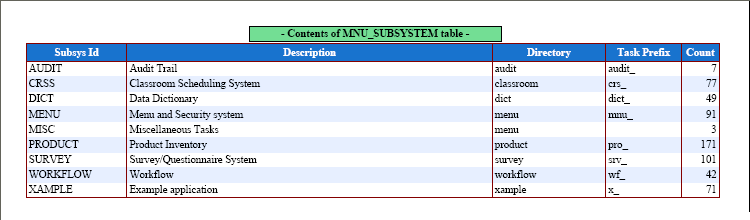
This is produced with the following code in the report structure file:
// identify column names and associated labels
$structure['body']['fields'][] = array('subsys_id' => 'Subsys Id');
$structure['body']['fields'][] = array('subsys_desc' => 'Description');
$structure['body']['fields'][] = array('subsys_dir' => 'Directory');
$structure['body']['fields'][] = array('task_prefix' => 'Task Prefix');
$structure['body']['fields'][] = array('count' => 'Count');
then labels can be replaced at runtime with code similar to the following:
function _cm_pre_output ($string)
// perform any processing required before the output operation
{
    $replace['subsys_id']   = 'NEW subsys_id';
    $replace['subsys_desc'] = 'NEW subsys_desc';
    $replace['subsys_dir']  = 'NEW subsys_dir';

    $result = replaceReportHeadings($replace);

    return $string;

} // _cm_pre_output
$array is an associative array containing the field names with their replacement details.
This is used to replace columns and their headings in the screen structure file at runtime. This is for LIST screens which show multiple rows of data horizontally across the screen below a single row of column headings. For example, a screen contains a column called order_id, but under some circumstances this needs to be changed to a column called order_count.
The screen structure file contains the following:
$structure['inner']['fields'][] = array('country_name' => 'Country');
$structure['inner']['fields'][] = array('order_id' => 'Order Id');
$structure['inner']['fields'][] = array('order_value' => 'Goods Value');
$structure['inner']['fields'][] = array('order_adjustment' => 'Adjustments');
$structure['inner']['fields'][] = array('sales_tax' => 'Sales Tax');
$structure['inner']['fields'][] = array('surcharge' => 'Surcharges');
$structure['inner']['fields'][] = array('discount' => 'Discounts');
This can be amended at runtime with code similar to the following:
    if (is_True($group_by_country)) {
        $replace_array['order_id'] = array('order_count' => 'Count', 'nosort' => 'y');
        $result = replaceScreenColumns($replace_array);
    } // if
This has the effect of changing this:
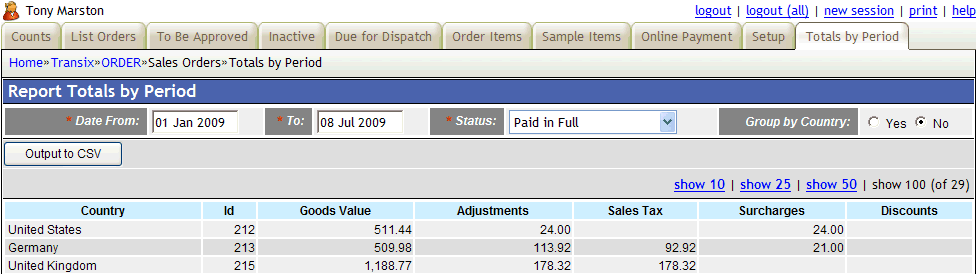
into this:
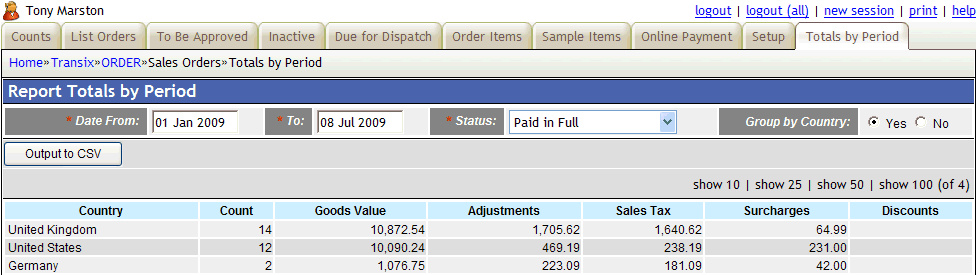
How cool is that!
$array is an associative array containing the field names with their replacement headings.
This is used to replace column headings in the screen structure file at runtime. This is for LIST screens which show multiple rows of data horizontally across the screen below a single row of column headings. In such screens it may sometimes be useful to change the column headings with values which are decided at runtime. For example, a timesheet entry program has columns labelled Day#1 to Day#7, but at runtime these can be changed to actual dates.
The screen structure file contains the following:
$structure['inner']['fields'][] = array('selectbox' => 'Select');
$structure['inner']['fields'][] = array('work_effort_id' => 'Work Effort');
$structure['inner']['fields'][] = array('day_1' => 'Day#1'); // Saturday
$structure['inner']['fields'][] = array('day_2' => 'Day#2'); // Sunday
$structure['inner']['fields'][] = array('day_3' => 'Day#3'); // Monday
$structure['inner']['fields'][] = array('day_4' => 'Day#4'); // Tuesday
$structure['inner']['fields'][] = array('day_5' => 'Day#5'); // Wednesday
$structure['inner']['fields'][] = array('day_6' => 'Day#6'); // Thursday
$structure['inner']['fields'][] = array('day_7' => 'Day#7'); // Friday
$structure['inner']['fields'][] = array('total' => 'Total');
This can be amended at runtime with code similar to the following:
function _cm_post_getData ($rows, &$where)
{
    $replace['day_3'] = 'Monday 7th April';
    $replace['day_4'] = 'Tuesday 8th April';
    $replace['day_5'] = 'Wednesday 9th April';
    $replace['day_6'] = 'Thursday 10th April';
    $replace['day_7'] = 'Friday 11th April';

    $result = replaceScreenHeadings($replace);

    return $rows;

} // _cm_post_getData
This has the effect of changing this:

into this:

How cool is that!
$array is an associative array containing the field names with their replacement labels.
$zone will default to 'main', but can be specified as either 'outer' or 'middle'.
This is used to replace column labels in the screen structure file at runtime. This is for DETAIL screens which show a single row of data vertically down the screen with labels on the left and values on the right. In such screens it may sometimes be useful to change the column headings with values which are decided at runtime. For example, a address entry program has columns labelled City/Town, County and Postcode, but at runtime these can be changed to different values for different countries.
The screen structure file contains the following:
$structure['main']['fields'][6][] = array('label' => 'City/Town');
$structure['main']['fields'][6][] = array('field' => 'city');
$structure['main']['fields'][7][] = array('county' => 'County');
$structure['main']['fields'][8][] = array('label' => 'Postcode');
$structure['main']['fields'][8][] = array('field' => 'postcode');
This can be amended at runtime with code similar to the following:
function _cm_getExtraData ($where, &$fieldarray)
{
    if ($fieldarray['country_id'] == 2) {  // USA
        $replace['county']   = 'State';
        $replace['postcode'] = 'Zip Code';
    } // if

    $result = replaceScreenLabels($replace);

    return $fieldarray;

} // _cm_post_getData
This has the effect of changing this:

into this:

How cool is that!
$source is the path to an existing image file.
$destination is the directory where the resized image will be written.
$width is an integer which provides the width for the resized image.
$height is an integer which provides the height for the resized image.
$message will contain a string which indicates either the success or failure of this operation.
This is used to copy the source image to the destination directory with a new set of dimensions. The new file will be the same type (jpg, gif, png) as the original.
This function will be called automatically within the File Upload pattern if the object's resize_array is populated during the execution of the _cm_initialiseFileUpload() method.
$task_id is the identity of the next task which is to be activated.
$where is the WHERE string which is to be passed to that task.
$selection is a selection string (created by selection2where) which is to be passed to that task.
$task_array is an associative array of details for this task (usually retrieved from the TASK table in the MENU database).
This is called to activate a new task, such as one which has been selected in a form via a navigation button or a popup button. This has the following effects:
$where and $selection.This has the effect of suspending the current script and activating the next script. When the next script is activated it will find all the data it needs in the $_SESSION array. When it terminates via $this->scriptPrevious it will return control back to the current script.
Here is an example where a LIST screen, if currently empty, should jump automatically to an ADD screen:
function _cm_post_getData ($rowdata, &$where)
// perform custom processing after database record(s) are retrieved.
{
    if ($GLOBALS['mode'] == 'list') {
        if (empty($rowdata)) {
            switch ($GLOBALS['return_from']) {
                case 'order_item(add)':
                case 'order_item(del)':
                    // just returned from ADD or DELETE screen, so do nothing
                    break;

                default:
                    // no data, so jump immediately to the ADD screen
                    scriptNext('order_item(add)', $where);
            } // switch
        } // if
    } // if

    return $rowdata;

} // _cm_post_getData
NOTE: If the current task has changed the database then you should call the $this->scriptNext() method instead of the scriptNext() function in order to commit the current database transaction. If you do not then any pending database updates will be lost.
$errors is an array of error messages to be passed to the previous script.
$messages is an array of non-error messages to be passed to the previous script.
$action is a string such as "choose", "OK" or "quit".
$instruction is an array of instructions (see $this->instruction)
This is used to pass control back to the previous form in the current session when the current form terminates, such as when the user presses the CANCEL button, or when it has nothing left to process. The sequence of events is as follows:
keep_data set to TRUE set then remove its details from the $_SESSION array.$errors, $messages, $action and $instruction.When the previous script is re-activated (which then makes it the current script again) its $_SESSION data will contain any information passed back to it so it can take any necessary action.
$object is the current object instance (i.e. $this).
$query_string is an optional string to be appended to the generated URL.
After performing some processing it may be necessary to restart the current script, perhaps with the ability to jump to another database record. For example, in the Survey/Questionnaire prototype a particular answer to a particular question may require that the next group of questions be skipped over, so some method is necessary to force the transaction to restart from a point which may or may not be the next record in the current sequence. This can be done by issuing another URL via the header('location: ...') directive which contains a request (via the scrolling mechanism) to jump to a different record in the current sequence.
Here is some sample code:
    if (isset($jumpto_section_seq)) {
        // locate question to jump to
        $jump_to = .........;
    } else {
        // default is to jump to current question plus 1
        $jump_to = $this->scrollindex + 1;
    } // if

    // set query string to jump to next answer, then restart current script
    scriptRestart($this, "scrolling=$this->tablename&item=$jump_to");
This function will perform the following steps:
commit on the current database object to deal with any outstanding database updates$where (IN) is a string in the format of a WHERE clause in an SQL query.
$pkey_names is an array which identifies the column(s) which constitute the primary key of the relevant table.
$where (OUT) will be the string after after amendments have been made.
Note that $where may identify multiple rows.
This will examine the $where string to identify which columns have been specified. If this list contains ALL the primary key fields plus any non-key fields then all the non-key fields will be removed as they will be redundant.
$pkeyarray is an indexed array of row numbers, and each row contains an associative array of name=value pairs.
$selections is an array which identifies which row numbers have been selected.
$where will be a string in the format of a WHERE clause in an SQL query.
For each row in $pkeyarray which is marked as SELECTED in $selections this will take the associative array and convert it into a string, with multiple fields separated by ' AND '. The fields for each row will be enclosed in '(' and ')', and the string for each row will be separated by ' OR '. The resulting string will look something like:
(key1='A' AND key2='B') OR (key1='C' AND key2='D') OR (...) OR (...)
This is the opposite of splitWhereByRow.
$zone is a string which identifies the zone in the screen structure
$input_data is an associative array which specifies which attribute(s) to add to which column(s)
In a screen which contains multiple rows in a horizontal arrangement, with a heading above each column, it may sometimes be useful to remove one or more columns from the screen at runtime. For example, a timesheet entry program has a separate column for each of the seven days in a week, but if Saturday and Sunday are not used then they should be removed from the screen.
The screen structure file contains the following:
$structure['inner']['fields'][] = array('selectbox' => 'Select');
$structure['inner']['fields'][] = array('work_effort_id' => 'Work Effort');
$structure['inner']['fields'][] = array('day_1' => 'Day#1'); // Saturday
$structure['inner']['fields'][] = array('day_2' => 'Day#2'); // Sunday
$structure['inner']['fields'][] = array('day_3' => 'Day#3'); // Monday
$structure['inner']['fields'][] = array('day_4' => 'Day#4'); // Tuesday
$structure['inner']['fields'][] = array('day_5' => 'Day#5'); // Wednesday
$structure['inner']['fields'][] = array('day_6' => 'Day#6'); // Thursday
$structure['inner']['fields'][] = array('day_7' => 'Day#7'); // Friday
$structure['inner']['fields'][] = array('total' => 'Total');
This can be amended at runtime to hide the 'Saturday' and 'Sunday' columns with code similar to the following:
    $attribute_array['day_1'] = array('nodisplay' => 'y');
    $attribute_array['day_2'] = array('nodisplay' => 'y');
    $result = setColumnAttributes('inner', $attribute_array);
This will have the effect of changing this:

to this:
This operation can be reversed using the unsetColumnAttributes() function with the same $input_data.
This procedure is possible due to the fact that the contents of the screen structure file are read into memory at the start of each task, but not actioned until the end of the task.
DEPRECATED - please use replaceScreenHeadings() instead.
In order to utilise the feature described in How can I search for records with historic, current or future dates? it will first be necessary to add the relevant control to your SEARCH screen. This is done in three parts:
curr_or_hist field to your $fieldspec array so that it will be treated as an editable field.Steps (1) and (2) are dealt with by this function which contains the following code:
function setCurrentOrHistoric ()
// this table contains fields START_DATE and END_DATE, so insert into search screen
// a dropdown list to select 'current', 'historic', 'future' or 'all' dates.
{

    // create array of options and and put into LOOKUP_DATA
    $array = getLanguageArray('curr_or_hist');
    $this->lookup_data['curr_or_hist'] = $array;

    // insert field into $fieldspec
    $this->fieldspec['curr_or_hist'] = array('type' => 'string',
                                             'control' => 'dropdown',
                                             'optionlist' => 'curr_or_hist');
    return;

} // setCurrentOrHistoric
The contents of $array will be as follows:
If your database table contains fields called start_date and end_date this function will be called automatically by the framework during the initialisation phase of a SEARCH screen. If you use different field names the you will have to call this function manually.
Step (3) will require the following line of code somewhere in your screen structure file:
$structure['main']['fields'][] = array('curr_or_hist' => 'Date Range');
Please refer to currentOrHistoric() to see how the selection made using this control is translated into selection criteria which is valid in an SQL statement.
$where is a string in the format of a WHERE clause in an SQL query.
$array will contain the details within that string converted into an array.
This will take a string created by selection2where and convert it back into an array, indexed by row number at the top level and containing an associative array of name=value pairs at the next level. Note here that the string ' OR ' is used to separate one row from another, and the data enclosed by '(' and ')' will be converted into an associative array.
For example, the following string:
(column1='one' AND column2=1) OR (column1='two' AND column2=2)
will be converted into an indexed array with a separate string value for each row:
array =
0: column1='one' AND column2=1
1: column1='two' AND column2=2
$input is number in internal format.
$decimal_places is an integer which defaults to 2.
$output is the input number after it has been truncated after the specified number of decimal places.
The input number is truncated after the specified number of decimal places, which is the same as it being rounded DOWN instead of UP.
$array (IN) is an associative array of name=value pairs.
$array (OUT) is the input array after all names have been unqualified.
There may be occasions when the field names within an associative array have been qualified with their table names (as in tablename.fieldname instead of just fieldname), which means that looking for a particular field name becomes more complex as it must be correctly qualified before a match can be found. The easiest solution would be to strip off the 'tablename.' prefix within each name, thereby making the table name irrelevant.
$zone is a string which identifies the zone in the screen structure
$input_data is an associative array which specifies which attribute(s) to remove from which column(s)
This removes the attributes which were set by the setColumnAttributes() function.
Here is some sample code:
    $attribute_array['day_1'] = array('noedit' => 'y');
    $attribute_array['day_2'] = array('noedit' => 'y');
    if (condition) {
        $result = setColumnAttributes('inner', $attribute_array);
    } else {
        $result = unsetColumnAttributes('inner', $attribute_array);
    } // if
This is used to update the contents of $GLOBALS['page_stack'] by adding in an entry for $task_id.
This is used to update the contents of $GLOBALS['script_vars'] as follows:
selection as it has already been processed by this time.$_SESSION['PHP_SELF']][$task_id] = $script_vars;The updated array is then returned.
$where is a string in the format produced by array2where().
$pageno, if set, will cause a multi-row entry to be limited to that row.
$strip_operators, if set (the default), will cause any operators such as 'LIKE' to be stripped and replaced with '='
$array will contain the contents of $where converted to an array.
This function is used to convert a WHERE string into an array so that that each field name can be examined individually. This is used by the framework to perform such tasks as:
This is the opposite of array2where().
If the $where string contains a selection from multiple rows then this function will only return values from the first row. In order to extract the details from multiple rows you should use the splitWhereByRow() function instead.
These are stored in the $_SESSION array so that they can be accessed in future requests which have the same session id.
The following variables are populated after passing through the LOGON screen:
Whenever the COPY button on the action bar is pressed it will save the contents of the screen using
$_SESSION['data'][$tablename] = $fieldarray;
When an ADD screen is activated it will examine this array looking for an entry for the current table name, and if one is found it will add a PASTE button to the action bar. If the PASTE button is pressed then the saved data will be copied into the current screen.
The saved data can be cleared by pressing COPY on an empty screen.
This is date format specified in the user's language code.
This is date format specified in the user's language code.
This is obtained from the CONTROL table in the MENU database during the processing of the logon screen. It defines the default language code for the session and will be used unless an alternative is provided, such as via $_SESSION['user_language'] or $_SESSION['user_language_array'].
This is data from the localeconv function using the user's language code.
This is locale name obtained after using the setlocale function using the user's language code.
This is the email address of the current user. It is set after passing through the LOGON screen.
This is the party_id of the current user. It is set after passing through the LOGON screen.
This is the identity of the current user. It is set after passing through the LOGON screen.
This is the name of the current user. It is set after passing through the LOGON screen.
This is the value obtained from the Menu Control Data. It is used when constructing the pagination area in screens.
This is the rdcaccount_id of the current user. It is set after passing through the LOGON screen. Its use is described in Implementing Virtual Private Databases.
This is the primary ROLE to which the current user belongs, and which may be shared by other users. All security access is either allowed or denied at the ROLE level, so this is used to identify which parts of the application the user is allowed to access.
As a user may belong to more than one ROLE this contains a list of those roles in a format which is compatible with the IN (x,y,z ...) clause of an SQL query.
Each script that is executed has is own set of details stored in the $_SESSION array. This is so that variables used in one HTTP request can be made available to the next request within the same session.
This data is copied between the $_SESSION array and the $GLOBALS['script_vars'] array as follows:
Data in this array for a task may be maintained even though the corresponding entry for the task has been removed from the $page_stack array. This is made possible if the 'Keep Data on Exit' field is set to TRUE in the Update Task screen. This allows the current state for that task to be maintained throughout the session.
Note that as it is possible for the same script to be accessed by more than one task the contents of this array is quite complex. The entry for each script will contain a separate entry for each task, and there will be a separate entry which identifies which is the current of those tasks. It will look something like the following:
/menu/mnu_task_list.php = array [4]
    task_id = (string) mnu_task(list2)b
    pattern_id = (string) LIST1
    mnu_task(list2)a = array [12]
        button_text = (string) Task (Proc)
        where = (string) task_type='PROC'
        keep_data = (string) Y
        log_sql_query (string) N
        ....
    mnu_task(list2)b = array [12]
        ....
    mnu_task(list2)c = array [12]
        ....
Normally the movement from one script to another is controlled by methods $this->scriptNext() and $this->scriptPrevious(). However, it may sometimes be necessary to interrupt this flow by introducing one or more tasks into the sequence. This can be achieved by adding entries into this indexed array using the append2ScriptSequence() function in the order in which they are to be processed. Each entry is an associative array containing the following values:
| key | value |
|---|---|
| task_id | (required) A string which identifies the task to be performed. |
| where | (optional) A string to be used as the WHERE argument for that task. |
| action | (optional) A string which forces the task to be repeated unless it completes with the same action string. For example, if this is set to 'OK' then the task will be repeated if returns an action of 'cancel'. |
| immediate=TRUE | (optional) This is used in the runImmediateTask() method. |
| messages | (optional) A single message string (or a multiple-message array) that will be displayed in the message area when the next task is activated. |
| no_messages=TRUE | (optional) An instruction to not carry forward any messages from the current task to the next task; |
| query_string | (optional) A string which will be appended to the URL when the task is activated using the header('location: ...') directive. |
| settings | (optional) A string containing values which will be inserted into the task's settings array. |
Note that the instructions in this array are not processed until the current object finishes executing (with the exception of any entry containing the immediate attribute) and returns control to the controller. This will then process the contents of this array as follows:
For example, during the logon process it may be determined that the user's current password has expired and must therefore be changed. This means that instead of selecting the standard MENU screen as the next task, the sequence is altered to Reset User Password and then the MENU screen. This is performed using code similar to the following:
    // find out if user needs to change his password
    if ($mnu_control->getControlData('pswd_change', $updatearray)) {
        $next['task_id']  = 'mnu_user(upd1)b';
        $next['where']    = "user_id='$logon_user_id'";
        $next['action']   = 'OK';
        // 'You must change your password'
        $next['messages'] = getLanguageText('e0002');
        // this is processed by scriptNext() and scriptPrevious()
        append2ScriptSequence($next);
    } // if
Note that the append2ScriptSequence() function is used to add the new details to this array.
Here is an example from the Survey/Questionnaire prototype where the input of a question requires the automatic processing of additional screens to define the choice of possible answers. This uses code similar to the following:
function _cm_post_insertRecord ($fieldarray)
// perform custom processing after database record is inserted.
{
    $where = array2where($fieldarray, $this->getPkeyNames());

    switch ($fieldarray['answer_type']) {
        case 'M':
            $next['task_id'] = 'srv_answer_option(multi)';
            $next['where']   = $where;
            append2ScriptSequence($next);
            break;
        case 'N':
            $next['task_id'] = 'srv_number_option(multi)';
            $next['where']   = $where;
            append2ScriptSequence($next);
            break;
        default:
            ;
    } // switch

    $next['task_id'] = 'srv_question_prompt(link)';
    $next['where']   = $where;
    append2ScriptSequence($next);

    return $fieldarray;

} // _cm_post_insertRecord
Note also that any number of $next entries can be added to this array, and they will be processed in the same order.
This is the value obtained from the Menu Control Data. It is used when constructing the scrolling area in screens.
Whenever the SUBMIT button is a SEARCH screen is pressed it will save the contents of the screen using
$_SESSION['search'][$tablename] = $where;
When a SEARCH screen for the same table name is activated it will start by reloading the contents of the search string.
In a LIST screen which has a navigation button to activate a SEARCH screen, the presence of an entry in this array for the current table name will cause a PREVIOUS SEARCH button to be added to the navigation bar. This will cause that selection criteria to be applied without having to go into the SEARCH screen.
The saved data can be cleared by pressing the SUBMIT button on an empty SEARCH screen.
Please also see $GLOBALS['search'].
This is the starting menu for the user's primary ROLE. The user will automatically be taken to this menu after passing through the LOGON screen.
This is used by the convertTZ() function.
It is not possible to identify the client's timezone from any HTTP headers, so instead it must be defined on each individual MNU_USER record. This value will be loaded into memory when the user passes through the LOGON screen.
This is used by the convertTZ() function.
This is supplied from the date_default_timezone_get() function, but can be overridden by the $GLOBALS['server_timezone'] variable in the CONFIG.INC file.
This will only exist if the user's record on the MENU database has a non-blank value for language code. This will override any language code defined in the client's browser settings.
This is used in the Internationalisation feature.
This is an indexed array which contains one or more language codes provided by the client's browser in $_SERVER["HTTP_ACCEPT_LANGUAGE"]. Each entry provides the following values in a nested indexed array:
en-gbenEnglish (United Kingdom) [en_GB]EnglishThe full list of possible language codes is contained in file menu/text/en/sys.language_array.inc
This is used in the getBrowserLanguage() function.
Although some people say that global variables should NEVER be used I happen to disagree. Wherever possible the best way of passing values to a function/method is via arguments on the call statement, but sometimes it may be necessary to give access to a variable that is rarely used. In cases where there are a large number of these "rarely used" variables it would be a total PITA to include each an every one in the argument list, so my philosophy is to leave them in global scope and access them as and when required.
In PHP a global variable can be accessed from within a function/method in either of the following ways:
global $var_name;
$var_name = 'whatever';
$GLOBALS['var_name'] = 'whatever';
$act_buttons['submit']     = 'submit';
$act_buttons['submitstay'] = 'submitstay';
$act_buttons['copy']       = 'copy';
$act_buttons['quit']       = 'cancel';
Note that the calls to getLanguageText will be performed in the standard code during the construction of the XML document.
It may be a requirement that under some circumstances one (or more) of these buttons should be removed from the screen and not displayed. This can be achieved with code similar to the following:
unset($GLOBALS['act_buttons']['reset']);
If you wish to add new buttons then please use the _cm_changeActionButtons() method.
<cwd>/text/<language>/ directory where <cwd> is the current working directory and <language> is the desired language code.
However, it is possible to activate a class which exists in a different directory from the current working directory to either perform some validation or some database updates, which will cause these functions to look in the wrong files and therefore retrieve the wrong text. In those situations where this can occur the solution is to supply the location of the current class file in $GLOBALS['classdir'] prior to the function call, as shown in the following example:
    if (getcwd() != dirname($this->dirname)) {
        // switch to correct directory for retrieving message text
        $GLOBALS['classdir'] = dirname($this->dirname);
    } // if

    if (condition) {
        // 'There is no rule which permits the status to be changed from X to Y'
        $this->errors[] = getLanguageText('e0044', $curr_status_desc, $new_status_desc);
    } // if

    unset($GLOBALS['classdir']);
The getLanguageText() function will switch to the directory found in $GLOBALS['classdir'] before retrieving any values, then switch the current working directory back to what is contained within $_SERVER['SCRIPT_FILENAME'].
Note that this procedure is done automatically when calling the standard deleteRecord(), deleteSelection(), insertRecord() and updateRecord() methods, but will have to be done manually in any others.
This resides in the CONFIG.INC file, and is used to define how dates will be displayed. Possible values are:
| Setting | Output |
|---|---|
| dmy | 20 Aug 2006 (default) |
| mdy | Aug 20 2006 |
| ymd | 2006 Aug 20 |
| dd/mm/yyyy | 20/08/2006 |
| dd.mm.yyyy | 20.08.2006 |
| dd/mm/yy | 20/08/06 |
| yyyy-mm-dd | 2006-08-20 |
Note that this value can be overridden for the current user's language on the MNU_LANGUAGE table.
This resides in the CONFIG.INC file, and is only used if $GLOBALS['https_server'] is non-blank. Please refer to How can I use a secure server in my application? for details.
This resides in the CONFIG.INC file, and is used to indicate if the HTTPS protocol is available on the web server. Please refer to How can I use a secure server in my application? for details.
This resides in the CONFIG.INC file, and is used to indicate if the HTTPS protocol is available on the web server through a shared address which requires a domain name as a suffix. Please refer to How can I use a secure server in my application? for details.
NOTE: This variable is now defunct, please use $this->lock_tables instead.
This can be set in _cm_getDatabaseLock which is called from startTransaction and will apply to all database table objects which are accessed during the current database transaction. If a different setting is required for a particular database table then refer to $this->row_locks.
NOTE: This variable is now defunct, please use $this->row_locks instead.
TRUE inside the CONFIG.INC file and it will cause all SQL statements to be written out to a log file in the application's sql subdirectory, one per script, with the name <script_id>.sql.
If you only want SQL logging turned on for individual tasks then go to the Update Task screen and set 'Log SQL Query' to YES.
The same table class and the same XSL stylesheet can be used by several controllers which perform different functions, so some method is required whereby the function of the controller can be readily identified. This value is set by the controller so that it can be examined within the application code, and it is also copied out to the XML document so that it is also available to the XSL stylesheet.
The possible values are: list, insert, delete, read, search and update.
Under normal circumstances the navigation button would still be visible and, if pressed, would pass control to the child transaction which, if programmed correctly, should issue an error message and pass control immediately back to its parent. If the preferred behaviour is not to show the navigation button in the first place then this can be achieved by adding the task_ids of the child transactions to this array using code such as the following:
$GLOBALS['nav_buttons_omit'][] = 'foo(add)';
$GLOBALS['nav_buttons_omit'][] = 'bar(add)';
After the data for the navigation buttons has been retrieved from the database it will be written out to the XML file, but any entry found in the $nav_buttons_omit array will be ignored.
This is populated whenever the user clicks on one of the column headings in a LIST screen to cause the data to be sorted on that column (field) name.
This toggles between 'asc' (ascending) and 'desc' (descending) each time the user clicks on one of the column headings in a LIST screen to cause the data to be sorted on that column (field) name.
This is an associative array which is keyed by $task_id, and each value is another associative array containing two entries, one for button_text and another for script_id.
This is used to keep track of transactions which the user has visited in the current session, and which have become suspended while a child transaction is processed. The last entry in the stack is always the current "active" transaction while all previous entries are "suspended".
If the user presses a navigation button or a popup button in a transaction, then that transaction (the parent) becomes suspended while the child transaction associated with that button has control. As soon as the child transaction terminates control is automatically passed back to its parent, and the child transaction disappears from the stack.
Suspending the current transaction and activating a new one is achieved using $this->scriptNext().
Terminating the current transaction and returning to the previous one is achieved using $this->scriptPrevious().
This is totally different from the browser history which keeps track of different HTTP requests. By attempting to navigate with the browser's BACK button it is possible to re-issue an HTTP request which is no longer valid. For example, the user visits a LIST screen with a GET request, chooses an ADD screen with a POST request, jumps to that ADD screen with a GET request, enters data and submits it with a POST request, then returns to the list screen with another GET request. The browser history resembles the following:
MENU, LIST [get], LIST [post], ADD [get] ADD [post], LIST [get]
While within the ADD screen the stack contains just the following:
MENU, LIST, ADD
When the ADD screen finishes it drops its entry from the stack and returns control to its parent, which leaves the following:
MENU, LIST
Going backwards from the LIST screen would cause the following:
The contents of this array is also is used to populate the 'breadcrumbs' area in the menu bar.
This array is maintained using the following:
Within an application that may need to produce output in the language of the recipient, where the recipient is an external party and not the person who is generating the document, this variable will be used to identify the language of the recipient. The language of the person generating the output will be held in $_SESSION['user_language'].
Whenever a task is re-activated after returning from a child task this will indicate how that child task terminated. Possible values are as follows:
OK - a SUBMIT button was pressed to update the database.cancel - the user pressed the CANCEL/CLOSE button to exit without performing any updates.choose - the user chose one or more entries in a popup form.Whenever a task is re-activated after returning from a child task this will contain the identity of that child task.
This holds the contents of the task's screen structure file. The contents of the disk file are copied to this array during the initialisation process of the controller script, and this array is then transferred to the XML document at the end of the script so that the HTML output can be constructed during the XSL transformation.
This means that at any time during the period when the controller has handed execution over to a business layer object the contents of this array can be modified so that the structure of the HTML output can be tailored to suit particular circumstances.
This contains variables for the current script that will be copied to/from the $_SESSION array as follows:
During the processing of initSession() the contents of this array will be extracted into individual global variables. Entries may then be deleted from the array so that they are not used again.
This string is in the format of the WHERE clause in an SQL query and contains any search criteria that was entered on a SEARCH screen. Note that because wild card characters are allowed the format of a search string will be as follows:
field1 LIKE 'value' AND field2 LIKE 'value'
The contents of this string will be merged with the contents of the $GLOBALS['where'] string before any records are retrieved from the database.
Please note the following:
Please also see $_SESSION['search'].
This string is in the format of a WHERE clause in an SQL query and contains the primary keys for all those occurrences marked as SELECTED in a multi-occurrence screen such as a LIST1.
The primary key for each selected occurrence will be enclosed in '(' and ')', and the keys for multiple occurrences will be separated by ' OR ' as in the following example:
(key1='A' AND key2='B') OR (key1='C' AND key2='D') OR (...) OR (...)
This string is created by the selecton2where() function.
This resides in the CONFIG.INC file, and is used to replace the identity of the server's time zone as identified by the date_default_timezone_get() function.
This is an associative array of values which is initially obtained from the settings field in the MNU_TASK data, but which can be amended with custom code within any database object. Any values will also be included in the <params> area of the XML document so that they are also available to the XSL transformation process.
The following values are currently supported within the Radicore framework for use with POPUP forms, and which can be set in the _cm_popupCall() method:
select_one=TRUE - will cause the 'select' column in a POPUP form to be displayed as radio buttons so that only a single selection can be made.select_one=FALSE - will cause the 'select' column in a POPUP form to be displayed as checkboxes so that multiple selections can be made.choose_single_row=TRUE - if only a single row is found then the POPUP form will return it immediately as a selection without waiting for intervention from the user.This string is in the format of the WHERE clause in an SQL query. It is initially passed down from the previous (parent) screen so will identify a record by its primary key. If this is used as a foreign key in the child screen then it may retrieve more than one database record.
| 30 Sep 2025 | Updated getData() and getData_raw() to include a reference to the rdc_no_post_getdata reserved word. |
| 10 Jul 2024 | Updated _cm_output_multi() method to give an example using the $iteration argument. |
| 01 Nov 2022 | Updated _cm_getForeignKeyValues() method so that it is called on the child object with an argument for the parent instead of being called on the parent object with an argument for the child. |
| 07 Jun 2022 | Updated deleteSelection() to include calls to the _cm_pre_deleteSelection() and _cm_post_deleteSelection() methods.
Updated formatData() to include a call to the _cm_pre_formatData() method. Added the convertTimeZone method. |
| 01 Sep 2021 | Updated the validateDelete() and _cm_validateDelete() methods to include a third argument.
Deprecated the method getFieldSpec_original() which is now an alias for loadFieldSpec(). |
| 01 Jun 2021 | Updated the getForeignKeyValues() function to include a call to the getForeignKeyValues() method.
Added the _cm_clearEditableData() method to clearEditableData(). |
| 01 Jan 2021 | Added the _cm_post_insertRecord_with_errors() method.
Added the _cm_post_updateRecord_with_errors()method. Updated _cm_getInitialData() to mention the $this->no_duplicate_error, $this->retry_on_duplicate_key and $this->update_on_duplicate_key options. Updated _cm_pre_getData() to mention the $this->drop_from_sql_select variable. Updated popupReturn() so that the call to the getExtraData() method is called after the call to _cm_post_popupReturn() instead of before. |
| 09 Nov 2020 | Added the setFinalAction() method.
Added the runImmediateTask() method. Updated $_SESSION['script_sequence'] and append2ScriptSequence() to include some new options. Added the $this->save_initial_where variable for use in the _cm_initialise() method. Updated getPkeyArray() to include call to _cm_adjustColumnNames(). |
| 03 Jun 2020 | Added the mergeWhere() function.
Amended the startTransaction() method. Amended the _cm_getDatabaseLock() method. Removed the use of $GLOBALS['lock_tables'], please use $this->lock_tables instead. Removed the use of $GLOBALS['lock_rows'], please use $this->row_locks instead. Added $this->lock_standard_tables. |
| 02 Apr 2020 | Amended the _cm_initialiseFilePicker() method to include the $picker_include_dir option.
Amended the _validateInsertPrimary() method to include an optional 2nd argument. Amended the _validateUpdatePrimary() method to include an optional 2nd argument. Amended the _cm_getInitialDataMultiple() method to explain the multiple sources for the $rowdata argument. |
| 09 Jan 2020 | Added the selection2PKeyOnly() function.
Added the getFieldArray() and _cm_getFieldArray()methods. Amended the array_update_associative() function. |
| 29 Jun 2019 | Added the array2where_missingIsNull() function.
Added the identify_id_column() function. |
| 01 May 2019 | Added the output_Iterations method for use in PDF processing.
Updated the $PDF->detailView() method to include a call to the output_Iterations method. Updated the _cm_output_multi() method to include a third argument. Updated array_update_indexed() so that it calls array_update_associative() for each row in $fieldarray. Updated the pasteData() method to include calls to the _cm_pre_pasteData() and _cm_post_pasteData() methods. Updated the outputCSV() method to allow blank lines to be inserted into the CSV file. |
| 02 Feb 2019 | Added variable $rows_to_be_appended for use in popup processing.
Added variable $temporary_table for use when creating and reading a temporary database table. Updated the _cm_validateupdate() method to include a third $method argument.
Updated _cm_popupReturn() and _cm_post_popupReturn() to include a fifth $fieldname argument.
Added the _cm_pre_getNodeData() method. Added the array_update_associative() method. Added the array_update_indexed() method. Added the extractPopupFields() function |
| 01 Aug 2018 | Updated getTimeStamp() to include the $use_server_time argument.
Added the getCollapsed() method. Added the changeActionButtons() method. Added the $drop_from_sql_select property to identify fields which should be dropped from the generated SELECT string in the SQL query. Updated setFieldArray() method to include the $reset_pageno and $reset_numrows arguments.
Updated updateFieldarray() method to include the $perform_validation argument.
Updated clearEditableData() to ignore any field which has the 'noclear' attribute set. Updated fetchRowChild() to provide the contents of the current parent row so that it can be made available using getParentData(). Updated getParentData() to include the $first_row_only argument.
Updated getFieldArray() to include the $first_row_only argument.
Updated getData_serial() so that it calls getParentData(TRUE). Updated getExtraData() to include the $no_foreign_data argument.
Added the findDBVersion() method. Added methods $object->getLanguageArray() and $object->getLanguageText(). |
| 01 May 2018 | Updated $object->updateFieldarray() to include call to $this->_cm_commonValidation(). |
| 01 Mar 2018 | Added $this->css_files variable to allow additional CSS files to be added to the web page.
Added $this->no_filter_where variable to identify column names which should not be filtered out of the WHERE string. Amended initialiseFileDownload() to allow the file contents to be supplied from memory instead of being read from disk. |
| 25 Oct 2017 | Added findDBConfig() function to provide the configuration details of the current database. |
| 01 Sep 2017 | Updated validateUpdate() method to include options to perform primary and/or secondary validation. |
| 01 Feb 2017 | Updated insertMultiple() method to allow updates and deletes as well as inserts.
Updated updateMultiple() method to allow inserts and deletes as well as updates. Added the extractNamedFields() function. |
| 01 Aug 2016 | Added quitButton() and _cm_quitButton() methods. |
| 01 Jul 2016 | Amended _cm_pre_getData() to add a note regarding primary and unique keys. |
| 01 Jun 2016 | Amended $reuse_previous_select to switch the default value from FALSE to TRUE. |
| 01 May 2016 | Amended Class Properties to include $allow_buttons_all_zones.
Amended customButton() to include $allow_buttons_all_zones. |
| 30 Jan 2016 | Added getForeignKeyValues() to help identify the foreign key names in a relationship between two tables.
Added validateInsert(). Added validateUpdate(). |
| 12 Dec 2015 | Amended the _cm_popupCall() function to add the $offset argument.
Amended the _cm_pre_getData() function to change the $fieldarray argument to $parent_data.
Amended the getColumnNames() and _cm_getColumnNames() methods to include additional functionality. Renamed '_validateInsert()' to _validateInsertPrimary() Renamed '_validateUpdate()' to _validateUpdatePrimary() |
| 01 Nov 2015 | Updated outputCSV() to include a call to the appendToCSV() method. |
| 01 May 2015 | Updated Class Properties to include $allow_zero_rows.
Added validateChooseButton() and _cm_validateChooseButton() methods. Updated the chooseButton() function to call the validateChooseButton() method. Added the getParentClass() and getChildClass() methods. |
| 08 Mar 2015 | Updated getExtraData() so that _cm_changeConfig() is executed before _cm_getExtraData() instead of after. |
| 01 Mar 2015 | Updated _cm_restart(), _cm_popupReturn() and _cm_post_popupReturn() to include the $return_files argument. |
| 01 Dec 2014 | Updated _cm_changeConfig() to include a comment regarding changing the contents of $fieldarray. |
| 01 Jul 2014 | Added fetchRowChild() which is used when outputting a tree structure (hierarchy) to a CSV file. |
| 01 Jun 2014 | Updated _cm_getPkeyNames() to include notes regarding the use of the __sleep() method.
Updated $GLOBALS['date_format'] to show that a different setting can be supplied for different languages. Added add_days_to_date(). |
| 08 May 2014 | Added replaceScreenLabels().
Added an entry for the Singleton class. |
| 07 Mar 2014 | Updated getExternalDate and getInternalDate to include the optional $date_format argument.
Added $this->executeQuery and $this->multiQuery Added findDBName(). |
| 01 Dec 2013 | Added $this->fields_not_for_trimming to prevent string fields from being trimmed before
an insert or an update.
Added $object->updateFieldArray() to update an object with the contents of the $_POST array when form data is submitted by a javascript submit() function instead of a SUBMIT button or custom button.
Added the $child_object and $parent_object properties. Added the setChildObject() and setParentObject() methods. Added the getParentData() and setParentData() methods. Added the getChildData() and setChildData() methods. Removed the _cm_setParentData() method as it is now redundant. Use the getParentData() method instead. |
| 02 Mar 2013 | Updated $GLOBALS['date_format'] to include the format 'yyyy-mm-dd'. |
| 14 Apr 2012 | Added $this->allow_db_function to Class Properties.
Added isDirectoryValid() function. Updated restart() and _cm_restart() to include the $return_string argument. |
| 20 Feb 2012 | Modified the _cm_deleteSelection() method to allow a delete to span multiple tables. |
| 25 Aug 2011 | Added the _cm_post_lastRow() method.
Added the outputPDF_LabelView() and $PDF->labelView () methods. |
| 01 Jun 2011 | Added the dateDifference() function.
Added the getBrowserVersion() function. |
| 01 Nov 2010 | Updated the post_fileupload() function to include the size of the file which has just been uploaded.
Added the restart() and _cm_restart() methods. |
| 01 Jun 2010 | Updated the _cm_initialisefileupload() function to allow any type of file to be uploaded.
Updated the post_fileupload() and _cm_post_fileupload() methods to return the $filename argument in case it needs to be changed.
Added the customButton() and _cm_customButton() methods. |
| 01 May 2010 | Updated the append2ScriptSequence() function to include $prepend as an optional second argument. |
| 01 Feb 2010 | Updated _cm_ListView_print_after() method to include $next_row as a second argument. |
| 01 Oct 2009 | Added functions convertTZdate() and convertTZtime().
Updated $PDF->listView() to replace the _cm_ListView_pre_print() method with the _cm_ListView_print_before() and _cm_ListView_print_after() methods. |
| 01 Sep 2009 | Modified reset() so that it calls _cm_reset().
Modified _cm_initialise() so that the $selection argument is available in all tasks. Modified _cm_pre_output() to allow the filename to be passed when the output is either PDF or CSV. Modified _cm_post_output() to include the filename as the second argument. |
| 01 Aug 2009 | Modified _cm_initialise() so that it includes the $search string as a third argument in tasks with pattern OUTPUT. |
| 08 Jul 2009 | Added the post_search() and _cm_post_search() methods.
Added the replaceScreenColumns() function. Added function convertTZ() for timezone conversions. |
| 01 Jun 2009 | Added the $this->no_display_count and $this->no_controller_msg variables. |
| 01 May 2009 | Added the getPreviousPattern() function.
Added the $object->scriptPrevious() method. Added the $object->no_duplicate_error variable. Added the post_fileUpload() and _cm_post_fileUpload() methods. |
| 01 Apr 2009 | Added the $object->scriptNext method. |
| 01 Jan 2009 | Added the $this->sql_no_foreign_db variable.
Added the replaceScreenHeadings() function. This makes getColumnHeadings() and setColumnHeadings() redundant. Added the replaceReportHeadings() function. |
| 01 Dec 2008 | Amended getColumnNames() method so that it calls _cm_getColumnNames() to allow customisation before the screen is displayed.
Added variable $this->lookup_css to allow individual entries in radio groups to be given their own CSS style. Added the filePickerSelect() and _cm_filePickerSelect() methods. |
| 01 Oct 2008 | Added the getPkeyNamesAdjusted() function.
Added the sqlSelectDefault() function. Amended $GLOBALS['date_format'] to include new values. |
| 01 Sep 2008 | Amended the _cm_initialiseFilePicker() function to accept the $fieldarray argument. |
| 01 Aug 2008 | Amended the _cm_popupCall() function to allow $this->errors to be set and $popupname to be changed. |
| 01 Jul 2008 | Added the rangeFromTo() function.
Added the unqualifyFieldArray() function. Added the setCurrentOrHistoric() and currentOrHistoric() functions. |
| 01 May 2008 | Added the setParentData() and _cm_setParentData() methods so that changes made in the parent object can be passed down to the child object.
Added the setColumnAttributes() and unsetColumnAttributes() functions so that individual columns can be hidden/unhidden. Added the getColumnHeadings() and setColumnHeadings() functions so that column headings can be changed at runtime. Added the getWhere() and _cm_getWhere() methods so that the WHERE string which is passed to a child task can be amended. |
| 01 Apr 2008 | Modified _cm_initialise() so that it includes the $selection string as a second argument in tasks with pattern ADD2. |
| 01 Mar 2008 | Modified _sqlAssembleWhere() so that it will automatically move any aliased names from WHERE to HAVING.
Added _cm_filterWhere() method. |
| 01 Feb 2008 | Added variables $this->alt_language_cols and $this->alt_language_table.
Added methods _sqlProcessJoin() and _sqlSelectAlternateLanguage(). Added method _cm_ListView_pre_print(). |
| 01 Nov 2007 | Added function resizeImage() which can be used to resize an image during the file upload process. |
| 01 Oct 2007 | Added method free_result() in order to release a resource created by getData_serial(). |
| 20 Aug 2007 | Added function append2ScriptSequence() for adding entries to $_SESSION['script_sequence']. |
| 25 Jul 2007 | Changed the _cm_initialiseFileUpload() method so that if any type of image is allowed then the $filetypes variable can be set to the string value image instead of having to specify an array of all possible image types.
Added the _cm_ListView_header() method to allow fields to be defined which can be inserted into the page title. |
| 09 Jun 2007 | Changed the fetchRow() method to call _cm_post_fetchRow() instead of _cm_post_getData().
Removed getData_batch() as it does the same thing as getData_serial(). |
| 28 May 2007 | Added the _getInitialValues() method which is used in the initialise() method. |
| 01 May 2007 | Updated _dml_ReadBeforeUpdate() to include argument $reuse_previous_select.
Changed $remove_buttons to $nav_buttons_omit so that the name is more meaningful.
Added method insertOrUpdate() for use in the new Update 5 pattern. Added method _cm_getPkeyNames() and _cm_validateSearch(). Added include.subsystem.inc to the list of files in the introduction. |
| 31 Mar 2007 | Added custom method _cm_post_popupReturn() to popupReturn().
Added $parent_table argument to validateDelete() and _cm_validateDelete() methods. |
| 27 Jan 2007 | Added custom method _cm_getOrderBy(). |
| 15 Jan 2007 | Added _cm_ListView_total() to provide the ability to print a final line in the PDF output containing any accumulated totals.
Amended _cm_formatData() to include an additional argument for CSS styles for individual fields. |
| 05 Dec 2006 | Amended _dml_ReadBeforeUpdate() to include a special field called 'rdcversion' (Radicore Version Number) which can be used to prevent simultaneous updates to the same record. |
| 18 Nov 2006 | Added functions initialiseFilePicker() and _cm_initialiseFilePicker().
Added functions initialiseFileDownload() and _cm_initialiseFileDownload(). |
| 01 Nov 2006 | Added optional argument $fieldarray to _cm_pre_getData() method.
Added functions getTableAlias1(), getTableAlias2() and getTableAlias3(). |
| 15 Oct 2006 | Added method getPatternId(). |
| 28 Aug 2006 | Added methods outputPDF_ListView() and outputPDF_DetailView(). |
| 12 Aug 2006 | Added methods getData_serial() and outputCSV(). |
| 09 Aug 2006 | Added customisable method _cm_setJavaScript(). |
| 09 Jul 2006 | Added function adjustDate() and isPrimaryObject(). |
| 15 May 2006 | Added an extra parameter ($wherearray) to _cm_fileUpload() to pass the contents of the $where string from initialiseFileUpload(). |
| 30 Apr 2006 | Added initialiseFileUpload() and fileUpload() methods to add more flexibility to the file upload feature. |